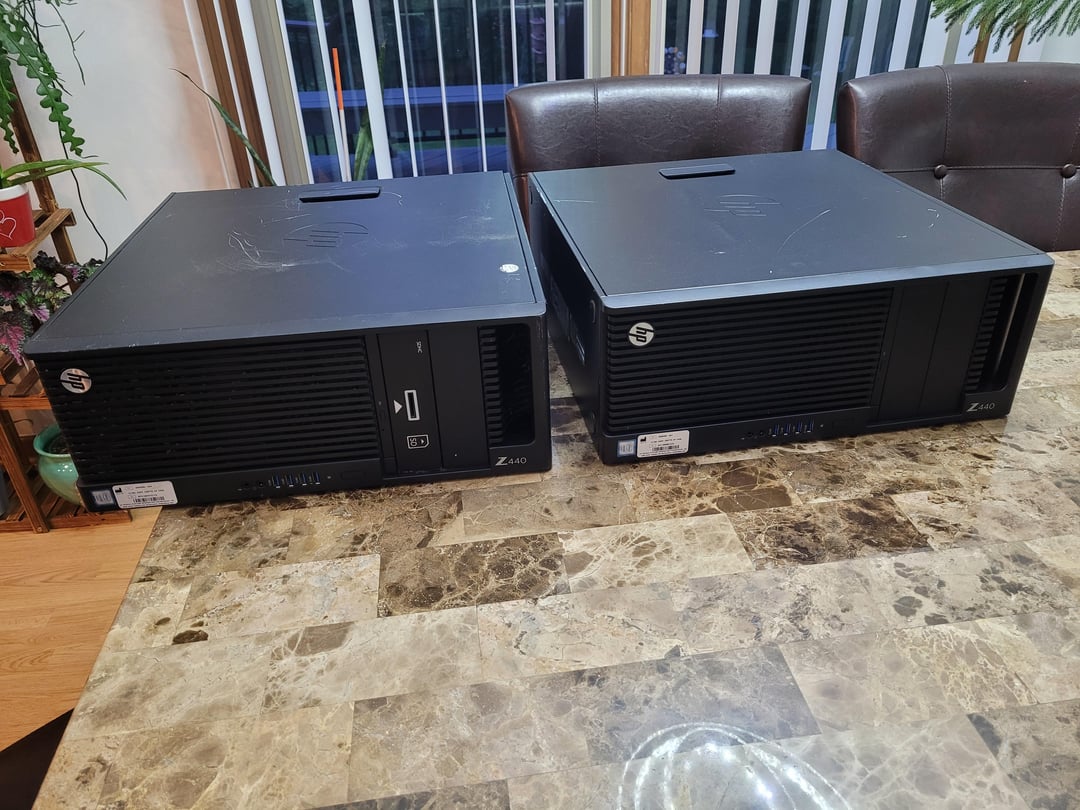
Both come with 700w ps and front fan assembly. Ordered some parts on amazon to see if they work. If they do, will make gaming rigs for me and daughter.

Both come with 700w ps and front fan assembly. Ordered some parts on amazon to see if they work. If they do, will make gaming rigs for me and daughter.
7 Comments
The motherboard, PSU and chassis is proprietary. So if you want to upgrade them, it will take about if work.
What you can do is put more ram in it and buy new GPU … thats about it.
Not entirely sure, but it seems you have to use SATA SSD, so limited in that regard as well. As a temporary solution till you get more money … sure, will get the job done.
Nice find!
Yep, those are some really nice gaming PCs you have right there. I’ve built in these before.
Some tips:
1. These only support DDD4 ECC ram. It NEEDS to be ECC or it will not work. Ideally, you want to run 4 sticks of ram to use all 4 ram channels to maximize performance.
2. CPU choice is LGA 2011-3 Xeon’s, V3 or V4. Typically, I reccomend the Xeon E5 1650v3, a six core CPU for these. It’s basically the same as a 5930k, and they only cost $8-9 dollars on eBay. More on why later.
3. The PSU has two pci-e six pins down there. Rip that silly fan assembly off in the front, you don’t need it and you do need the PCI-e connectors. Get a dual 6 pin to 8 pin adapter if needed to open up your GPU choices is very affordable, only $5 or so.
4. The coolers for the processors on these are terrible, so apply lots of thermal paste and pray. If you can, try to find a better LGA 2011-3 compatible cooler.
5. You can kind of overclock. There’s a sleep hack that enables it, but then you can’t shut the PC off or it reverts back to stock clocks. Look up “HP Z440 overclocking” on Google, there’s some guides how to do it. It’s fun, it does work, but it’s kinda tedious because it won’t stay consistently working if you shut the PC off.
6. For GPU selection, you can do a lot here. GTX 1080, GTX 1070, 1660, 1660 super, 1660ti, Rx 6600, Rx 5600xt, Rx 580, Gtx 1060 6gb, Rtx 2060, Rtx 3060, etc. Probably stick with something that uses a single 8 pin connector for power, but there’s a ton of options.
7. Not possible to change the motherboard, case, or PSU easily. All are very proprietary, so don’t try to.
will probably work if the systems power on.
buy some ram and find out if you can get to the bios.
Based parent
I find it very hard to believe that both have a 700W PSU, i don’t think i’ve ever seen an office pre-built PC with such a big power supply.
Did anyone here think that the PCs were the size of small couches?