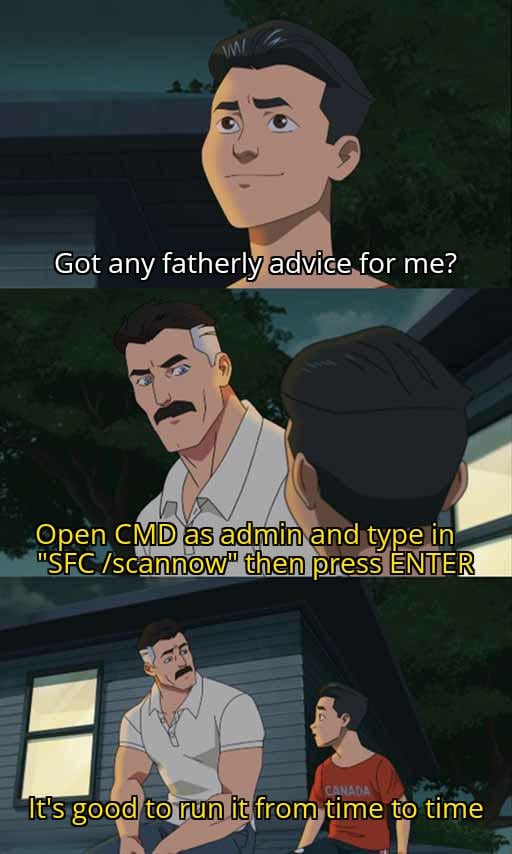
Not mentioned, but you need to escalate the cmd to admin for that.
Also, if you’re gonna run sfc, you can also run this DISM command and it also helps things 🙂
DISM /Online /Cleanup-Image /RestoreHealth
NotFuton
So as a pleb when it comes to this stuff, what does it do, and feel free to dumb it down as much as possible, thanks!
TheRedDudeFromMM3
I’m pretty sure I fixed random crashes from my keyboard driver on my laptop that way.
Maybe.
Nathanien
Neither DISM nor sfc /scannow should be done „just so“. If you dont have any problems with your OS (like Windows not updating for example) there is no benefit to execute these tasks.
dekcampani
RemindMe! 1 day
Ri_Konata
It has its uses, but I wouldn’t run it unless something was actually broken.
It did fix that one time when my windows file search died (the search bar in file explorer was greyed out)
everyglanceyoushotme
Bluetooth drivers have entered the chat
SnooSketches3386
I do this when my computer won’t sleep despite no wake timers or requests
Withdrawnauto4
First thing dell tells you to do for any problem with your pc
Traditional-Share198
r/TronScript
A game changer
Of course, read the doc
And put in any argument you don’t want/edit the script files if the argument doesn’t exist
demonologist1986
>Windows Resource Protection found corrupt files and successfully repaired them.
>For online repairs, details are included in the CBS log file located at
>windir\Logs\CBS\CBS.log. For example C:\Windows\Logs\CBS\CBS.log. For offline
>repairs, details are included in the log file provided by the /OFFLOGFILE flag.
I guess I needed that.
xboxhobo
I work in IT and yes it can sometimes fix strange issues, but it’s pretty rare. You don’t really need to be running it randomly.
Nikolas_Coalgiver
“command not found”
themastermonk
This isn’t really something that needs to be run frequently but it shouldn’t break anything if you choose to.
If you are going to do this there is a specific order for best results.
CMD as admin
First run
DISM /online /Cleanup-Image /RestoreHealth
Then
Sfc /scannow
The dism fixes any corrupt Windows install files that sfc pulls from to fix issues in your Windows installation.
Ar3s701
“chkdsk /R” when shit hits the fan
unknowingafford
Or use Linux
Anoninomimo
This kind of advices is poison for people who don’t know what they are doing. Stop obsessing over cleaning your pc, installing cleaning software, overcomplicating mundane tasks and specially stop obsessing how much ram your pc is using.
BKM558
Also delete system 32 while you are at it, it speeds up your pc.
Jokes aside, if shit aint broken don’t be doing stuff like this.
LotusTileMaster
This is a failure on Microsoft for not running this periodically.
Hsr2024
Repairing system files? Umm, yeah, it’s good advice actually
missyou247
I have not once in my life seen sfc or dism fix anything and I used to fix PCs for a living
bajorina
No need to run it on linux
That-Intern-7452
Ah, yes, I always run as admin random commands I see from the internet.
osrsburaz420
Yo my pc found corrupt stuff and fixed it, ty king

24 Comments
Not mentioned, but you need to escalate the cmd to admin for that.
Also, if you’re gonna run sfc, you can also run this DISM command and it also helps things 🙂
DISM /Online /Cleanup-Image /RestoreHealth
So as a pleb when it comes to this stuff, what does it do, and feel free to dumb it down as much as possible, thanks!
I’m pretty sure I fixed random crashes from my keyboard driver on my laptop that way.
Maybe.
Neither DISM nor sfc /scannow should be done „just so“. If you dont have any problems with your OS (like Windows not updating for example) there is no benefit to execute these tasks.
RemindMe! 1 day
It has its uses, but I wouldn’t run it unless something was actually broken.
It did fix that one time when my windows file search died (the search bar in file explorer was greyed out)
Bluetooth drivers have entered the chat
I do this when my computer won’t sleep despite no wake timers or requests
First thing dell tells you to do for any problem with your pc
r/TronScript
A game changer
Of course, read the doc
And put in any argument you don’t want/edit the script files if the argument doesn’t exist
>Windows Resource Protection found corrupt files and successfully repaired them.
>For online repairs, details are included in the CBS log file located at
>windir\Logs\CBS\CBS.log. For example C:\Windows\Logs\CBS\CBS.log. For offline
>repairs, details are included in the log file provided by the /OFFLOGFILE flag.
I guess I needed that.
I work in IT and yes it can sometimes fix strange issues, but it’s pretty rare. You don’t really need to be running it randomly.
“command not found”
This isn’t really something that needs to be run frequently but it shouldn’t break anything if you choose to.
If you are going to do this there is a specific order for best results.
CMD as admin
First run
DISM /online /Cleanup-Image /RestoreHealth
Then
Sfc /scannow
The dism fixes any corrupt Windows install files that sfc pulls from to fix issues in your Windows installation.
“chkdsk /R” when shit hits the fan
Or use Linux
This kind of advices is poison for people who don’t know what they are doing. Stop obsessing over cleaning your pc, installing cleaning software, overcomplicating mundane tasks and specially stop obsessing how much ram your pc is using.
Also delete system 32 while you are at it, it speeds up your pc.
Jokes aside, if shit aint broken don’t be doing stuff like this.
This is a failure on Microsoft for not running this periodically.
Repairing system files? Umm, yeah, it’s good advice actually
I have not once in my life seen sfc or dism fix anything and I used to fix PCs for a living
No need to run it on linux
Ah, yes, I always run as admin random commands I see from the internet.
Yo my pc found corrupt stuff and fixed it, ty king