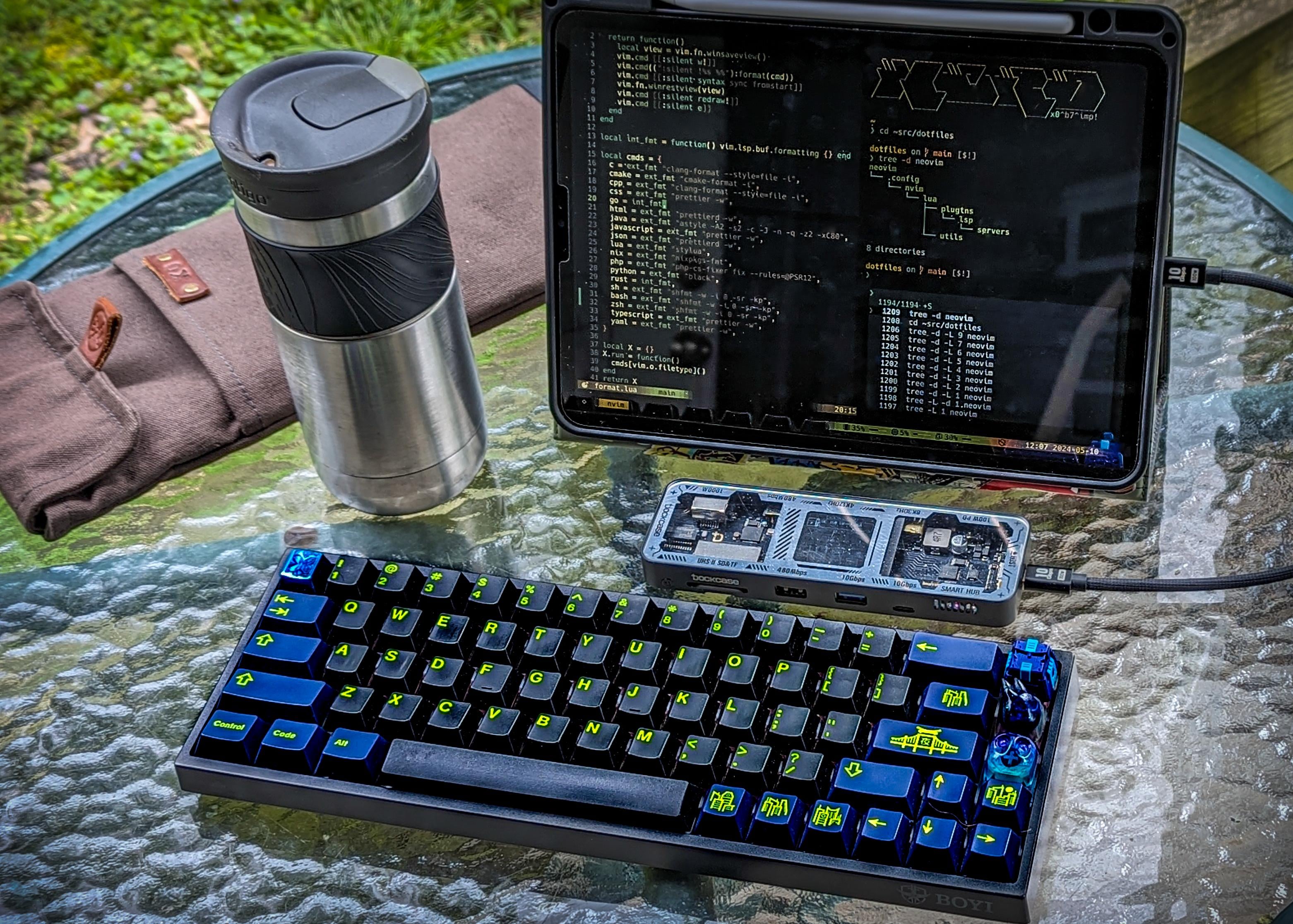
* 11” ipad pro
* blinkshell connected to a debian vps. running tmux, neovim, and zsh on the screen
* dockcase explorer usb hub
* boyi 68 bluetooth mechanical keyboard
* neapolitan ice cream tactile switches, gmk nightrunner keycaps, and artisans by brocaps, ritualmaster, rama works, & sludgekidd
* [moderncoupe ](https://www.moderncoup.com/) keeb sleeve
when looking at my workflows on a computer holistically, I pretty much use a web browser and a terminal.
I hate laptop keyboards and love to work outside. so I’ve dreamed of a tablet set up computer for a long time. bringing your own mechanical keyboard to the party. I like this little 68% board. it’s nothing flashy but it’s hot swap. i usually set it on my lap while typing. when I do need to use a mouse on a web page, I have a touch screen at my disposal. I’ve also been into video editing and some digital artwork. and the iPad is great for both of those tasks. the dock case hub is amazing. the speed of huge video file transfer off sd cards is ridiculous. my friend’s wife makes custom bags, and she started making him keyboard sleeves. so I commissioned one. it’s a great way to carry a keyboard either with or without another bag. blink shell is an official iPad application that allows you to connect to remote computers over SSH or mosh. since running real Linux on an iPad is kind of unfeasible, connecting to a VPS is the next best thing. this one turns on and off based on a command I can run in the terminal. [blink.sh](https://blink.sh) is a really awesome iPad app and I cannot speak highly enough about it if you are a terminal Linux user and want to get down on your ipad.

1 Comment
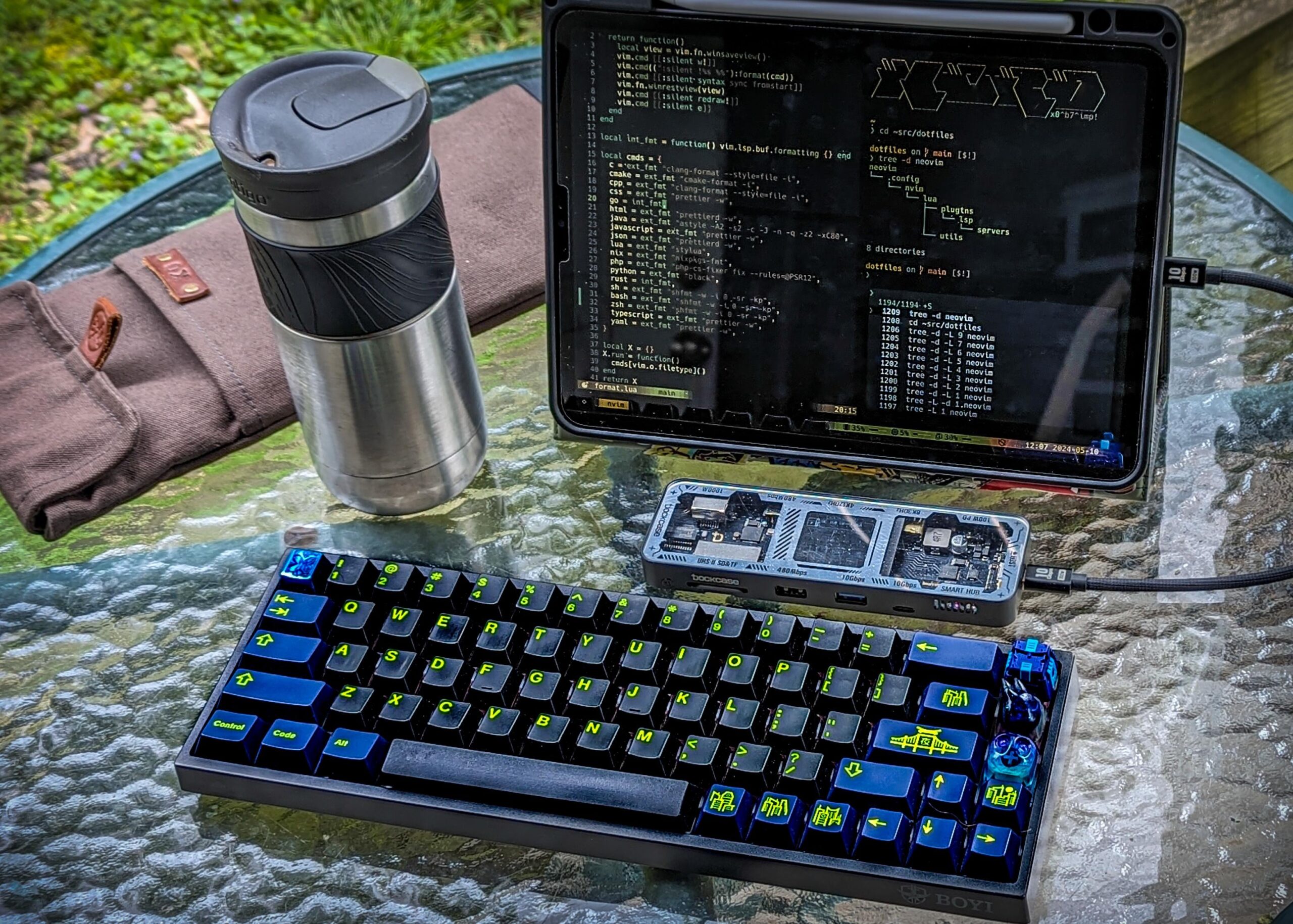
* 11” ipad pro
* blinkshell connected to a debian vps. running tmux, neovim, and zsh on the screen
* dockcase explorer usb hub
* boyi 68 bluetooth mechanical keyboard
* neapolitan ice cream tactile switches, gmk nightrunner keycaps, and artisans by brocaps, ritualmaster, rama works, & sludgekidd
* [moderncoupe ](https://www.moderncoup.com/) keeb sleeve
when looking at my workflows on a computer holistically, I pretty much use a web browser and a terminal.
I hate laptop keyboards and love to work outside. so I’ve dreamed of a tablet set up computer for a long time. bringing your own mechanical keyboard to the party. I like this little 68% board. it’s nothing flashy but it’s hot swap. i usually set it on my lap while typing. when I do need to use a mouse on a web page, I have a touch screen at my disposal. I’ve also been into video editing and some digital artwork. and the iPad is great for both of those tasks. the dock case hub is amazing. the speed of huge video file transfer off sd cards is ridiculous. my friend’s wife makes custom bags, and she started making him keyboard sleeves. so I commissioned one. it’s a great way to carry a keyboard either with or without another bag. blink shell is an official iPad application that allows you to connect to remote computers over SSH or mosh. since running real Linux on an iPad is kind of unfeasible, connecting to a VPS is the next best thing. this one turns on and off based on a command I can run in the terminal. [blink.sh](https://blink.sh) is a really awesome iPad app and I cannot speak highly enough about it if you are a terminal Linux user and want to get down on your ipad.