
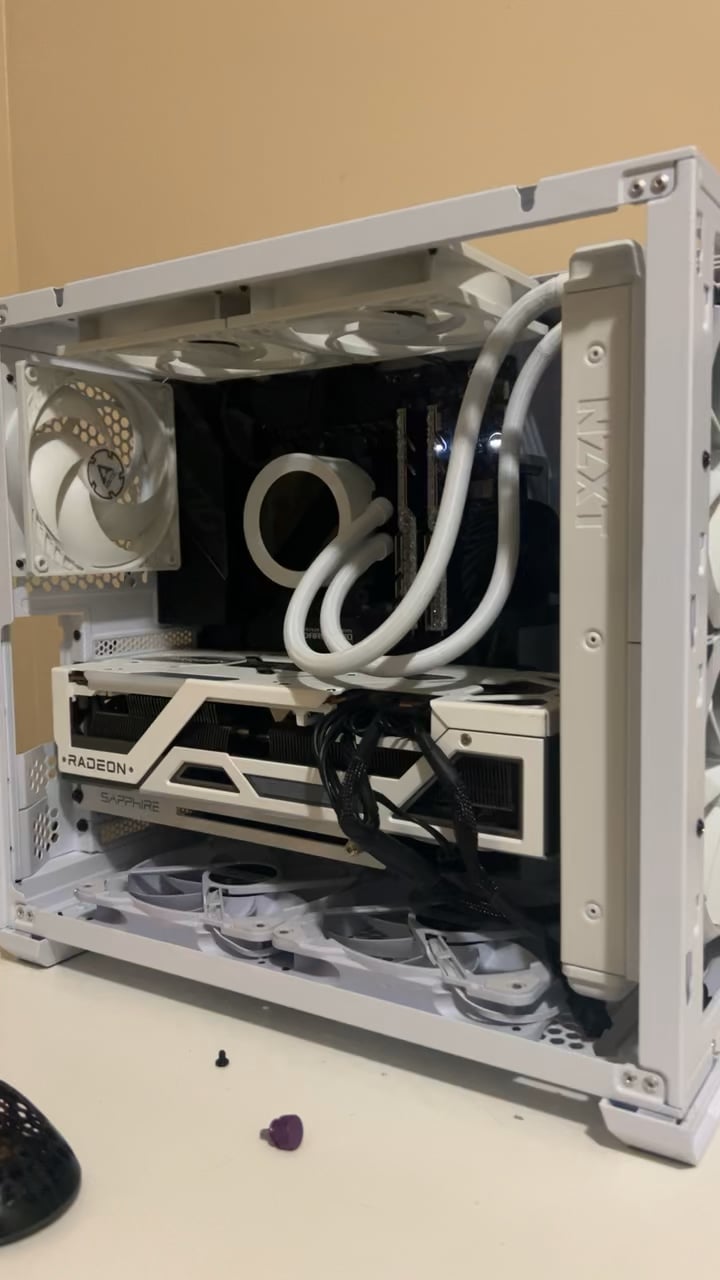
Specs are Dark Hero VII
RM850x
DDR4 Trident Z 4000mhz
Ryzen 5800x3d
GPU 6950xt
PC was fine, frames were fine
but was getting micro stutters in every game
randomly, but frequent.
Tried old drivers, used a different power supply etc.
So I took it apart and reapplied thermal to cpu, cleaned dust off, completely disassembled except for CPU chip and motherboard in the case.
Now, i’ve put it back together and I’m certain that
-1 cables are plugged in fully
-2 I haven’t left anything unplugged
I’ve tried clearing CMOS
as well as using 1 ram stick in all 4 slots, tried with both ram sticks.
working on a wood desk touching the metal frequently.
I’m very confused and lost as to what to try,
while rebuilding I referenced the manual of each component because I was trying to clean up the cable management. Don’t know why the motherboard doesn’t show an error code and just shuts off pc.
13 Comments
If it cuts off like that, there is highly likely a short somewhere in your system. I’d try taking off parts (take off GPU and one stick of RAM) then see if the problem persists.
I’ve had this ones. And the gpu wasn’t fully slotted in.
Maybe its the same for you.
Also reseat ram.
That GPU looks sick, which version is that?
Your top exhaust is intake.
You didn’t have a PSU. That’s probably the issue
Best chance is that it’s a ram issue, and you should read the manual to see if they’re in the proper slots, or maybe not installed properly.
A while back, when I was cleaning my pc, accidentally slightly removed a ram stick. It was still there just not fully. Pc started turning on and right back off in that exact manner, instant though was “I bricked it, I should post and ask about it”. I re-installed my ram, it worked.
It happened to me when I tried to use Sata Cables from a different manufacturer than the PSU
Your radiator isn’t optimally mounted. It would be better to swap it to the top of it’ll fit.
Right now gravity is working against the flow. It’ll work but your pump will be much louder than it needs to be.
Once it auto off momentarily, you should not attempt to power it on again without proper diagnostic. Good change it was shorted somewhere.
First, you should test the PSU by short jump it. If the PSU fan turns, then it should be something else. Test naked outside of the casing.
Try building your system without a case, i think it shorts
The fact that it tries to boot, lights up for a second, and shuts off quickly tells me it’s either a memory issue, or a SATA issue for your RGB. Start there and see if the problem persists. PC is fine, though.
Just don’t forget your tweezers and anti-static braclet when you work on your rig
What case is that?