Thin razor blade thats long enough to go end to end of the cpu, you slowly rock the blade back and forth between the pins, found this to be the best method. Sometimes there are single pins that require a small tweezer like or something very small and pointy to focus on 1 trouble pin. Once its decent position you can repeat the blade trick
EiffelPower76
I never change thermal paste or CPU
confident___
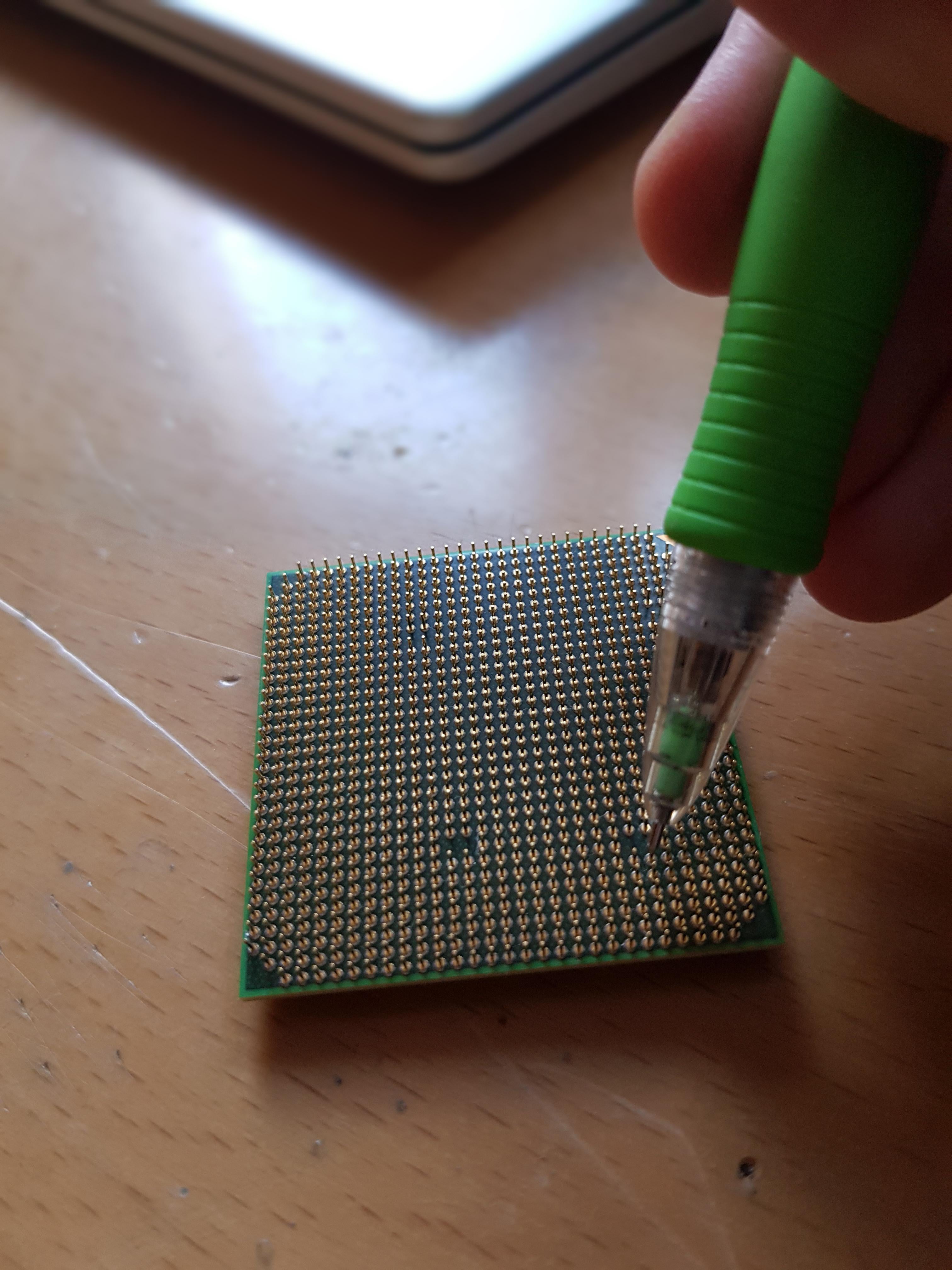
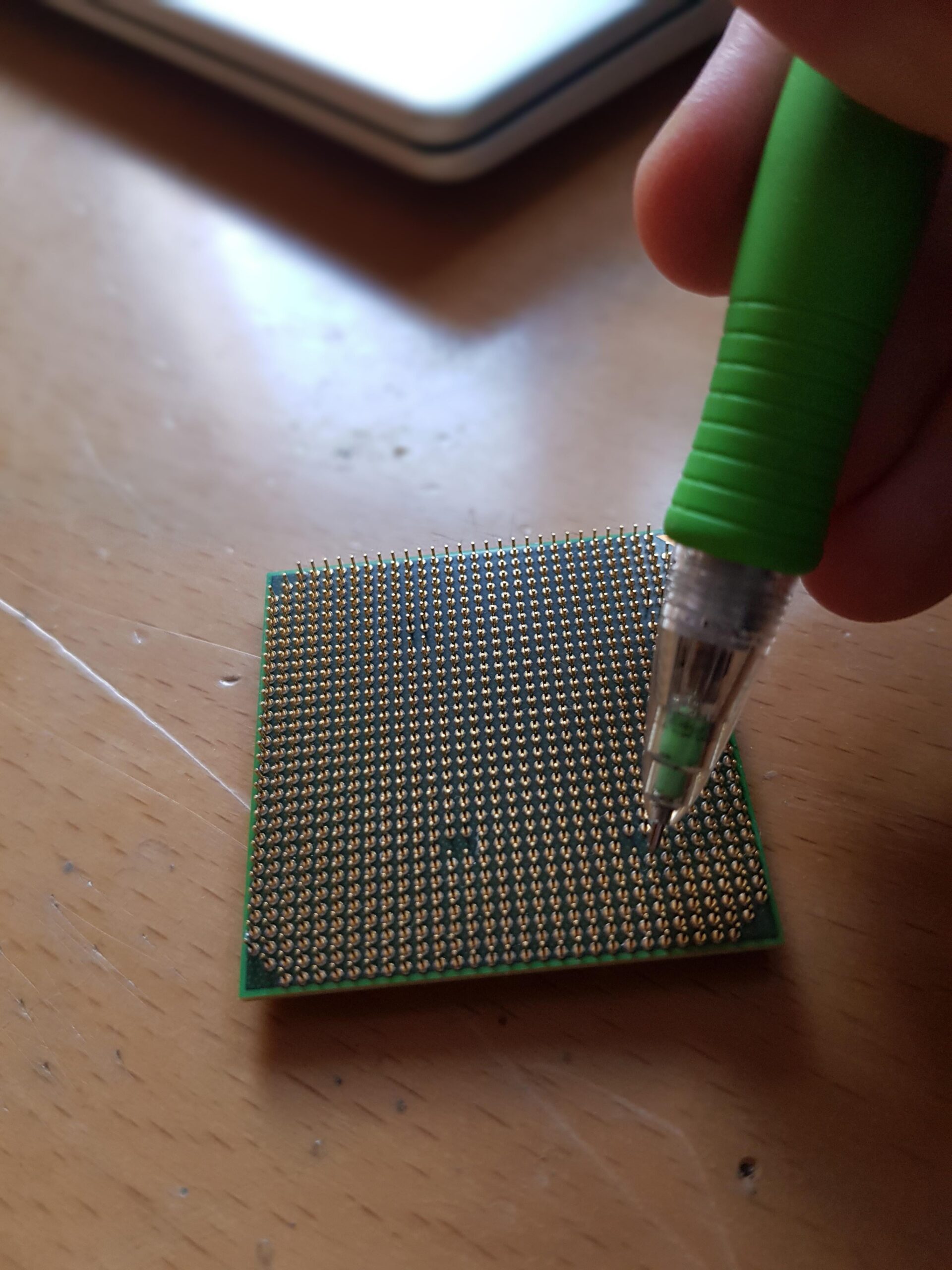
I have a mechanical pencil just in case
IamAkevinJames
I’ve used a small needle. I have also used a utility razor. I didn’t trust my hand with the pen method.
PhantomKrel
I use credit or debt card, this is also not a bad way.
Pins getting bent are bound to happen eventually even if you take precaution
stonehearthed
Thin plastic cards are also good.
Nemshek
And kind of razor blade tip helps alot. Take your time, and breath lol
lepobz
Just bend the corresponding hole in the socket.
nZRaifal
a small blade.
XDM_Inc
I use a Razer blade. (Box cutter blade)
Slide along straight pins and push into the bent ones on both axis
-Kosmux-
Buying Intel.
Funokata
I used the reverse edge of a Stanley blade. Worked wonders on a CPU with dozens of bent pins, great for getting them lined up
Nika299p
box cutter, screwdriver
Lotheretan
I used to use a Philips head screwdriver on the older Intel CPUs.
The slope of the ball in a pen would make me nervous. I’ve never bent a pin but I would probably go to my trusty tweezers or a very tiny precision flathead.
yourfuturehothusband
I use a razor blade
GoodEveningFolks
fingernail. If too bent and i can’t reach it with my fingernails i resort to a needle to get it to something i can work with. The one and only time i tried a mechanical pencil like that i broke the first pin i tried so yeah
PcNerdFromPoland
Old debit card.
ee-5e-ae-fb-f6-3c
I fold a sheet of printer paper in half, then pull bad pins into position. I haven’t had to do that in ages though.
Heindrick_Bazaar
Thoughts and prayers
NoPerspective9232
Bend all of the so they face the same direction again, and than install the CPU sideways
InternationalCount23
Mechanical pencil.
headedbranch225
I don’t, my intel i5-4590T doesn’t have pins, they’re on the motherboard
FakerNames
i dabbled in jewelry making so i just use pliers and a steady hand. i don’t recommend it though.
ratonbox
Stop drinking coffee with redbull before handling your CPU?
therealdragonborn99
Haven’t tried
But my mechanical pensil
If i get a narrow enough one and diamantle it untill i have the nozzle only amd a thin piece as handle may work
Have not tried i am not responsible for whatever happens
Oculicious42
How are there so many comments giving a real answer? What the fuck do you guys do when you open your cpus? just halfhazardly rip them open and chug the cpu on to your glass table?
Creative-Door-8178
Oof here’s a little story I was mounting a kraken 240mm cooler and cause you need to take the am5 mounting socket off to mount it if did then when I put my hands int the cooler and give is a wiggle the whole thing came loose as I lifted it up the cpu was stuck to the cooler but then it fell in the socket about 15 pins were bent and after an hour of unbending it worked and got to bios but when I checked there was no boot drive detected so I took the cooler off and checked and saw 2 pins touching each other I bent them back into place and now will the help of god the pc is running perfectly if you need to unbend pins use a sewing needle and the natural sunlight to see the pins also you don’t need to be that soft on am5 it takes some force to move the pins

50 Comments
Depends what I have at the time.
Don’t bend them in first place
[https://handtools-from-germany.com/media/images/org/WIHA_500_Kleinschraubendreher_Schlitz_Einzeln_Universal_KatB.jpg](https://handtools-from-germany.com/media/images/org/WIHA_500_Kleinschraubendreher_Schlitz_Einzeln_Universal_KatB.jpg)
Thin razor blade thats long enough to go end to end of the cpu, you slowly rock the blade back and forth between the pins, found this to be the best method. Sometimes there are single pins that require a small tweezer like or something very small and pointy to focus on 1 trouble pin. Once its decent position you can repeat the blade trick
I never change thermal paste or CPU
I have a mechanical pencil just in case
I’ve used a small needle. I have also used a utility razor. I didn’t trust my hand with the pen method.
I use credit or debt card, this is also not a bad way.
Pins getting bent are bound to happen eventually even if you take precaution
Thin plastic cards are also good.
And kind of razor blade tip helps alot. Take your time, and breath lol
Just bend the corresponding hole in the socket.
a small blade.
I use a Razer blade. (Box cutter blade)
Slide along straight pins and push into the bent ones on both axis
Buying Intel.
I used the reverse edge of a Stanley blade. Worked wonders on a CPU with dozens of bent pins, great for getting them lined up
box cutter, screwdriver
I used to use a Philips head screwdriver on the older Intel CPUs.
credit card
Needle
https://preview.redd.it/wqm139fekhwc1.jpeg?width=1920&format=pjpg&auto=webp&s=ffb63d914717b99ad3d44627bae480ce132b603f
Exacto knife, magnifying glass, patience.
Hammer
Hammer
Strong eye contact and verbal bullying.
Cry and hope for a refund lmao
2yr warranty in the UK go brrrr
Suck them back straight
The slope of the ball in a pen would make me nervous. I’ve never bent a pin but I would probably go to my trusty tweezers or a very tiny precision flathead.
I use a razor blade
fingernail. If too bent and i can’t reach it with my fingernails i resort to a needle to get it to something i can work with. The one and only time i tried a mechanical pencil like that i broke the first pin i tried so yeah
Old debit card.
I fold a sheet of printer paper in half, then pull bad pins into position. I haven’t had to do that in ages though.
Thoughts and prayers
Bend all of the so they face the same direction again, and than install the CPU sideways
Mechanical pencil.
I don’t, my intel i5-4590T doesn’t have pins, they’re on the motherboard
i dabbled in jewelry making so i just use pliers and a steady hand. i don’t recommend it though.
Stop drinking coffee with redbull before handling your CPU?
Haven’t tried
But my mechanical pensil
If i get a narrow enough one and diamantle it untill i have the nozzle only amd a thin piece as handle may work
Have not tried i am not responsible for whatever happens
How are there so many comments giving a real answer? What the fuck do you guys do when you open your cpus? just halfhazardly rip them open and chug the cpu on to your glass table?
Oof here’s a little story I was mounting a kraken 240mm cooler and cause you need to take the am5 mounting socket off to mount it if did then when I put my hands int the cooler and give is a wiggle the whole thing came loose as I lifted it up the cpu was stuck to the cooler but then it fell in the socket about 15 pins were bent and after an hour of unbending it worked and got to bios but when I checked there was no boot drive detected so I took the cooler off and checked and saw 2 pins touching each other I bent them back into place and now will the help of god the pc is running perfectly if you need to unbend pins use a sewing needle and the natural sunlight to see the pins also you don’t need to be that soft on am5 it takes some force to move the pins
I’ve used a small screwdriver on Pentium 4
Cry for 5 hours straight
CPU bender ,now in cinemas .
Credit card between them.

I use this: https://www.mouser.com/ProductDetail/Amphenol-Aerospace/M39029-56-348?qs=LVPObyAKcOL3WCDGOleJXA%3D%3D
I haven’t used a CPU that has pins since two builds ago now, so I don’t worry about this sort of thing anymore.
As for the pins on the motherboard itself, hahaha, just don’t bend those, cause it’s not as easy as taking a pencil!
Never had too … that’s the technique
What about a straw from a wd-40 can or similar
I use a craft knife I bought from hobby lobby like 2 years ago, sounds sketchy but works really well.
https://preview.redd.it/0y7lab2nbiwc1.jpeg?width=3000&format=pjpg&auto=webp&s=dda22c7c46b5898273b1d5de9db378aeb1a0cdc8
Was able to repair this 5700 G that was absolutely ravaged