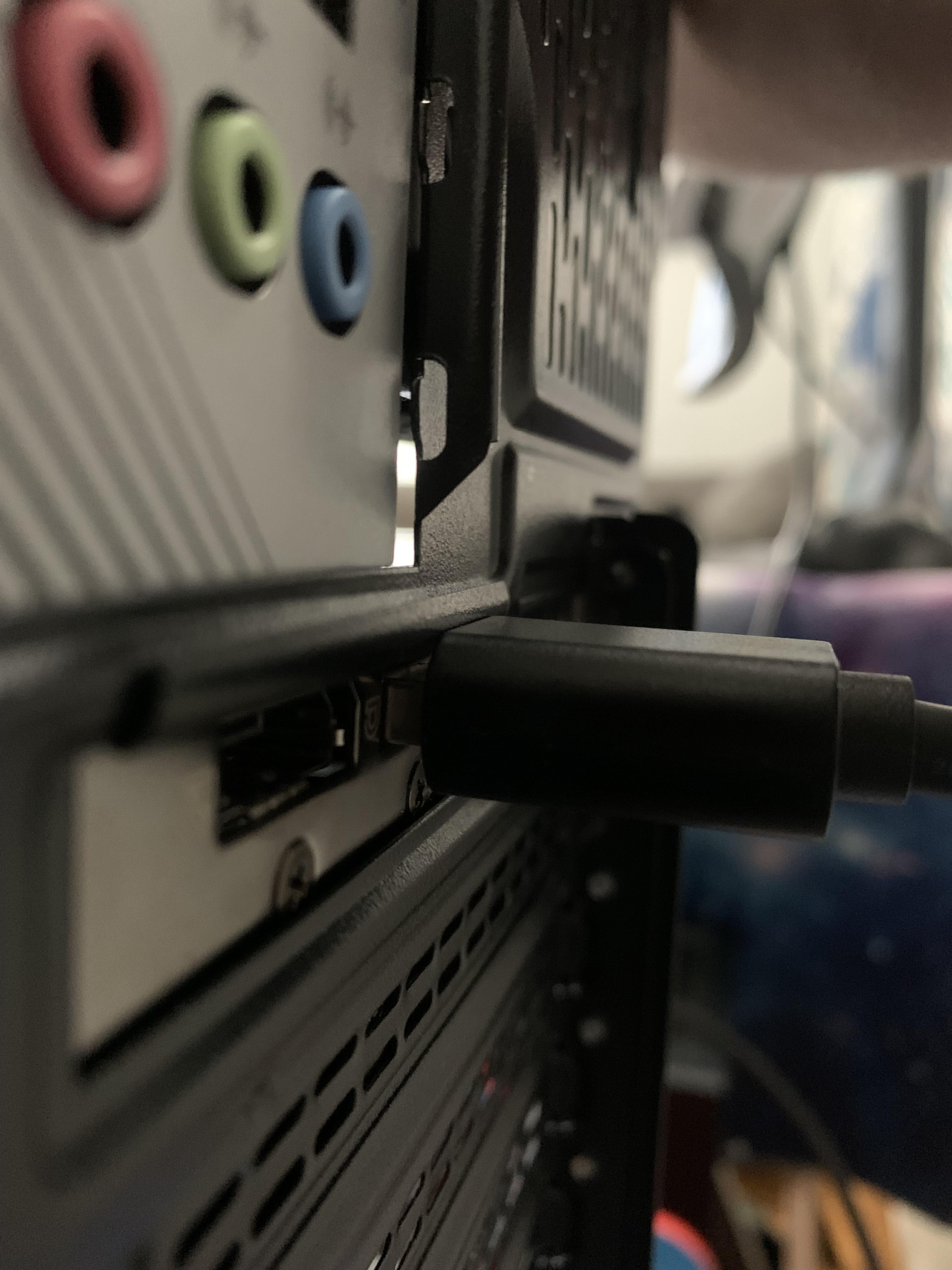
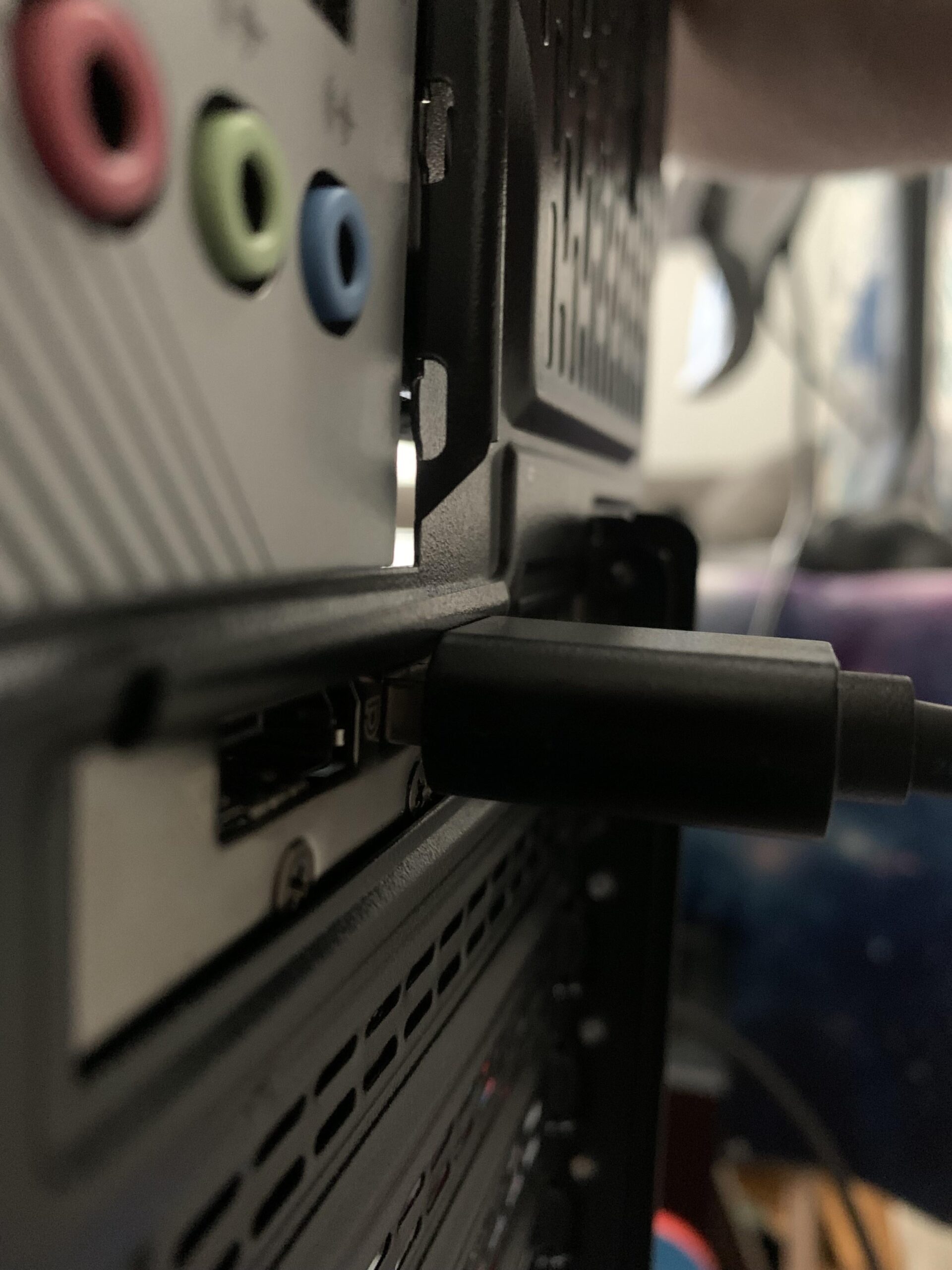
You can try loosing the PCIe bracket screws and see if you can adjust the GPU a bit, for better alignment in the case, however likely you’ll need to purchase a displayport cable with slimer molding (if you can find one) or modifying the molding of your current cable.
ccarr313
Remove the guard plate, cut the top bar, reinstall.
I have this on my last case. Trimmed the rubber on the plug (make sure it’s a rubber plug).
Shiroi_Kitsune_
Angle grinder
FunFact5000
Cut.
wafliky
This happened to me in my old case.. Because it was old somehow the mobo didn’t fit quite right.
It was easier for me to angle grind (dangerous) to obstructing parts of the cable so I did that until I got a new case.
DangyDanger
Loosen the GPU, carefully lower it until the case doesn’t interfere anymore, tighten it back. Should work, you have about 3-5mm of travel.
czerys
I just used pliers and bent it
Ok-Profession-3312
Razor blade shave down the case.
No_Charming_Evidence
Chop it
Giraudinixb
Appreciating the GTX 10 series.
usenetlurker
Time to bust out the angle grinder
Yugikisp
Get a dremel homie. The case doesn’t need to be perfectly pretty, it just needs to encase your parts. You can clean it up once everything fits.
Silver-Spy
What I did was to use a hot knife and melt the top part of the cable head. It gave enough room to easily plug it in
Breklin76

rocky_piper
Grind the case
EpicHero681
Angle grinder
lostBoyzLeader
they make less chonky cables
Candid_Equipment_296
I’ve had this issue quite a few times in the past. Super annoying especially after finishing a new build and ready to rock and roll….then this!
M78MEDIA
loosen the screws a bit and move the card downward, I had to do this on my usb card and it solved the problem.
NerdyyAlien
I had similar issue with my cooler master case. I did 2 things to resolve it which you can try, 1. Trim/scrap off some part of the upper insulation of the connector and 2. Take pliers and press hard on the top metal part, it will crumble a little making room for cable to go all the way in.
If you have a dremel then you can also try trimming some part of the metal bracket.
Three3gr
dremel
WHERE_SUPPRESSOR
Dremel
OnlyTilt
Move the GPU down a slot if you can
AntisocialN2
Bend slightly the card, I did so with mine
HelpTheVeterans
Cut the cord rubber that interferes.
Mechdra
Angle grinder
0P3R4T10N
I’d just file the lip of the cord down and call it a day.
d0ctorschlachter
Cut the case lip or vertical mount that bad boy.
TheThreeBagels
I have that exact case and problem. Never caused any connection issues though so I wouldn’t worry.
Noob_Watermelon
vertical gpu mount
pirate135246
Totally fine, just give it a little wiggle to make sure it’s in all the way
Fredstar666
I had this on my gpu, literally just loosen the screw and plug in then nip it back up slightly, 5 years mines been like that and completely fine too this day.
Lucas198019801980
Jginyue motherboard?
fylzz
Stop! Dremel Time!
Fun-Exit944
Shave the plastic on the dp cable
rainb0gummybear
File down the housing on that cable.
Wherewoodworks
A metal half inch file…
Chiparish84
I had the same issue and I just switched it to another slot.
Krejcimir
I just took pliers and bent it.
Bandit2982
Prolly wasn’t the greatest way of doing it but I had similar issue and just cut that shit off with a Dremel lol

50 Comments
idk mine has been like that since forever
You can try loosing the PCIe bracket screws and see if you can adjust the GPU a bit, for better alignment in the case, however likely you’ll need to purchase a displayport cable with slimer molding (if you can find one) or modifying the molding of your current cable.
Remove the guard plate, cut the top bar, reinstall.
[You gotta wiggle it, just a little bit.](https://youtu.be/ikYGBBULC40?si=Y8Ro6_UHmE1S6Ft1)
It’s Dremel time!
Cut off wheel
pliers, snap that shit off
Slim it down with a box cutter

🫵You know it 🫡
angle grinder
Curious, what case?
I have this on my last case. Trimmed the rubber on the plug (make sure it’s a rubber plug).
Angle grinder
Cut.
This happened to me in my old case.. Because it was old somehow the mobo didn’t fit quite right.
It was easier for me to angle grind (dangerous) to obstructing parts of the cable so I did that until I got a new case.
Loosen the GPU, carefully lower it until the case doesn’t interfere anymore, tighten it back. Should work, you have about 3-5mm of travel.
I just used pliers and bent it
Razor blade shave down the case.
Chop it
Appreciating the GTX 10 series.
Time to bust out the angle grinder
Get a dremel homie. The case doesn’t need to be perfectly pretty, it just needs to encase your parts. You can clean it up once everything fits.
What I did was to use a hot knife and melt the top part of the cable head. It gave enough room to easily plug it in

Grind the case
Angle grinder
they make less chonky cables
I’ve had this issue quite a few times in the past. Super annoying especially after finishing a new build and ready to rock and roll….then this!
loosen the screws a bit and move the card downward, I had to do this on my usb card and it solved the problem.
I had similar issue with my cooler master case. I did 2 things to resolve it which you can try, 1. Trim/scrap off some part of the upper insulation of the connector and 2. Take pliers and press hard on the top metal part, it will crumble a little making room for cable to go all the way in.
If you have a dremel then you can also try trimming some part of the metal bracket.
dremel
Dremel
Move the GPU down a slot if you can
Bend slightly the card, I did so with mine
Cut the cord rubber that interferes.
Angle grinder
I’d just file the lip of the cord down and call it a day.
Cut the case lip or vertical mount that bad boy.
I have that exact case and problem. Never caused any connection issues though so I wouldn’t worry.
vertical gpu mount
Totally fine, just give it a little wiggle to make sure it’s in all the way
I had this on my gpu, literally just loosen the screw and plug in then nip it back up slightly, 5 years mines been like that and completely fine too this day.
Jginyue motherboard?
Stop! Dremel Time!
Shave the plastic on the dp cable
File down the housing on that cable.
A metal half inch file…
I had the same issue and I just switched it to another slot.
I just took pliers and bent it.
Prolly wasn’t the greatest way of doing it but I had similar issue and just cut that shit off with a Dremel lol