Download HWinfo. Don’t trust the external packaging.
CaptainRenn
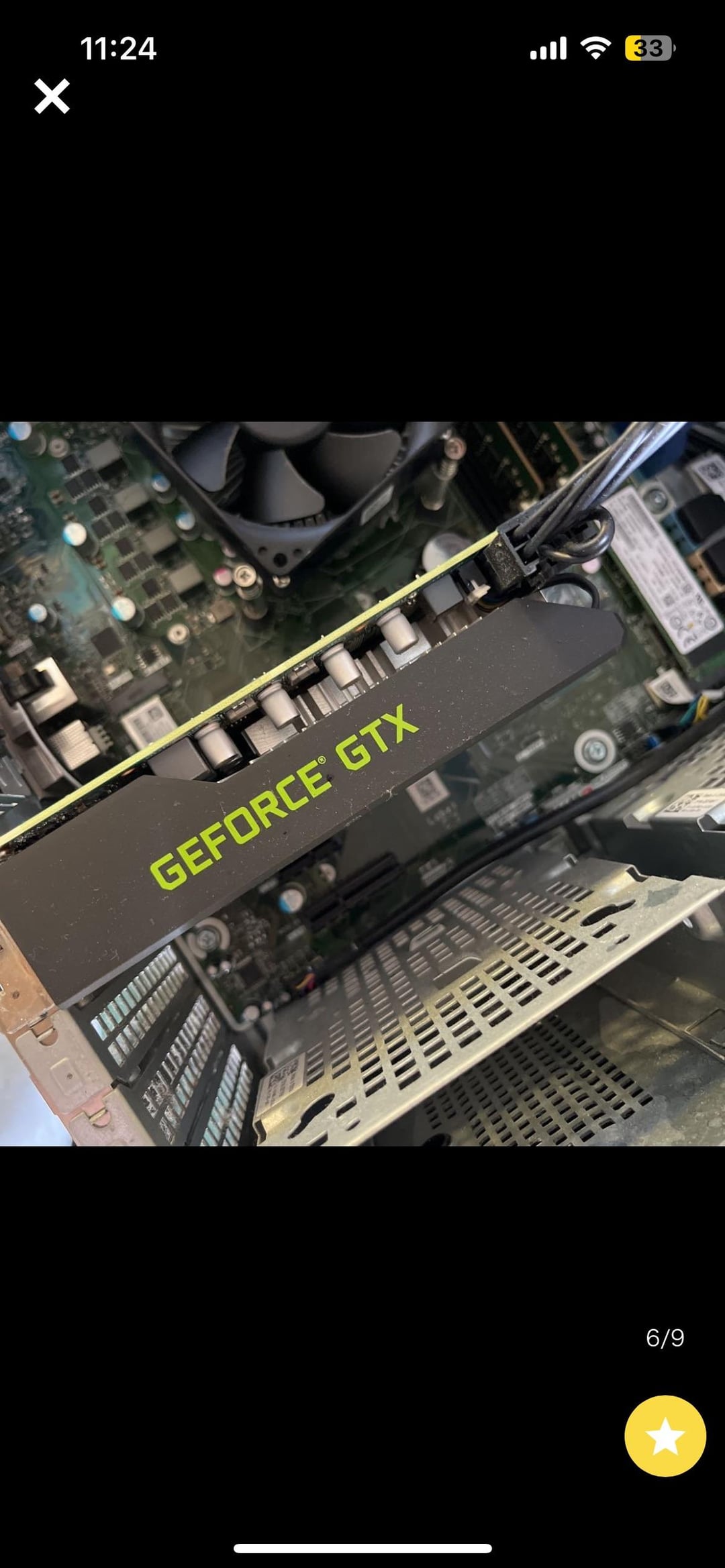
Just from a glance, I’d guess a 16 series card because typically when I’ve seen single fan cards with that simple black and green design like 90% have been one of those.
pepenepe
Probs a 1030 or 1050 is my guess
ObamaInAToaster21
1660ti, I have an identical card
Obscura-apocrypha
It looks like a 1660 super but I can be mistaken
Optimal_Bench
“In the desktop search bar, start typing Device Manager and select it when the option appears. Click the arrow next to Display adapters and the name and model of your GPU will appear right below”
JamieDrone
GTX 1660TI
viniciuspc
Can’t you turn on the computer and see?
Powertrain3A
Most likely a 1650 GDDR5, if you’re lucky it’s a 1650 super or GDDR6 version
TheRealYosh
I have a similar PC from HP who I think owns both. Could be a 1650 like mine, you should be able to look at specs within Nvidia settings program
shameonyoupeople
Looks like a 660
Oni_K
I laughed and rolled my eyes at first then realized where I am. Of course somebody will be able to identify it based on that image.
SALTYxJester
Hit control shift escape and it’ll bring up task manager then go to the performance tab in task manager it should say what components are in the pc.

27 Comments
Old
Thats a GeForce GTX!
The PC is a Aurora R9. Intel® Core™ i7-9700, 6GB NVIDIA GeForce GTX 1660Ti Graphics, 8GB DDR4 RAM, 1TB HDD & 256GB SSD.
The card is a 6GB GTX 1660Ti
Dell GTX 1660 Ti most likely.
Dell 1660 Super or 1660 Ti.
Looks like this card: [https://www.youtube.com/watch?v=HFaJZq13tr8](https://www.youtube.com/watch?v=HFaJZq13tr8)
Gen 10 gtx
Thats a GTX IDK TI
GeForce GTX

Can you not turn it on and find out?
1660 of some kind
Is it Amd hiding as Gtx?
Download HWinfo. Don’t trust the external packaging.
Just from a glance, I’d guess a 16 series card because typically when I’ve seen single fan cards with that simple black and green design like 90% have been one of those.
Probs a 1030 or 1050 is my guess
1660ti, I have an identical card
It looks like a 1660 super but I can be mistaken
“In the desktop search bar, start typing Device Manager and select it when the option appears. Click the arrow next to Display adapters and the name and model of your GPU will appear right below”
GTX 1660TI
Can’t you turn on the computer and see?
Most likely a 1650 GDDR5, if you’re lucky it’s a 1650 super or GDDR6 version
I have a similar PC from HP who I think owns both. Could be a 1650 like mine, you should be able to look at specs within Nvidia settings program
Looks like a 660
I laughed and rolled my eyes at first then realized where I am. Of course somebody will be able to identify it based on that image.
Hit control shift escape and it’ll bring up task manager then go to the performance tab in task manager it should say what components are in the pc.
Running [GPU-Z](https://www.techpowerup.com/gpuz/) will tell you exactly what card it is.
Dell 1660ti had one that I sold to my mate last year