
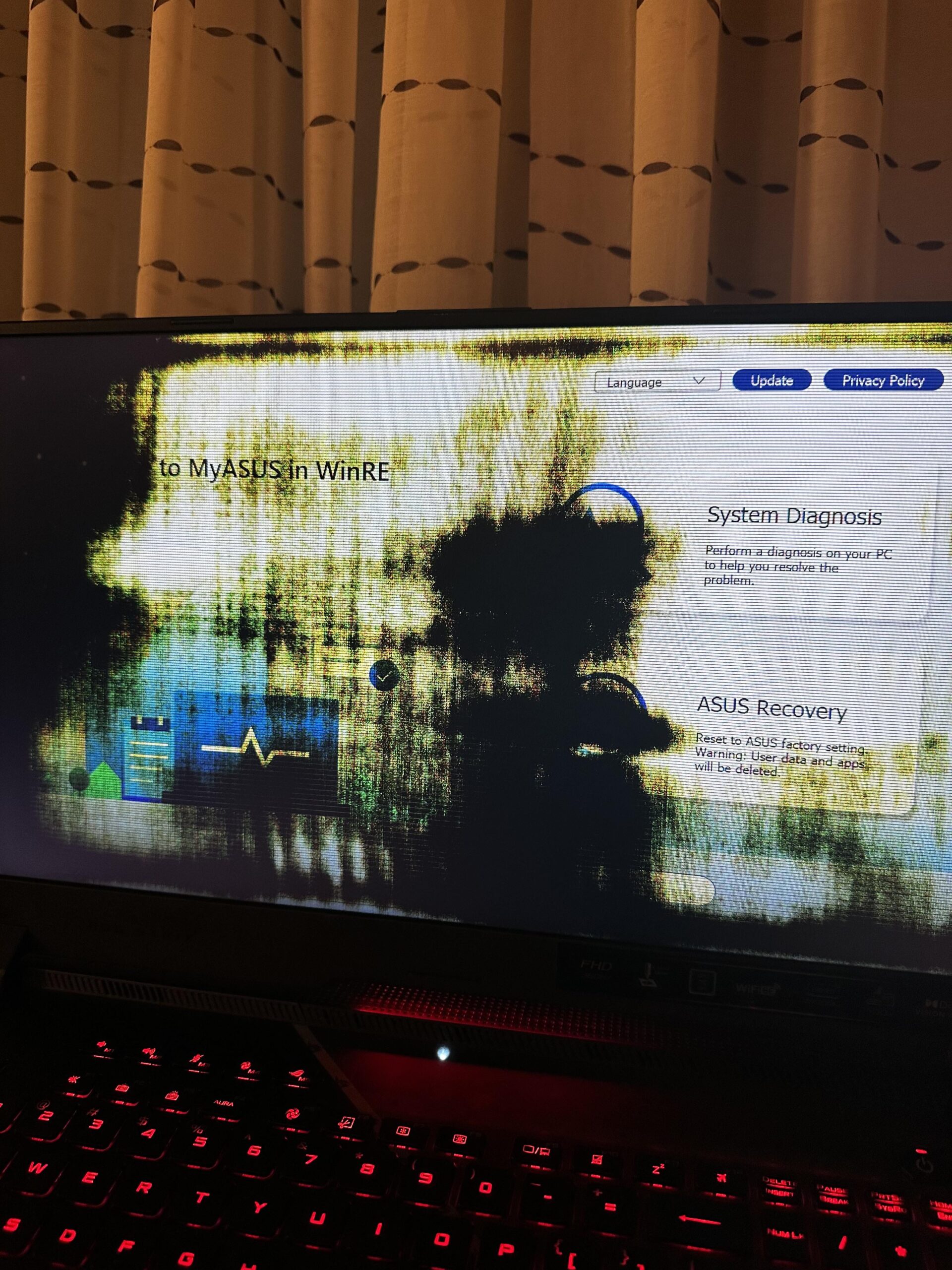
So I closed out of a game on my gaming laptop (ASUS ROG Strix G17) and the screen began to have lines in it. I checked the graphic drivers and they’re up to do as well as the windows software. Idk what to do as this is my first experience with laptops and my first gaming laptop. Can someone help me out?
34 Comments
Your monitor is dying and seems like The Saw is main suspect.
It looks like it’s from silent hill or something, killed it with a pipe
it genuinely looks like you pulled it out of a fire
Looks like the screen is going. Might need to bring it in for a repair/replacement.
How hot did the laptop get? It kinda looks like it’s been through a fire.
If it’s new (less than one year old), I’d be reaching out to the manufacturer.
Just find a good repair shop, also, get the serial number off the bottom and check your warranty status, if it’s under warranty, Asus may just fix it free.
Bro has entered Silent Hill
This is most likely a random hardware defect with the LCD panel and most likely ***not*** related to system overheating. The next course of action is to make a warranty claim with Asus. Your picture should be sufficient documentation for Asus support. Before you do that, I’d be curious to know the model number or device ID of your LCD panel. You can find out with HWiNFO64 or in Device Manager → Monitors → Double-click “Integrated Monitor” → Details → Hardware IDs → right click and “Copy”.
Look on the bright side, that could make a pretty dope nine inch nails album cover
Looks like Nine Inch Nails album cover
This message will self destruct in t minus 10, 9,8,7….
“I see a white screen and I want it painted black”
Considering it fades to black, it probably rode the lightning
The monitor on my gaming laptop died about 6 months ago. Different brand though. Unfortunately it happens.
If no longer under warranty and the repair is expensive. Consider using a cheap external monitor.
Screen, it seems will fade away
Drifting further every day
Oh it might be night time at Silent Hill
OP is now in Silent Hill
monitors dying, you can replace the screen alone to not pay 1000 for the whole thing, also ur monitor belongs on a silent hill games box art
Ȟ̸̞̬̞̄̑͒̈́̽͊̊̄̔͋͑͝͠e̸̯̼̱̣̭̙͓͔͐́̐̂̈̎͐̄̀̓̉ͅ ̷̧͔̘̪͕̫͕̣̣̜̳̅̊̃̎̃͑͒̏̎̚ͅc̴̗̟̟̙͓̰͔̼͖̉͜͜ö̷̭͍͔̲̺̞́̎͌͗m̴̢̛̤͇̻̃̾͐͊͛̅͊̏͋͆͂͑̈͝ͅė̶̡̮̼̣̮͍͕̖́̿̿̈́͂̔̔͂̆̀̃̚͠s̵̳͍̝̭͖͕̘̤̲͍̥̗̠̳͚͊̍̉͌̓̓͂͝.̴̘͖͍͉͚͊͛̋͗̊̀̆̂̊̏
Looks like a Lain edit
It looks like it survived a nuclear fallout.
One of the most metal laptops around, and a Doors-fan.
The rot consumes

Seven days.
Bro in outlast
therotconsumestherotconsumestherotconsumestherotconsumestherotconsumestherotconsumestherotconsumestherotconsumestherotconsumestherotconsumestherotconsumestherotconsumestherotconsumestherotconsumestherotconsumestherotconsumestherotconsumestherotconsumestherotconsumestherotconsumestherotconsumestherotconsumestherotconsumestherotconsumestherotconsumestherotconsumestherotconsumestherotconsumestherotconsumestherotconsumestherotconsumestherotconsumestherotconsumestherotconsumestherotconsumestherotconsumes
I imagine the opening to skyrim started up after it faded to black
I’d take a wild guess your display is going bad. I’d reach out to Asus for in-warranty service, or a trusted third party electronics repair shop for out-of-warranty service.
Uninstall Metallica.exe and AmyWinehouse.exe
You have 7 Days
Your monitor said “FALLOUT 3 MODE, ACTIVATE”
That’s my favourite Nine Inch Nails album!
that looks like the actual lcd screen