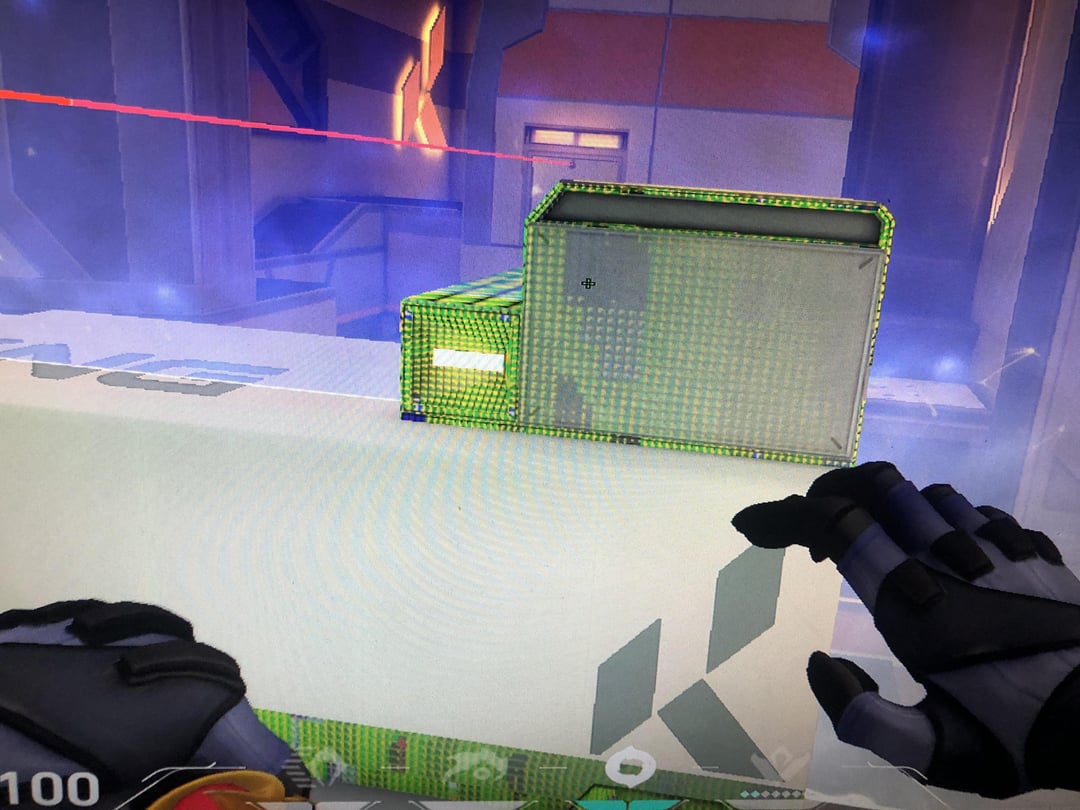
I downloaded the new nvidia app yesterday, and this happened today. Did the new nvidia app cause this, or is my gpu screwed

I downloaded the new nvidia app yesterday, and this happened today. Did the new nvidia app cause this, or is my gpu screwed
21 Comments
Try to update drivers, if not do the DDU process
Need more details. What card. What OS. Does this happen on other games?
This looks more like a software error than GPU dying. Try to repair the game and do a driver ddu.
Didn’t warzone 2 have a similar glitch? Making everyone think their the same?
Could be damaged Vram
If that card doesn’t do artifacts in the bios, download some stress test and give it a try. Do you have NTB or PC? If you have NTB, your bios will run normally. Try older drivers as well
Update: it’s all good now, just needed to reinstall the drivers
easy to check if gpu is bad use the benchmark 3d mark not some random game that might have some bugs.
looks like its artifacting usually happens because of memory corruption…are you overclocking your gpu?
if the GPU was dying it most likely wouldn’t be outlines of specific scenery it would be all over the screen, as others have said most likely a driver issue or something,
does it happen in other games?
Tf you playing omen on icebox for
Most likely, it’s a coincidence. DDU it and try again. If that doesn’t work, reinstall the card and replace any cables you can. If that doesn’t work, reformat. Then RMA if it’s still broke.
What is a new Nvidia app?
It’s because you’re playing an awful game like valorant
Doubt it since it’s only having trouble rendering a few shaders and not everything it’s most likely a software/firmware issue and not a hardware issue. Double check your drivers are updated.
no if it gives you transparent walls.
No, it’s drivers or missing game’s textures
FYI stuff like this can also happen with an unstable overclocked or undervolt e.g. On the memory. Or if you have good cooling Nvidia gpu’s for instance continue the boost clock as long as power and cooling is sufficient.
This looks like a driver problem, no panic. Use DDU to remove all drivers (also try to remove amd if you have nvidia and other way round just in case) then install the specific driver for your card directly from the website.
For nvidia gogle “nvidia driver” and you shouod get to their driver website. Do not get geforce experience or the mvidia app stuff, both are bugged hells. Just get the driver and be careful the website likes to pre-choose some parts, sometimes laptop gpus are already logged in, you need to exactly choose your type and card. Then just download and run it. (Always restart after uninstalling or installing, don’t shut down and boot up but choose restart in the menu, shutdown is no restart since win8)
If the problem persists just in case try the monitor+cable on another PC, then try the gpu in another PC. Then another gpu in your pc. That should pretty much show which is the problem, but i doubt you will need to do that. If you can’t switch/check on other hardware and want to try more software approach i would just wipe and reinstall windows, it is some work, but an evening of setting up the pc is less work than days of trying to fix it.
R.I.P
Either update, clean install or roll back drivers, it’s likely had an issue when installing, it happens, I always select “Perform clean install” which seems to be much better than just letting it lay the update on top of the old drivers.