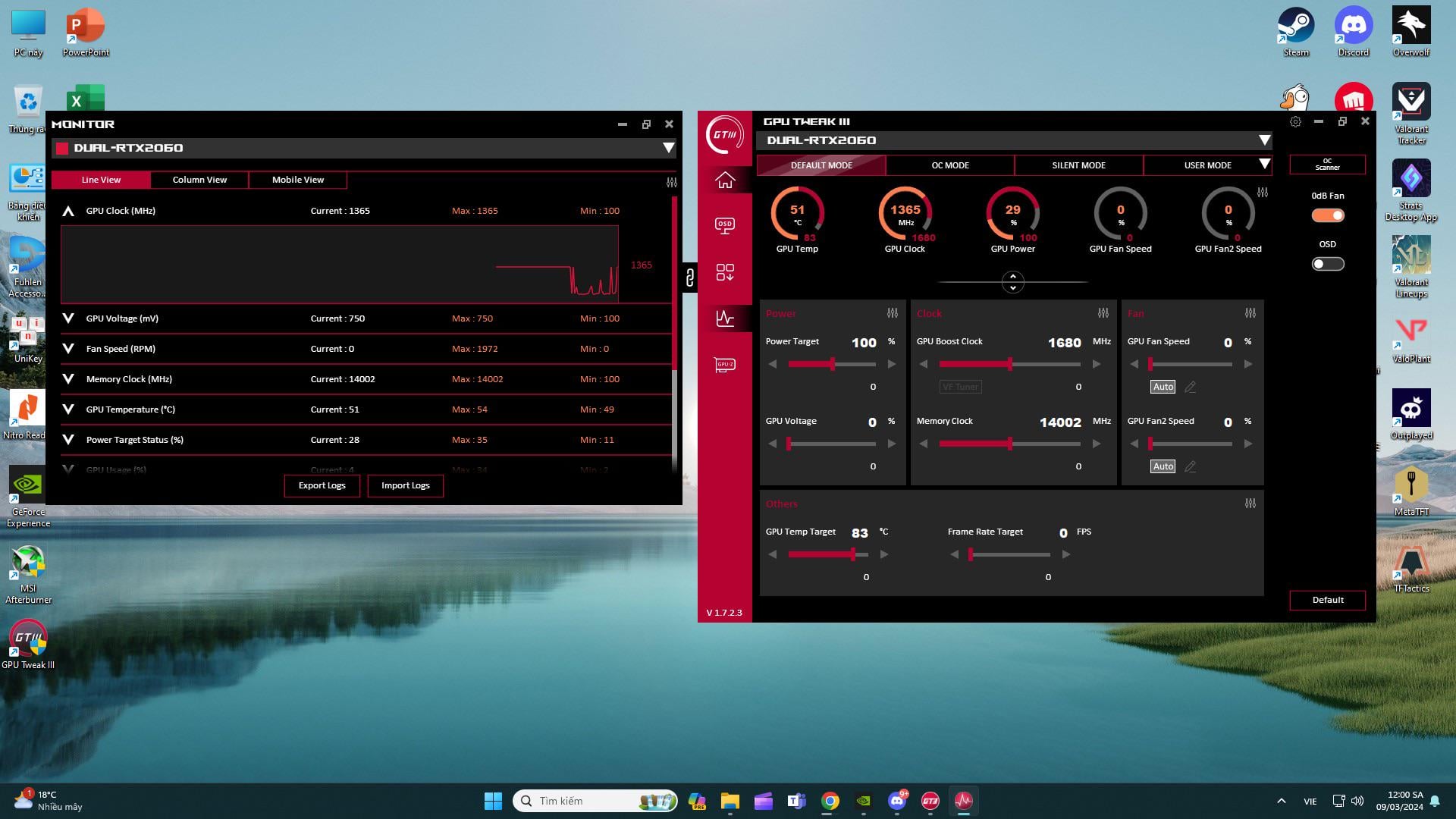
You can start by maxing out the Power Target. That will already give you a boost.
Why do you want to overclock to begin with? You close to a fps threshold in some games? Anyway.
First overclock the GPU first, then the memory. You can get values / inspiration from many threads already in existance. Then it is basically increase GPU Clock – benchmark with sth like Heaven and demanding game – stable? Increase the GPU Clock further – benchmark – stable? Repeat. When it is unstable you go back to the last stable Frequency. I guess a good starting point is ~+60 on the core and work from there.
After the GPU is done you can do basically the same for the memory. Could start by adding +500, benchmark + gaming for stability test – repeat. When unstable go back to the last stable number ( maybe even a tiny bit lower ). Keep in mind that this will increase GPU Temps so you should monitor those as well with sth like HWInfo.
You should also probably work out a custom / manual fan curve to optimize cooling and noise.
Another option , which I did on my 3070, is using the VF (Voltage Frequency ) Tuner that is grayed out below the GPU Boost Clock setting on the picture.
With that you can undervolt and at the same time overclock for many benefits. You can adjust the curve so that you for example tell the GPU that it should boost to 1800Mhz at 1V Voltage. And test out what works and what not in the same way as described above. The advantage is you can reduce the voltage while still running higher boost clocks than Stock. Lower Voltage also means lower temperature which is amazing of course.
Example II : My RTX 3070 was boosting to 1775MHz ( spikes to 1850 Mhz ) with a Voltage of 1.06V.
I adjusted the curve so the max Voltage the card will use is 0.9V and at the same time runs at 1920 Mhz.
Much lower temps, power consumption and actually still more performance. Love that tool.
That method is also just trial and error. Choose a voltage, tie it to a frequency -> stability test. Stable? You can then either lower the voltage further or increase the Boostclock, or both, depending on how good the card is.
Sorry, there are tons of information out there on how to do it. They might be more sucessfull in explainin than me. I am super tired x)

1 Comment
You can start by maxing out the Power Target. That will already give you a boost.
Why do you want to overclock to begin with? You close to a fps threshold in some games? Anyway.
First overclock the GPU first, then the memory. You can get values / inspiration from many threads already in existance. Then it is basically increase GPU Clock – benchmark with sth like Heaven and demanding game – stable? Increase the GPU Clock further – benchmark – stable? Repeat. When it is unstable you go back to the last stable Frequency. I guess a good starting point is ~+60 on the core and work from there.
After the GPU is done you can do basically the same for the memory. Could start by adding +500, benchmark + gaming for stability test – repeat. When unstable go back to the last stable number ( maybe even a tiny bit lower ). Keep in mind that this will increase GPU Temps so you should monitor those as well with sth like HWInfo.
You should also probably work out a custom / manual fan curve to optimize cooling and noise.
Another option , which I did on my 3070, is using the VF (Voltage Frequency ) Tuner that is grayed out below the GPU Boost Clock setting on the picture.
With that you can undervolt and at the same time overclock for many benefits. You can adjust the curve so that you for example tell the GPU that it should boost to 1800Mhz at 1V Voltage. And test out what works and what not in the same way as described above. The advantage is you can reduce the voltage while still running higher boost clocks than Stock. Lower Voltage also means lower temperature which is amazing of course.
Example II : My RTX 3070 was boosting to 1775MHz ( spikes to 1850 Mhz ) with a Voltage of 1.06V.
I adjusted the curve so the max Voltage the card will use is 0.9V and at the same time runs at 1920 Mhz.
Much lower temps, power consumption and actually still more performance. Love that tool.
That method is also just trial and error. Choose a voltage, tie it to a frequency -> stability test. Stable? You can then either lower the voltage further or increase the Boostclock, or both, depending on how good the card is.
Sorry, there are tons of information out there on how to do it. They might be more sucessfull in explainin than me. I am super tired x)