
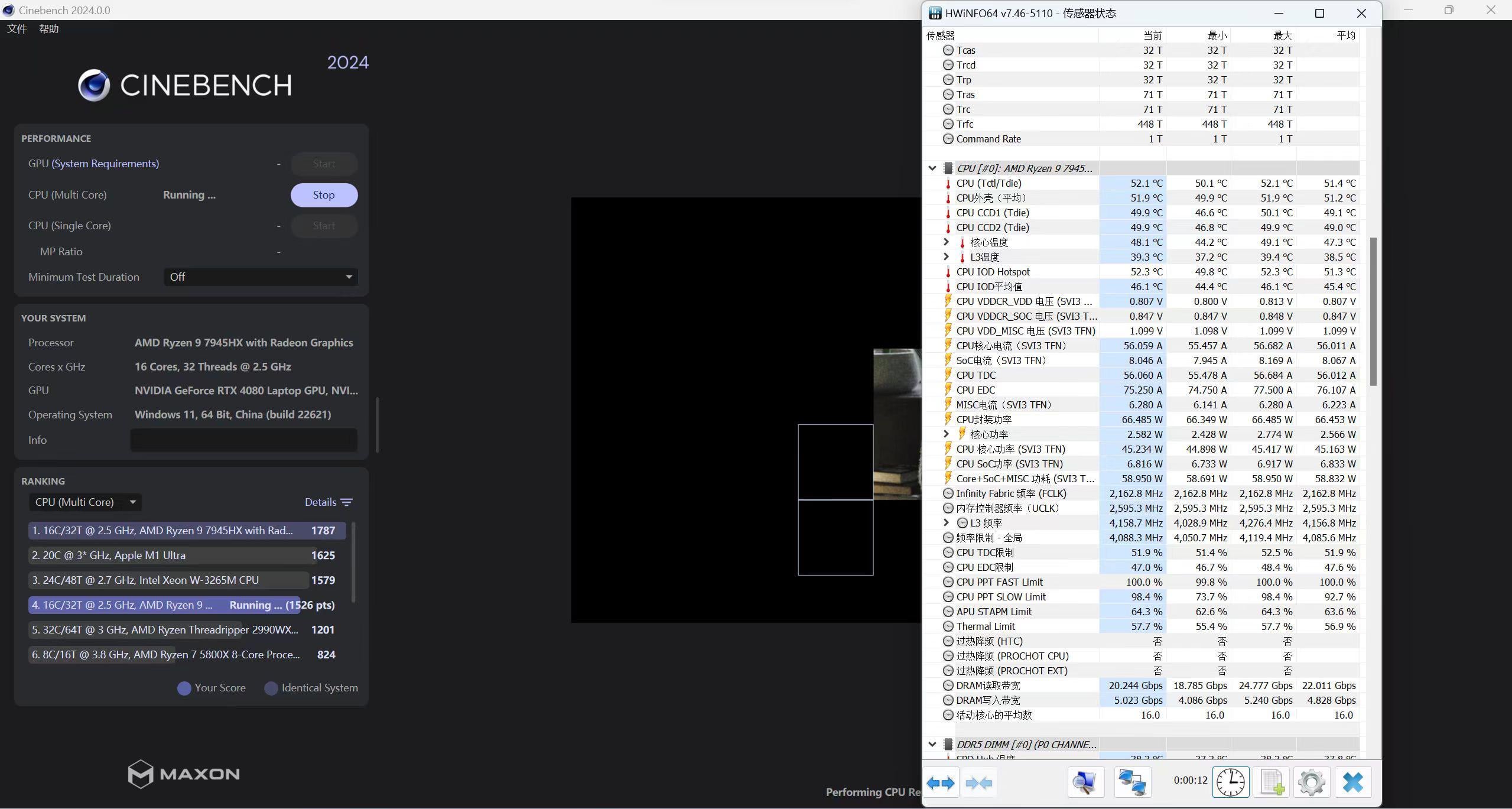
Just got a pair of 24GB sticks with Hynix chips (they’re supposed to be m-die I think), and was pushing the 7945hx to the limit under constrained voltages, when I suddenly noticed that it is capable of 2167MHz with only 0.85V Vsoc. It ran CineBench 2024 and passes the TestMem 5 just fine, so it seemed stable for me.
I discussed with someone else online about this, and they claim it is related to my RAM being Hynix m-dies, and that Zen 4 paired with a-die RAM require substantially more Vsoc to hit these FCLK frequencies. I just don’t really get how RAM and FCLK are related in his explanation, and was having trouble finding any information about this behavior online.
Btw, I also noticed that my laptop, whenever I change my RAM timings in UMAF (SREP), it take a while to apply and for the system to boot up again. Sometimes those value are not stable, and I have to wait a long while before resetting the system. However, I noticed that the laptop fans have to spin up above the idle 1600 rpm every now and then during this process (the vents are also warm), and was wondering what the system is doing during it. During my every-day usage in Windows without gaming, the fan running at the idle rpm is enough to keep the system from overheating. I was just wondering what the system is doing, and if this amount of heat should be a concern at all.
Running the G733PZ with 0.85V Vsoc and -30 undervolt in PBO on most cores (the highest one got set to -22) with a -1000MHz frequency offset in UMAF.
1 Comment
It’s normal to get ~max FCLK with SOC low like that. FCLK actually gets worse when you increase SOC voltage.
The reason that people don’t run 0.9vsoc is because they usually pump it up to run higher uclk with uclk=memclk when overclocking. It’s not neccesary to run more either at stock (as you’ve seen) or with uclk=memclk/2 overclocks.