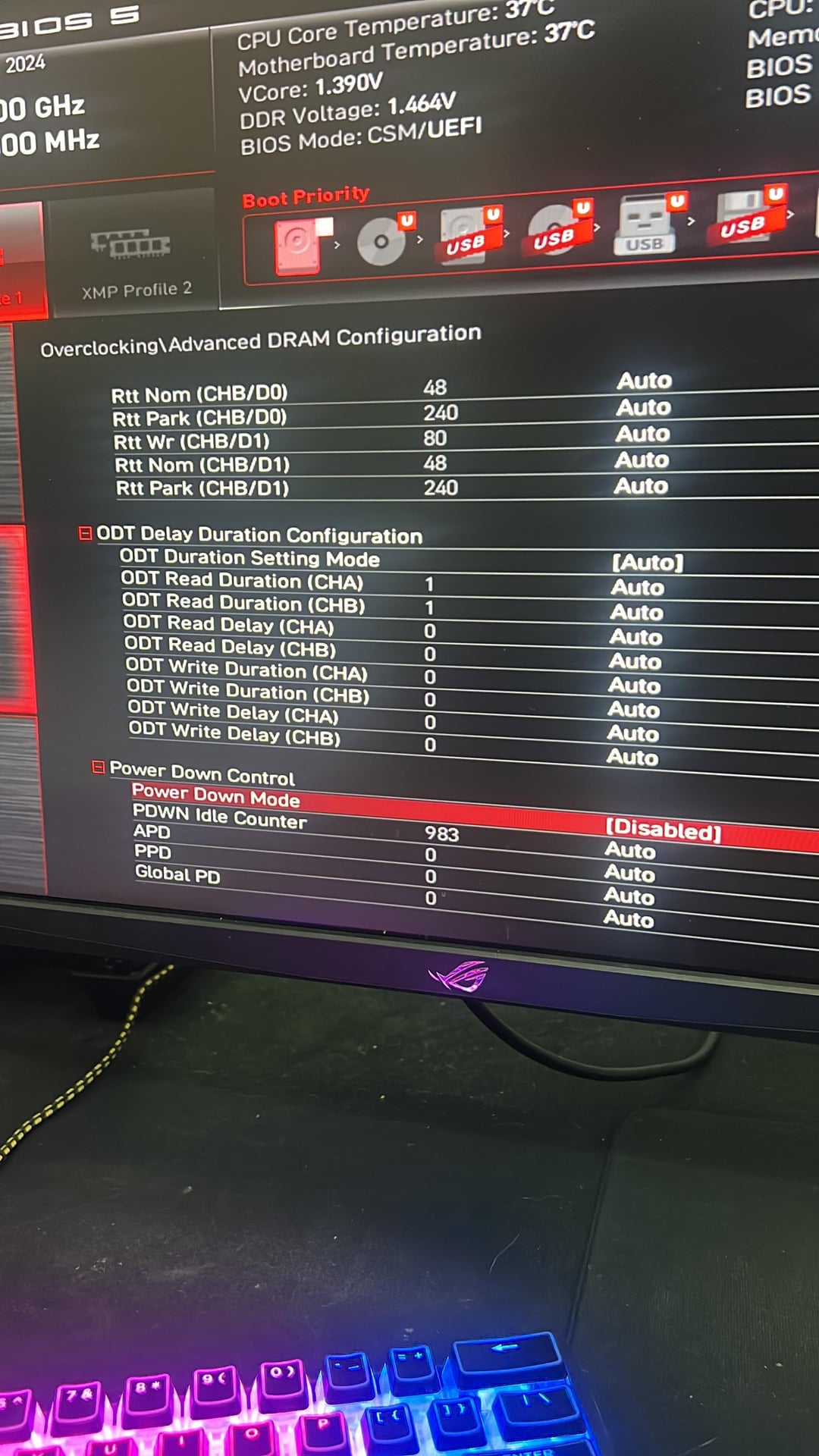
Hi guys,
I was just asking for some advise, I have a 13900k with G-Skill trident 14-15-15 and with this overclock I get less fps then I do with just XMP enabled, does anyone know why?

Hi guys,
I was just asking for some advise, I have a 13900k with G-Skill trident 14-15-15 and with this overclock I get less fps then I do with just XMP enabled, does anyone know why?
4 Comments
Looks like they disabled eist/ c states and speed stepping. Hard clamped your cpu at 5.6ghz. Depending on what kind of cooler you are using, this may be too much for it to dissipate and may be thermal throttling
Is your fps significantly lower or just a little lower? The 13900k should be able to turbo boost to 5.8 on a couple of cores in games at stock, but with the overclock you have set, it’s running 5.6 all core.
Your ram overclock looks like it should be an improvement, so try leaving your ram settings alone, but put everything for your cpu back to auto so it can turbo past 5.6. Save the settings you have first, makes it easier to fix if you make a mistake.
because with all core overclock your CPU can’t “clock match” basically, you need to push more than that frequency to make it worthwhile overclocking
Ram at 1.45 volts?