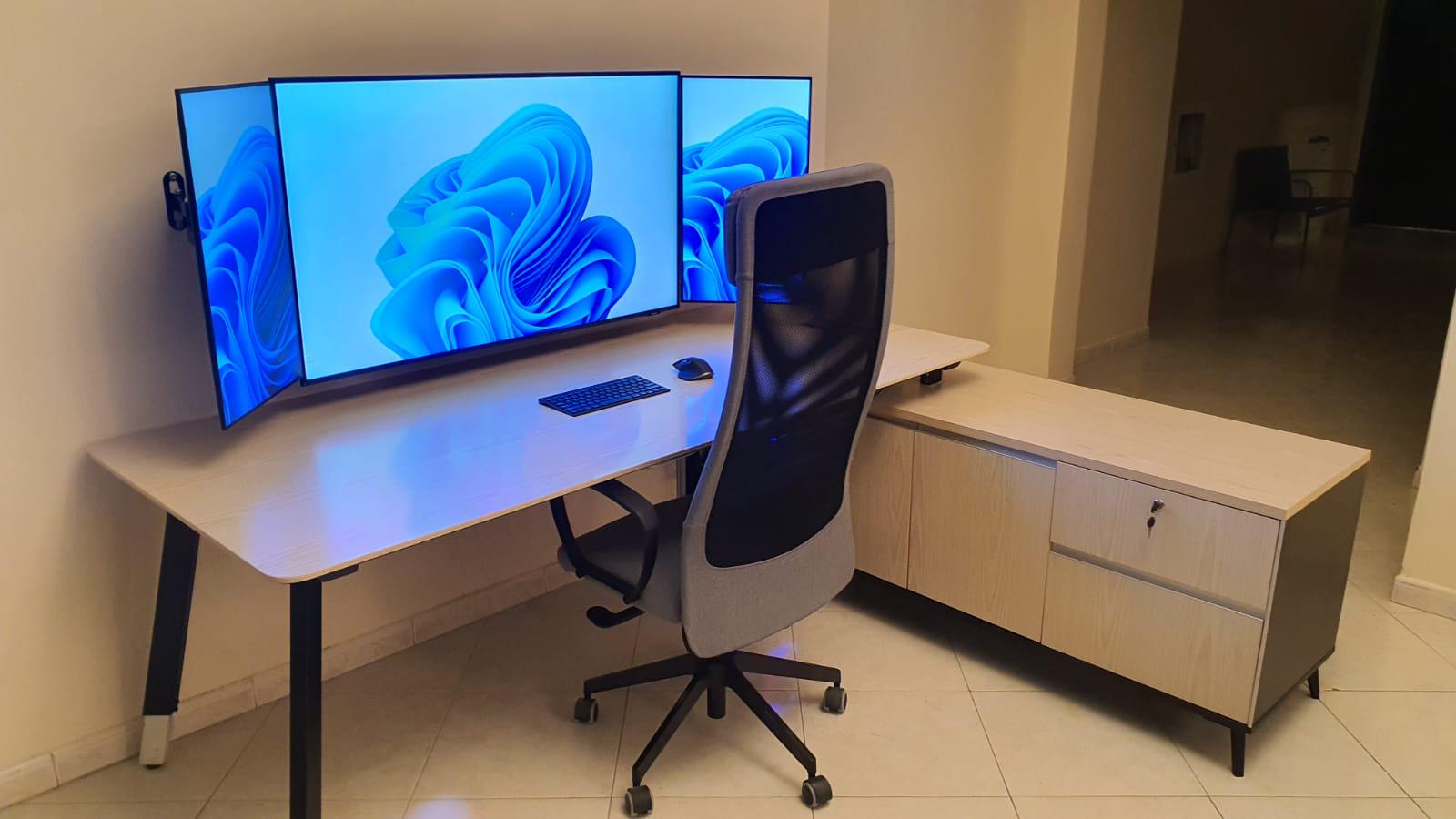
Here are some detailed insights that might be helpful if you’re considering setting up a similar screen configuration. This information could save you time in research.
* For a setup with three screens including two side vertical screens, you have a couple of options for sizes. A 43″ main screen pairs well with 24″ side screens, or a 50″ main screen with 27″ side screens. Although for a 27″ side screen, a 48″ main screen is ideal, this size is quite rare.
* For the main screen, consider using a TV if a high refresh rate isn’t a priority. TVs work fine for this purpose, but be sure to carefully choose the screen quality and resolution.
* If you’re opting for a main screen with 4K resolution, aim for a size between 43″-50″. Sizes below 43″ might not make full use of the available pixels, and anything over 50″ could result in a blurred image when viewed from a close distance (like a table in front of the screen).
* For optimal cable management, mount the screens on the wall. Arrange all cables behind the main screen where you’ll set up a power distribution unit. From there, a single power cable and three HDMI cables can extend out. Secure them with zip ties and direct them to the PC case.
MysteriousDesk3
The issue that I had with a 42” TV was the glossy screen reflections lead to more eye fatigue.
A couple manufacturers make an affordable matte display 42” monitor, LG and Philips.
Fine_Nefariousness64
can you share how your cable management looks like?
vuealt
Question : Why not just get an 49in ultrawide or maybe stack two .

5 Comments
Here are some detailed insights that might be helpful if you’re considering setting up a similar screen configuration. This information could save you time in research.
* For a setup with three screens including two side vertical screens, you have a couple of options for sizes. A 43″ main screen pairs well with 24″ side screens, or a 50″ main screen with 27″ side screens. Although for a 27″ side screen, a 48″ main screen is ideal, this size is quite rare.
* For the main screen, consider using a TV if a high refresh rate isn’t a priority. TVs work fine for this purpose, but be sure to carefully choose the screen quality and resolution.
* If you’re opting for a main screen with 4K resolution, aim for a size between 43″-50″. Sizes below 43″ might not make full use of the available pixels, and anything over 50″ could result in a blurred image when viewed from a close distance (like a table in front of the screen).
* For optimal cable management, mount the screens on the wall. Arrange all cables behind the main screen where you’ll set up a power distribution unit. From there, a single power cable and three HDMI cables can extend out. Secure them with zip ties and direct them to the PC case.
The issue that I had with a 42” TV was the glossy screen reflections lead to more eye fatigue.
A couple manufacturers make an affordable matte display 42” monitor, LG and Philips.
can you share how your cable management looks like?
Question : Why not just get an 49in ultrawide or maybe stack two .
I love the chair