
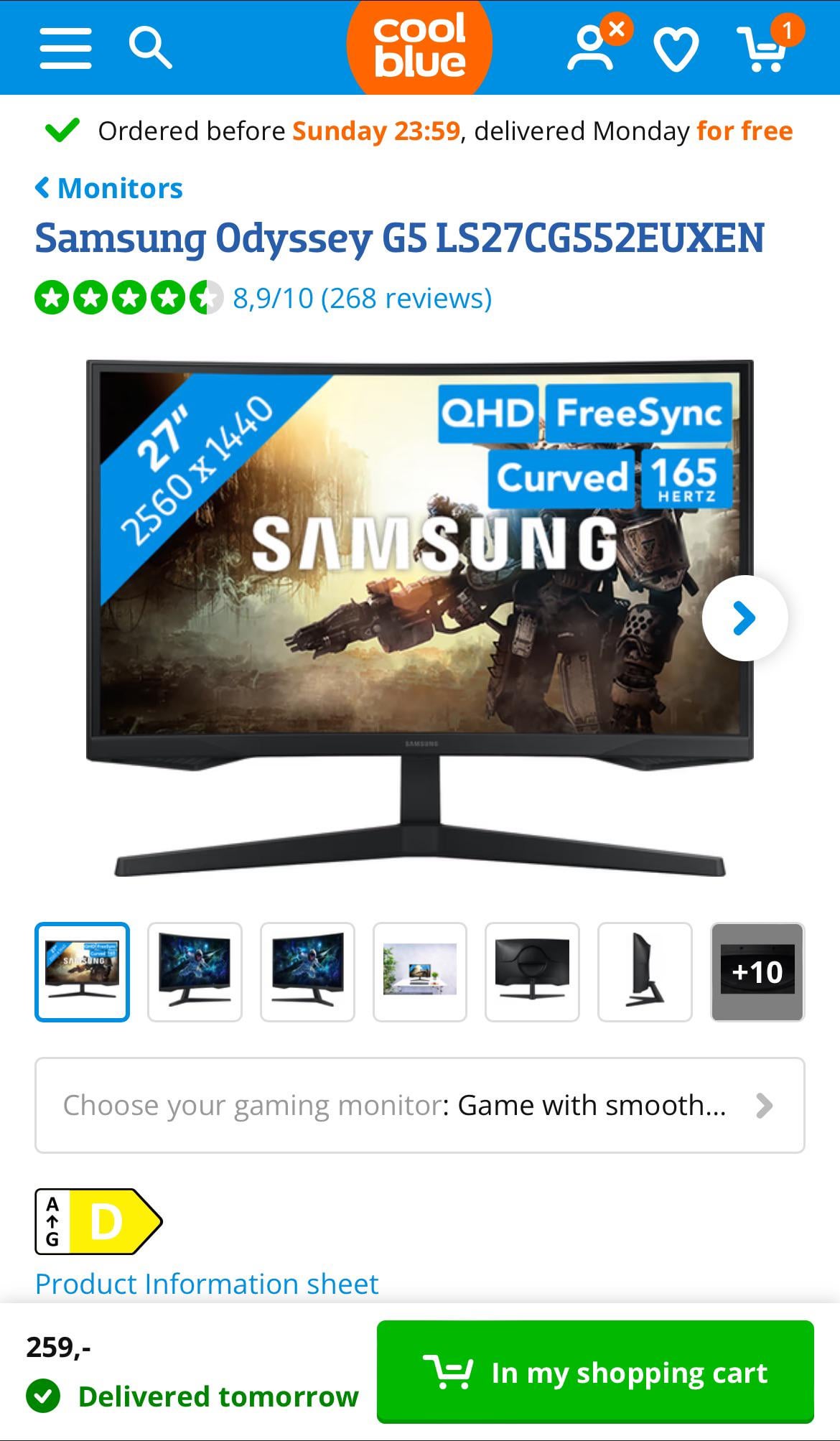
My 6/7 year old 1080p MSI monitor is not working that well anymore. So Im looking to buy a new monitor :). I think 1440p is a okay upgrade but i heard people say that i just should go to 4K. Can anyone give me any adivice on this? Maybe even on what the best monitor is? Thanks in advance :)!
My gpu is a RTX 3060TI
39 Comments
Buiging
My only advice is if you were buying it to improve your gaming experience, just know you’ll be able to see in higher response times and better clarity how bad you actually still are.
On a 3060ti that’s gonna knock your performance down significantly if you upgrade from 1080p. You’re going to need to utilize DLSS a lot to help your performance stabilize on high end games if they even have DLSS. You will notice a massive improvement in terms of picture clarity but your FPS will suffer, BUT that’s if you are constantly playing demanding games. If it’s indie games that don’t have insane graphics then you’ll be fine.
If you play to compete 4k is too taxing on fps. If you play for fidelity and have the money to keep upgrading hardware to keep up with 4k demands, consider it. I suggest flat instead of curved at 27 qhd. Go to rtings.com and fall down the rabbit hole. You’ll find nearly all the info you need to make a decision
Most 3060ti cards have 8gb VRAM. Your desktop apps will be happy but your GPU will need to upscale some games. You won’t be able to run some at high/max settings.
Bear in mind, 1440p is nearly double the pixels of 1080p.
A 22 inch 1080p monitor has about the same pixel density as a 32 inch 1440 or 42 inch 4k.
My 6700xt (similar performance to a 3060ti) can usually drive a 1440p at high settings without too many issues, depending on what I’m playing, but I suspect 4k would be a stretch in triple A games.
YMMV, but consider what you want to play and the settings you’re prepared to accept.
Personally, I like my 32 inch 1440p; I need to look *very* closely to see the pixels.
Mine is also curved, which I like.
Take care about the stand. I wouldn’t touch anything that uses ridiculous stands like that in the picture. Style over substance – avoid.
eta – the one pictured isn’t as bad as I thought – it doesn’t have a 3rd leg in the back. Nevertheless, it’s over blown.
Grammar😭
Honestly skip 4k and stick to 1440p unless you’re really invested into expensive gaming.
1440p would be alright with noticeable fps loss. But definitely not 4k for gaming on your gpu.
From what i heard is that 4k scales perfectly to 1080p. If thats true i personally would buy a 4k monitor and use it with the 4k resolution on games that can handle it and movies/videos and stuff and for games that cant handle 4k, i would set the monitor resolution to 1080p. Thats is what i would do.
Id get a 1080p monitor with a 3060ti
i had a 3060ti with a 1440P monitor. It worked fine on the games i played (BF2042, Cyberpunk, etc) with DLSS on and graphics settings at around medium/high.
you’re definitely gonna lose performance over a 1080P Monitor but it’s you might as well buy a 1440P and future proof yourself for when you inevitably upgrade that GPU 🙂
4k isnt worth it on a 27″.
So unless you want 32″ or more stick to 1440p
This monitor in the picture is a VA monitor. Most curved monitors are. VA means trouble with G-sync/Freesync, more input lag, extra motion blur. I strongly recommend against getting a VA monitor for gaming. I just did that and I regretted it big time. It had terrible, horrendous brightness flickering with g-sync enabled and motion blur on everything, which you can never disable.
Take a look at LG UltraGear 27GP850-B instead. That’s what I got as a replacement. It’s pretty much perfect. Officially G-sync compatible, 180 hz, HDR, bright, colors are great, perfect backlight, no flickering, blacks are as good as VA.
Ignore all the comments saying your GPU is too weak for 1440p. With some downgrades in graphics settings and a little bit of upscaling in AAA games it should be perfectly fine. I run a 3440x1440p 165 Hz monitor with an RTX 3060 Ti and although I don’t play AAA games that much I can assure you that for most stuff it’s still great. I wouldn’t recommend a 4K screen though.
Definitely don’t go 4K. The difference in picture quality between 4K and 1440 on 27” monitors is imperceptible, but 4K is much harder for your PC to run. 3060Ti will probably struggle enough with 1440, you probably wouldn’t be able to run much of anything at 4K, definitely not over 30fps which defeats the purpose.
You need any RTX GPU, becouse you can’t change resoulution to 1080p, it will blur everythings, so better use rtx 30 for good performance and great graphics
Some monitors have VRR Flickering. Samsung G5 has it. Google before buying.
Not just on loading screens, but while playing as well.
Flickering can be seen when game runs at about 60/30 fps.
If 4k is cheaper for you. Play at 4k and use DLSS to lower the sampling down to 1440.
I have the same GPU and 32″ 1080p curved Samsung, 60-70Hz. Not even HDR. I’m quite satisfied with gaming performance, but I seem to have backlight issues playing some videos and a little preliminary research has me suspecting this is too common with Samsung, though I don’t even know what QHD is, to be fair. Been thinking my next upgrade is definitely a new monitor, mostly for the sake of better video shading and losing the backlight over blacks issue, really. I tried the card’s Dynamic Super Resolution @ 4k to see if it would improve video shading but no luck, and temperatures soared and some games lagged a lot. Almost entirely unplayable, definitely not enjoyable. All said, so far I would also be eying something like this particular monitor, expecting maybe 70hz max for top performance.
Once you go up, you never go down
I got mine with an HDMI 2.1 port. It’s overkill for 2K, however I am a hybrid gamer, PC and Xbox Series X. The 2.1 port allows my Xbox to “play at 4k 120fps HDR” since the monitor supports a higher input.
PC plugs In to DP.
This is a VA panel, if you have IPS now, then VA will look worse. I myself have the lg 27gp850p and it’s a great monitor so far. I would not recommend 4k, it is better, but i think 1440 is great already and you gpu can’t handle 4k as good as 1440p
als jij het koopt dan veel plezier! 😀
OLED if you can afford it or IPS otherwise. VA panels have ghosting issues most of the time.
definitely stick with 1440p unless you know you’re getting a new card soon. Pay attention to shit like panel type and color accuracy when you buy, not just the refresh rate
27″ curved? Hard pass, yo!
I have a 1660 super and a 1440p monitor and most games work fine, even high settings are a posibility if you’re okay with like 70 fps
Do not buy form coolblue. Shit’s overpriced there
There are lots of things to know. Like how the motion clarity is, how good the contrast/blooming is, the color accuracy, brightness, matte/glossy finish, what features it supports like Freesync/Gsync, refresh rate, input latency, and how all those things relate to what you tend to use it for.
your gpu will probably be fine i have a 3070 and the previous fen of this monitor, have some issues with it like flickering but it was prob fixed on the g55a
I have a 1080 and the 32 inch version of this monitor which is still 1440p and the experience is great!
3060 TI can comfortably run 720p but that’s about it. Should probably get a dual 4090 Super TI Ultra if you want to run over 1440p.
There’s no going back to 1080p. Also, you will need to keep upgrading your system quite often to keep up with the games.
Go bigger if you’re doing 1440p
Don’t. Not worth it. Save for 4k monitor
Dell G2724D or Asus TUF Gaming VG27AQ. The G2724D is better though. Thank me later.
from my experience, please never buy a va monitor, if that one’s ips go for it