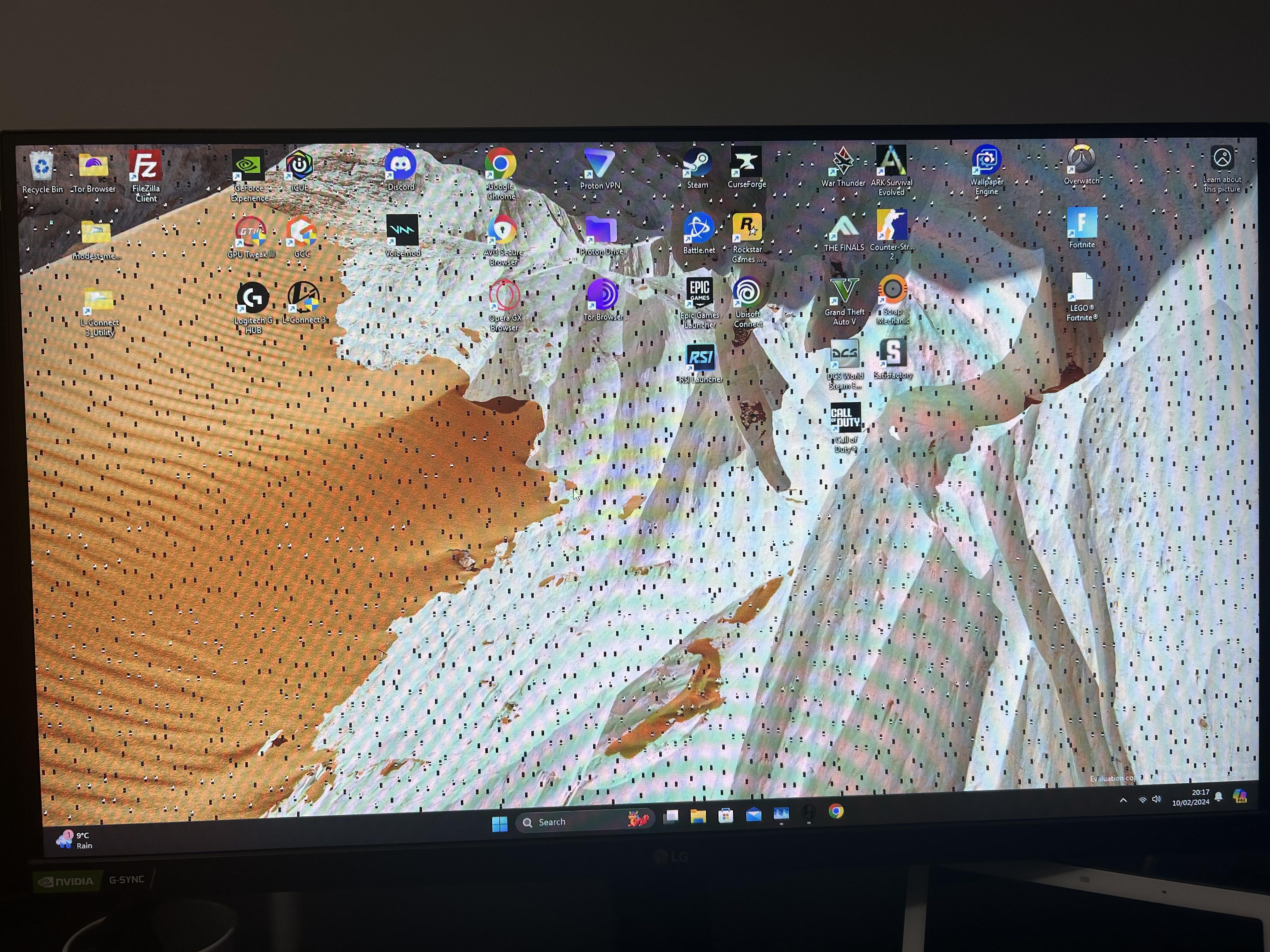
It has been serving me well and pushing itself to its limits for the past two years. Any doctors want to diagnose how many punches are left on its card.

It has been serving me well and pushing itself to its limits for the past two years. Any doctors want to diagnose how many punches are left on its card.
18 Comments
*”past two years”* – So you are still on your warranty period?

Try giving it a slight underclock
Meh, i would be kinda pissed If GPU dies after Like 3 years of service….
Got an RX590 and its still running Like day 1.
Just Put it aside as Backup. Gud Boi.
Good Tip with da slight underclock. 👍
Im guessing this is a 20 series gpu? Some 20 series gpu’s have micron memory which fails and give the “space invader” like artifact, like this one. You could get the Memory replaced if its worth it.
I’ve had this happen when mine was overheating. Make sure your fan curve is appropriate for your workload. I found that unless x1 is running the fans just stay off

o7 watch is nearly done
How is your 30 series already dead?
At least my 2080ti only freezes my whole system once per werk with nvlddmkm errors. I dread the day I have to replace that thing
Wtf? My GPU is 9 years old now, still playing all my non AAA games like a charm (fuck the AAA industry and nit optimising your game).
Lol, my GTX 1070 been hustling since 2016, she is my ol’ Bettsy
I hope mine isn’t about to do the same; I’ve started to notice weird little glitches, like FFXIV characters flickering out of existence and back for the briefest of moments in cutscenes, or one time a Genshin burst animation failing to draw the graphic so it was just a black silhouette…
Try lowering memory clocks, which might help if there is instability on failing memory chips.
What are your temps like? Could just be really hot.
It’s raging against the dying of the light
I’m curious about why those lines appear only on the desktop background but not on the icons and the taskbar?
I’m still holding on to my second hand RTX 2060 super. I fear this day.
This can be a Wallpaper Engine issue!