
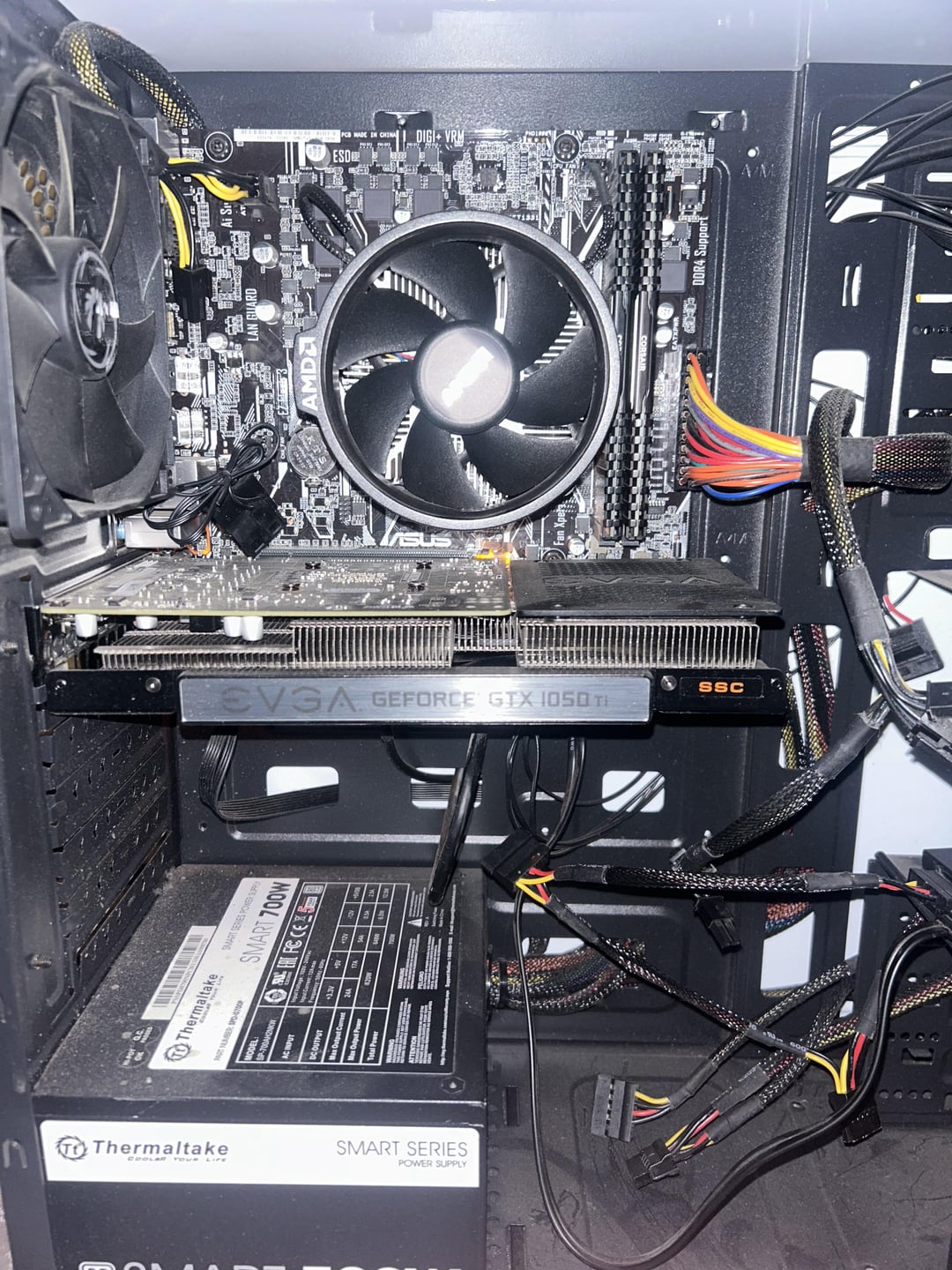
A friend gave me an old gaming pc (i know it’s out dated) and i am trying to hook it up to my monitor. I have the HDMI plugged into the GPU of the pc and into the rear of my monitor. Pc seems to turn on fine and so does monitor but I cannot seem to connect the 2. I have tried all HDMI ports on the computer and the monitor and I have also tried a D-Sub connector as well. Neither have worked and I’m not sure what’s wrong. Here are some photos for reference.
4 Comments
Hello Jazzlike-Key8076, and thank you for your submission to Gaming PC! If you are new please check out our rules over at the wiki [here](https://www.reddit.com/r/gamingpc/wiki/rules)!
We have recently added the useful feature of Title Flair! You can set this manually by clicking Flair under your post once you have submitted your post, but if you missed it in the rules there is a much better way that will automatically flair your post!
To do this simply add what your post is about in brackets before your title. For example for a Build Log you can type [Build Log] before your post so that it looks like this; [Build Log]My new awesome build!, and the bot will automatically set your flair to Build Log! This works for Build Log, Build Showcase, News, Hardware News, Hardware Release, Discussion, and Miscellaneous!
Also remember that this is a place for discussing and sharing our love of Gaming Computers! This is NOT the place for help building or determining what parts you should buy, that is better suited for /r/buildapc. Troubleshooting questions should be directed to /r/techsupport. Thank you again!
*I am a bot, and this action was performed automatically. Please [contact the moderators of this subreddit](/message/compose/?to=/r/gamingpc) if you have any questions or concerns.*
What model CPU is that? If it has onboard graphics you can try it without the GPU, but most AM4 CPUs don’t.
Do you have a backup graphics card you could try?
did you plug the additional power cables into the video card? when you turn on the PC do you see the fans on the video card spinning?
Try these, #1 can usually help.
1. Reset CMOS (take small battery out of motherboard, or use the jumper pins) — then power on the PC, it will appear to power on, then shut off, then power on again after doing this. It’s normal.
2. try booting with only 1 stick of RAM at a time (also try both slots)
3. Try a different PCIe slot for the GPU