
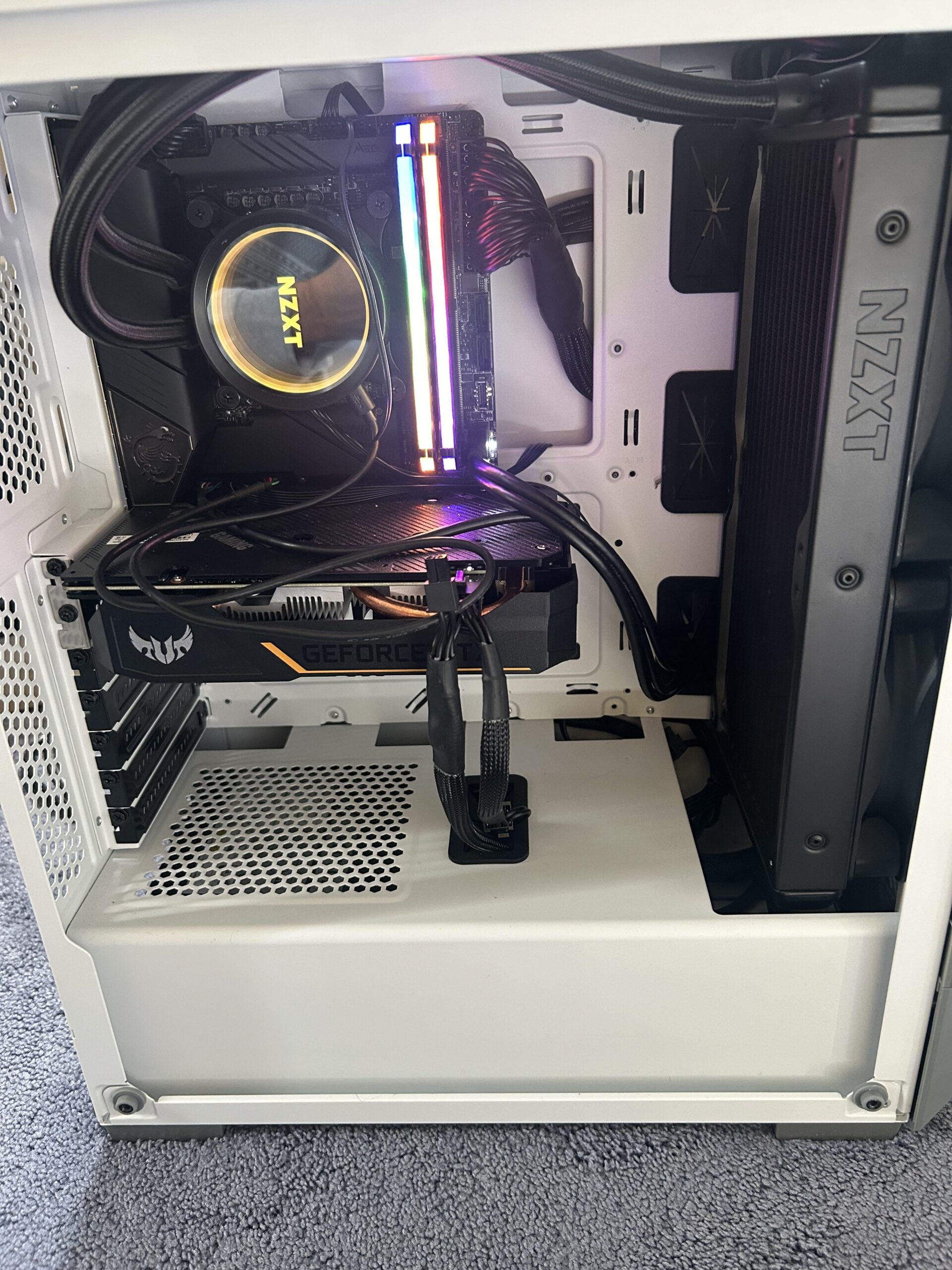
Hello all. When I first built my gaming PC, it wasn’t giving me any visual until I started touching all components, and then it started to work. I think something was loose. Now that I moved it from one room to the other I’m having the same problem even though I touch all the components and make sure that nothing is slack. I also thought maybe it was a bad HDMI cord but the HDMI cord works fine with my PlayStation. Please help. I built this PC a couple years ago so I don’t remember the exact parts but I know it works cause I use to use it all the time. The graphics card works, the fans are spinning (the cord sticking out, I can’t remember if that needs to be plugged into the power source or not, but I assumed not because the fans in the graphics card are spinning). The cord that’s sticking out from the graphics card says PCIe by the way. If you know the solution please put in simple terms please because I’m a rusty since it’s been a while since I built this. I must’ve built this a little over a year ago and haven’t put it to use every single day to the point where parts are worn out and need to be replaced. I’m also open to talking on the phone/FaceTime if needed. Private message me and I can give you my number
3 Comments
Hello SuitableMilk1403, and thank you for your submission to Gaming PC! If you are new please check out our rules over at the wiki [here](https://www.reddit.com/r/gamingpc/wiki/rules)!
We have recently added the useful feature of Title Flair! You can set this manually by clicking Flair under your post once you have submitted your post, but if you missed it in the rules there is a much better way that will automatically flair your post!
To do this simply add what your post is about in brackets before your title. For example for a Build Log you can type [Build Log] before your post so that it looks like this; [Build Log]My new awesome build!, and the bot will automatically set your flair to Build Log! This works for Build Log, Build Showcase, News, Hardware News, Hardware Release, Discussion, and Miscellaneous!
Also remember that this is a place for discussing and sharing our love of Gaming Computers! This is NOT the place for help building or determining what parts you should buy, that is better suited for /r/buildapc. Troubleshooting questions should be directed to /r/techsupport. Thank you again!
*I am a bot, and this action was performed automatically. Please [contact the moderators of this subreddit](/message/compose/?to=/r/gamingpc) if you have any questions or concerns.*
It looks like you don’t have your gpu plugged in all the way. Yes it has to be powered, direct off the psu. The fans can be spinning off the pcie power. But the card is powered and needs direct power. And it looks like somewhere in that power cable there is a loose connection, which is prolly why you get a picture when you touch stuff. And btw, stop touching things while it is running.
Additional, turn the machine off and double check all your connections, provide direct power from the psu to the gpu, then see what happens. Let us know what happens.
Did u plug your hdmi into the motherboard instead of the GPU on accident?