
Hi all,
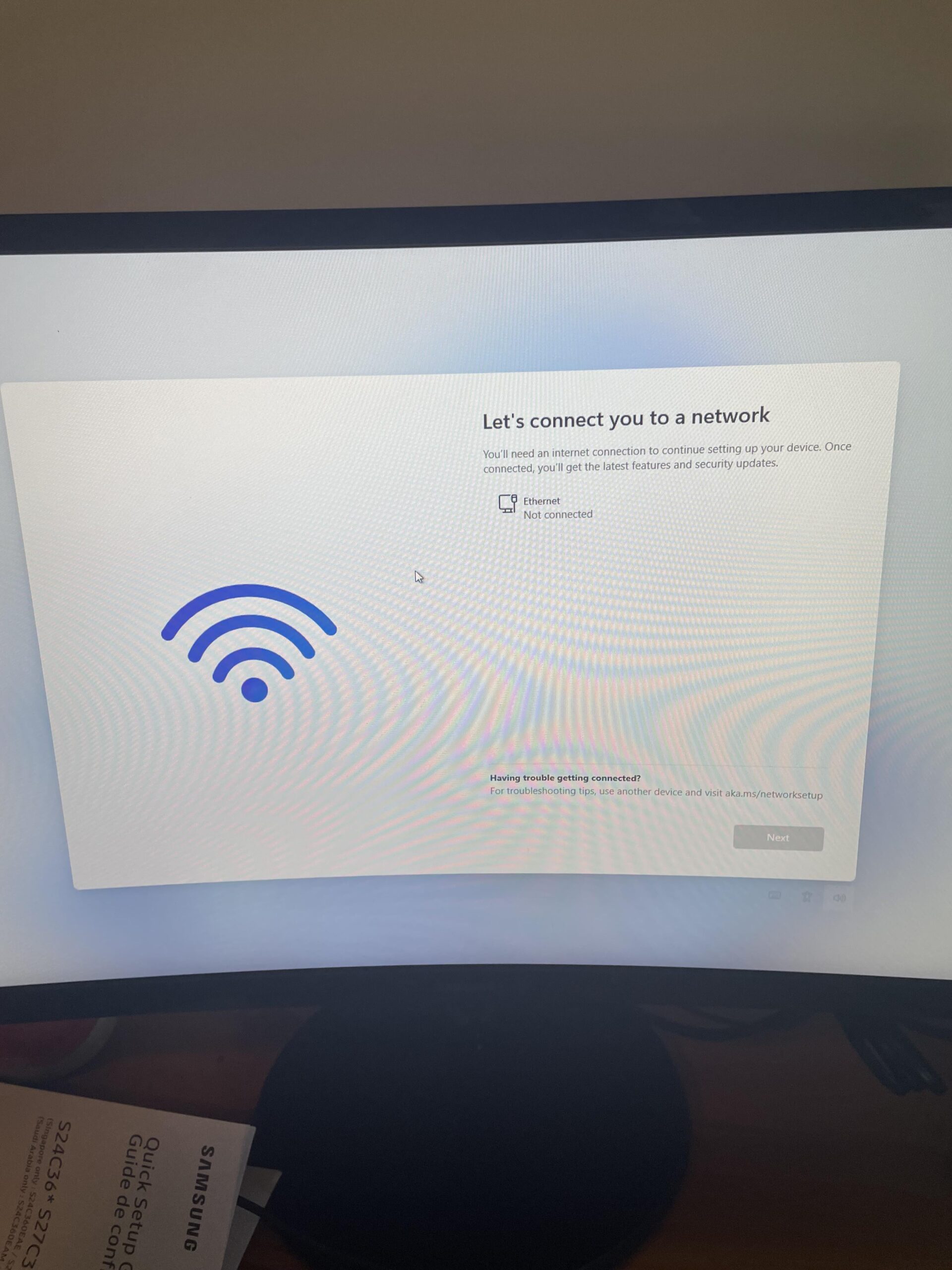
Please bare with me as I’m not much of a computer person. My husband and I have just gotten our son a gaming pc for his birthday.
But we are having trouble with the Ethernet connection as there isn’t a port in his room.
Can we get a dongle(?) that we can use for his room or something similar? If so do you have to match it to the power of the computer and what do you recommend?
5 Comments
Hello Violettefox_, and thank you for your submission to Gaming PC! If you are new please check out our rules over at the wiki [here](https://www.reddit.com/r/gamingpc/wiki/rules)!
We have recently added the useful feature of Title Flair! You can set this manually by clicking Flair under your post once you have submitted your post, but if you missed it in the rules there is a much better way that will automatically flair your post!
To do this simply add what your post is about in brackets before your title. For example for a Build Log you can type [Build Log] before your post so that it looks like this; [Build Log]My new awesome build!, and the bot will automatically set your flair to Build Log! This works for Build Log, Build Showcase, News, Hardware News, Hardware Release, Discussion, and Miscellaneous!
Also remember that this is a place for discussing and sharing our love of Gaming Computers! This is NOT the place for help building or determining what parts you should buy, that is better suited for /r/buildapc. Troubleshooting questions should be directed to /r/techsupport. Thank you again!
*I am a bot, and this action was performed automatically. Please [contact the moderators of this subreddit](/message/compose/?to=/r/gamingpc) if you have any questions or concerns.*
If you can just connect it to Ethernet now to get it going you can download the wifi drivers if needed later. Windows 11 is weird in that it wants Ethernet. There’s a way around it but I can’t quite remember how
Making an Ethernet port in a room is not that easy. Basically you need to run wire from your router to that room, like how an electrician would run electrical wire to a room. The easiest way to get internet is WIFI. The fact that Windows installation does not ask you for WIFI setup but just Ethernet is probably because your PC does not have a wifi card or have wifi feature built in the motherboard. Check the PC configuration to see if it supports WIFI. If not, it is quite cheap to get a WIFI card and install it to your motherboard. Or even simpler, there are WIFI antennas that you can plug into your PC USB port so you won’t need to open the PC case. Follow that wifi card/USB wifi antenna’s installation instructions and you should have internet.
If you want to get around this you press “shift” + “f10” to open a command prompt. Once there type “oobe/bypassnro” to bypass the internet requirement.
So at the moment if you’re not running that Ethernet cord from his computer directly to the WiFi router for your house and it’s just plugged into the wall he won’t have an internet connection. You can buy a USB WIFI adapter (someone has already mentioned it) then you can just connect to the WiFi like your phone would. Again, you want to run your Ethernet cord from the WiFi router to the computer directly for a wired connection. Please ask any questions you may have!