
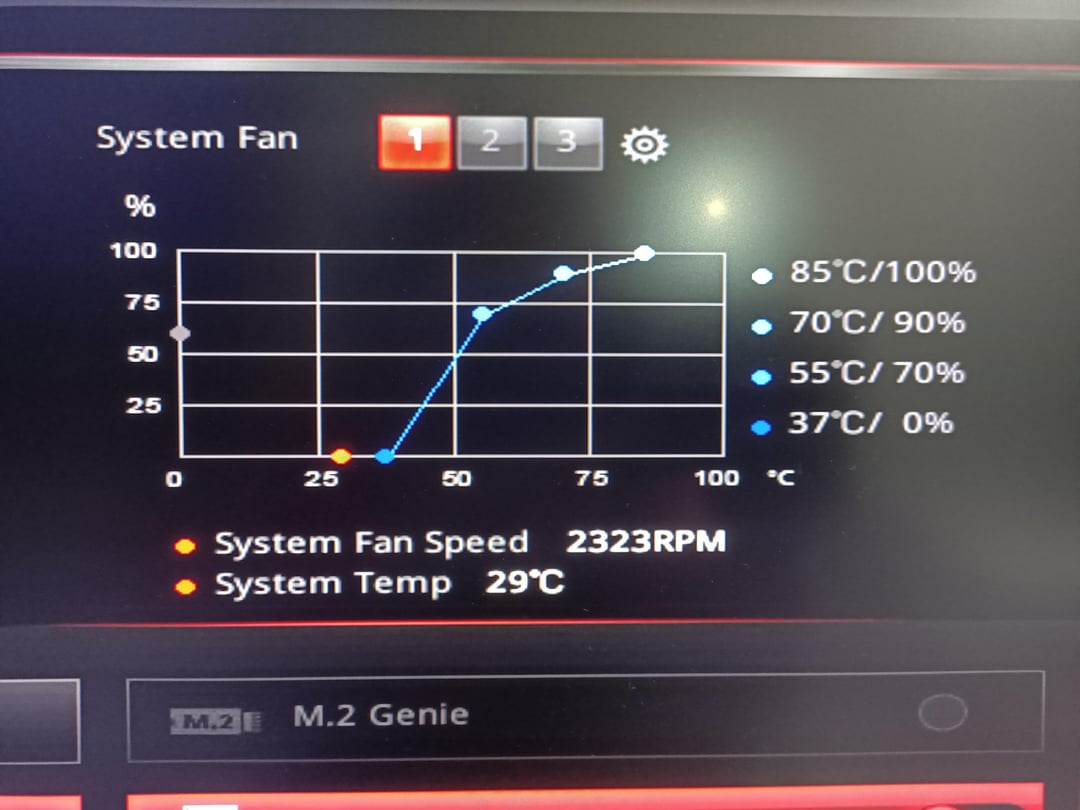
hello, this morning my system fans started to work at full speed all of a sudden, my cpu was throttled to 0.8 and I wasnt able to change fans speed. I was able to change the cpu speed to 4.0 by disabling “intel adaptive thermal monitor” and ” intel c state” in the bios settings. I think i might be having bd prochot problem somehow.
Okay so the problem is, my fans are too loud, it makes me want to remove and throw them into the garbage bin. Fans starts to speed up to full speed about after 3 minutes after boot. And they dont go back down, even when the comp is 20C and I’m nearly freezing right next to it. I changed the fan curves from bios, even though when it is showing to run at %0, it is still about 2200rpm.
Can BD Prochot cause the system fans to run at full speed, ignoring the temp degrees? How can I fix this?
my specs:
mobo: MSI Z170A Gaming M7
gpu: MSI GTX1080 Gaming X 8 GB GDDR5 256Bit Nvidia Geforce DX12
Ram: Crucial Ballistix Elite 16 GB DDR4 2666 MHz CL16 1.2V
SSD: Crucial 500 GB MX200 SSD 555/500 MB/s
case: Cooler Master Mastercase 5
cooler: Cooler Master Nepton 140XL
cpu: İntelCore i7 6700K 4/8T 4/4.2 GHz 91W
4 Comments
pictures are from before disabling “intel adaptive thermal monitor” and ” intel c state” settings, cpu is 4.0 right now but fan speed is the same
also, the cause might be the windows update i did this morning, I have doubts but I’m not sure
Set default bios, then set your fan curves
Update your bios too while you’re at it to the latest non-beta version
that is your system fan, which could be the motherboard chipset fan or an exhaust fan. you need to go to the right tab with cpu fan and adjust that curve