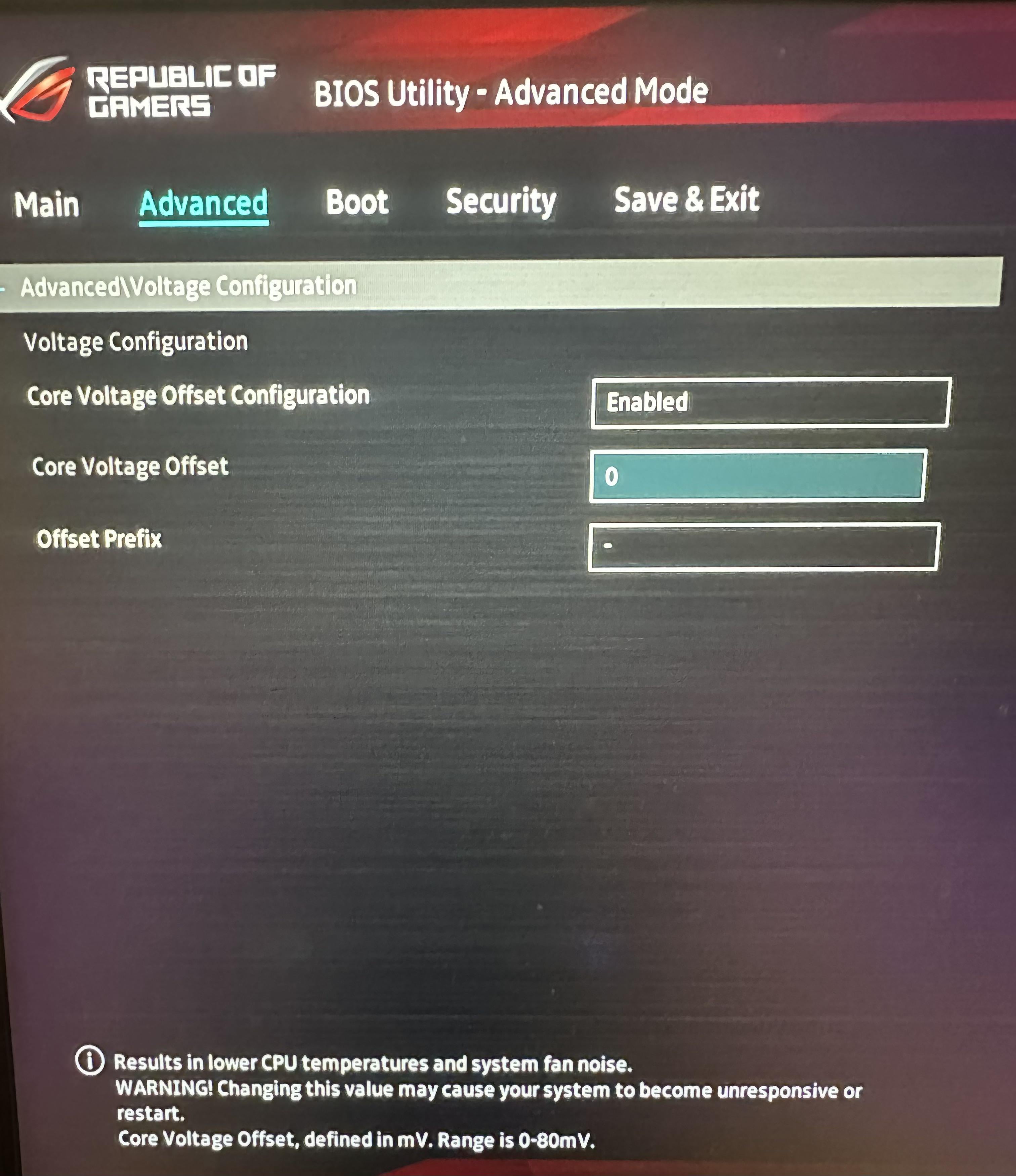
I’d look up some oc guides on YouTube, do a bit of research. Every CPU is slightly different, even between two examples of the same model, so your overclock may be slightly better or worse than others with the same hardware. You really don’t want to overdo it with the voltage on a CPU because that’s how you wind up buying a new one with the specs you were trying to hit haha. It will probably take a couple days of testing to get a good stable overclock, but when you do it can be well worth it. You want to start bumping things up just a tiny bit at a time and then going in and testing stability in games or downloads or whatever you usually do with the PC. Usually want to run the test for at least a half hour at a time before you change anything again. Make sure you’ve got a program like hwmonitor up on a separate screen or something so you can keep a good eye on your temps. You want to always try to keep it under 80 degrees if you can. Finally, mess with voltage last, and only if you know what you’re doing. Lowering it can get you better temperatures if you undervolt it properly and usually won’t hurt it beyond crashing it if you go too low, but raising it, especially too much, can cook it pretty quickly.
SurstrommingFish
Not to sound harsh, but you’re not ready for Overclocking. It takes a lot of hours to read/warch and investigate about it before attempting it the first time. Keep reading and just use your i9 regularly.
turboZcamaro
I mean this in the nicest way, but i don’t think you should be trying to overclock when it seems like you don’t even know the specs of your PC. Do a bit of reading/watching videos and educate more on the subject. It’s going to be hard for someone to help you over reddit comments if you have no baseline knowledge.
Slore0
Use Throttle Stop or XTU not the BIOS, it will be much easier.

8 Comments
Bruh you gave almost zero information.
More than 0 but much less than 100
Twelve, just overclock twelve.
About tree fiddy
I’d look up some oc guides on YouTube, do a bit of research. Every CPU is slightly different, even between two examples of the same model, so your overclock may be slightly better or worse than others with the same hardware. You really don’t want to overdo it with the voltage on a CPU because that’s how you wind up buying a new one with the specs you were trying to hit haha. It will probably take a couple days of testing to get a good stable overclock, but when you do it can be well worth it. You want to start bumping things up just a tiny bit at a time and then going in and testing stability in games or downloads or whatever you usually do with the PC. Usually want to run the test for at least a half hour at a time before you change anything again. Make sure you’ve got a program like hwmonitor up on a separate screen or something so you can keep a good eye on your temps. You want to always try to keep it under 80 degrees if you can. Finally, mess with voltage last, and only if you know what you’re doing. Lowering it can get you better temperatures if you undervolt it properly and usually won’t hurt it beyond crashing it if you go too low, but raising it, especially too much, can cook it pretty quickly.
Not to sound harsh, but you’re not ready for Overclocking. It takes a lot of hours to read/warch and investigate about it before attempting it the first time. Keep reading and just use your i9 regularly.
I mean this in the nicest way, but i don’t think you should be trying to overclock when it seems like you don’t even know the specs of your PC. Do a bit of reading/watching videos and educate more on the subject. It’s going to be hard for someone to help you over reddit comments if you have no baseline knowledge.
Use Throttle Stop or XTU not the BIOS, it will be much easier.