
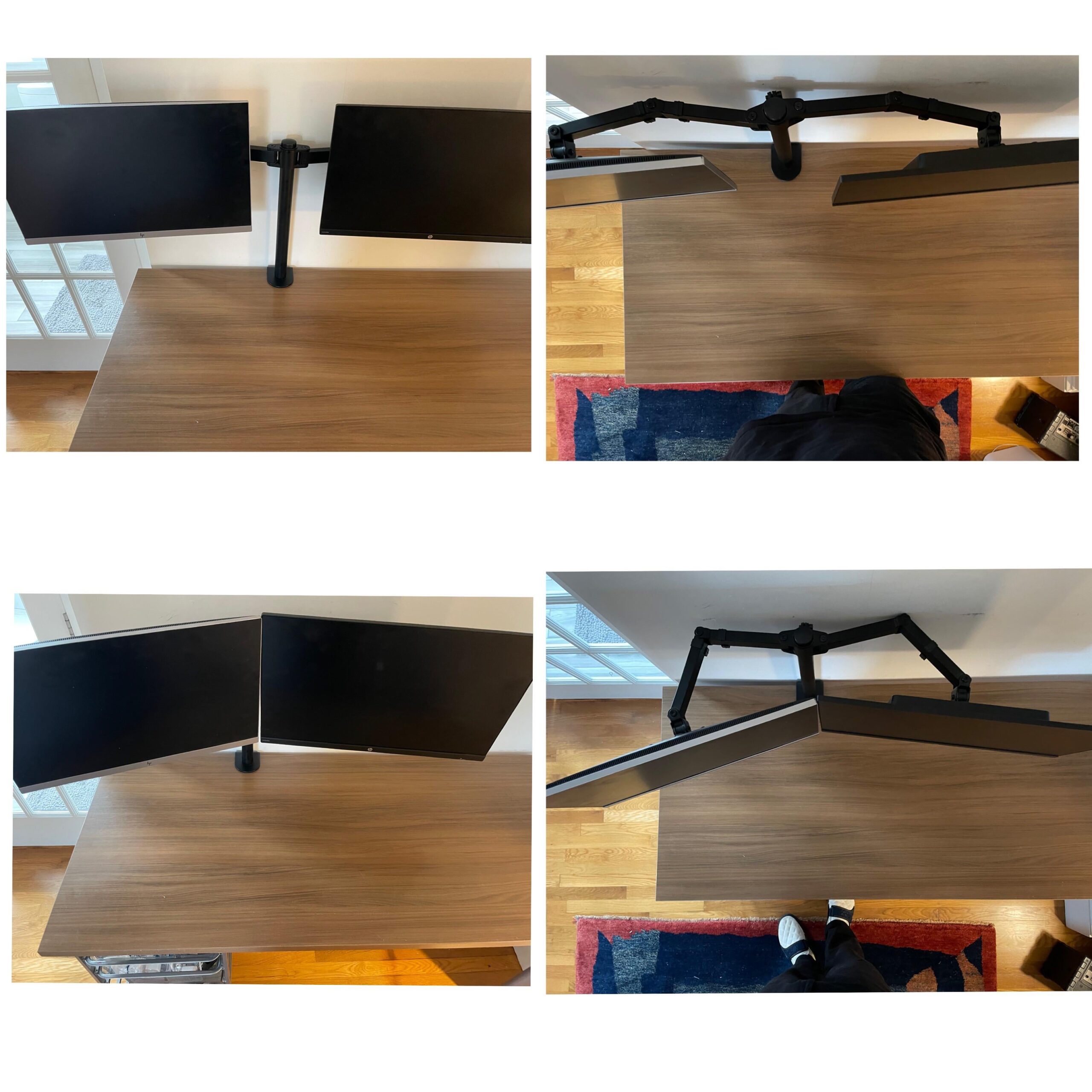
Anyone have any advice on this issue? I’m trying to get my monitors to be right up against each other when pushed to the back of my desk. I have to pull them forward in order to be touching, but when I do so, it makes the monitors too close and take up almost all of my desk. Any input is appreciated.
by br0nze
15 Comments
Move the desk away from the wall to give more room for monitor arms.
Your mount is too close to the wall, or you need a dual arm mount that can articulate up and down since those probably won’t bow out into the wall as much.
Your arm is build by 2 pieces, each with 2 articulated thing + monitro sup. Delete that articualte thing and they will be close and pushed back
Your desk is too small.
The monitor arm should have two installation methods. Clamped and another where you drill a small hole through the desk. The second method will allow you to move the vertical support closer allowing the arms to stretch backwards.
Or just get a monitor stand designed for smaller monitors
OP, try removing one of the pieces of the articulated arm and see if you can manage to get the two monitors close enough without having to push them too much towards you. If this doesn’t work my suggestion is to buy two single arms stands (instead of the single stand with 2 arms). Usually this is the solution everybody is going for.
What if you go one full arm to one side and the other arm will be bent to match the full arm side
Remove an arm segment on one or both sides, depending on if you want one at an angle or them both facing straight.
Move the arm on the desk to the left, making the right arm straight, then the left one will still have space for itself behind the screen and screens will relatively be far away from you, but together.
Edit: I made a [drawing](https://imgur.com/a/JmDsrkf), hope you understand, I’m not artist 🙂
You could move the mount closer to the corner of the desk which will let them go farther away.
Bring your desk a bit to the front to give the arms more room to position them. Another advice, if your desk isn’t solid wood, use a reinforcement bracket to effectively distribute the weight of both your monitors, otherwise you’ll wake up to a not so fun surprise.
Move desk out, as others have said, or do what I did, buy separate monitor arms.
I had the same problem. Solved it by removing half arm on one side. Try that.
This is why I buy seperate arms for each screen
Remove one arm joint