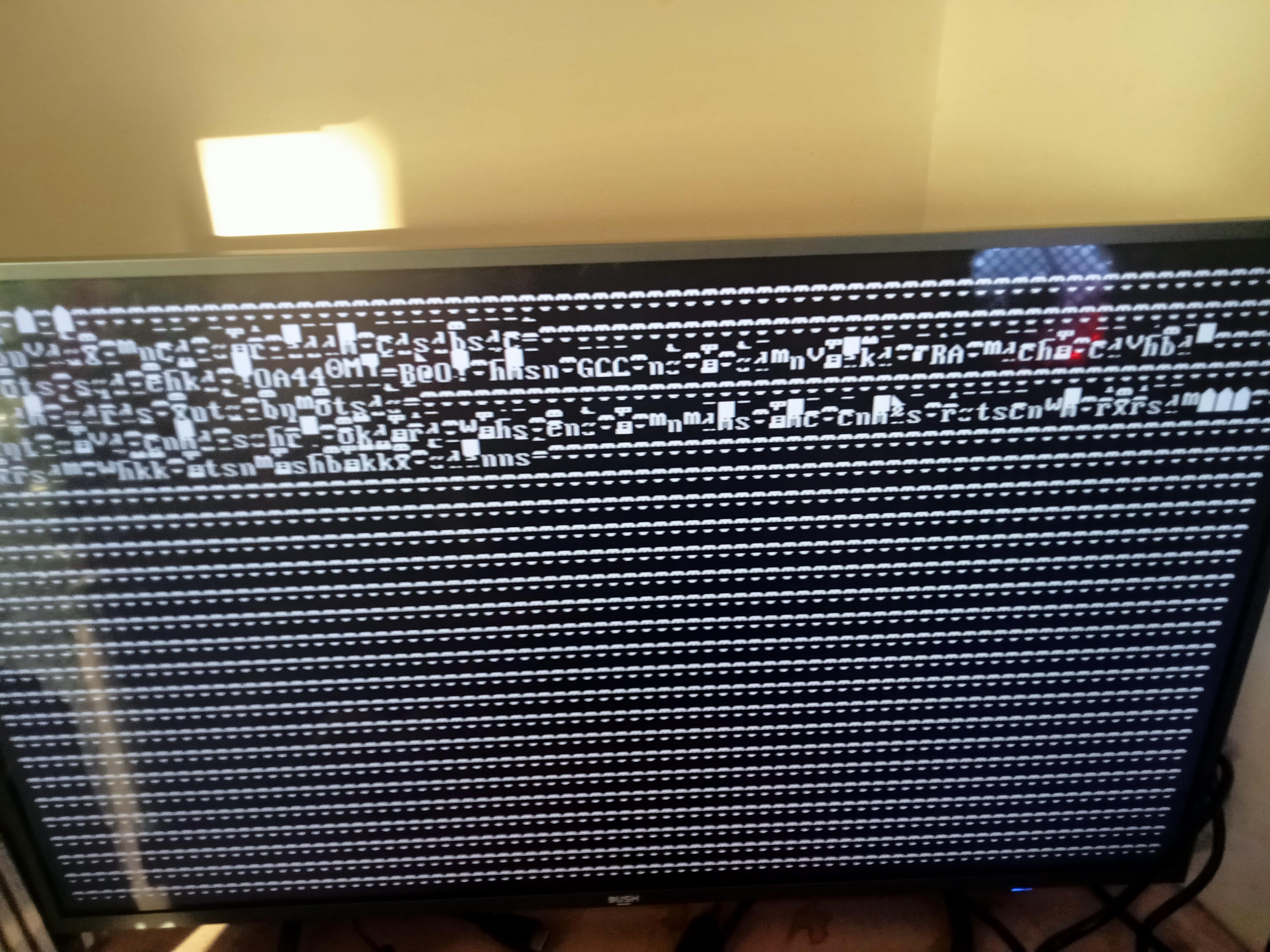
So after the power was turned off and on again my pc started doing this, the last time it actually connected to my monitor it said something about the bios and now it’s just glitched and stuff, I desperately need help

So after the power was turned off and on again my pc started doing this, the last time it actually connected to my monitor it said something about the bios and now it’s just glitched and stuff, I desperately need help
4 Comments
Hello Weak-Ad-1740, and thank you for your submission to Gaming PC! If you are new please check out our rules over at the wiki [here](https://www.reddit.com/r/gamingpc/wiki/rules)!
We have recently added the useful feature of Title Flair! You can set this manually by clicking Flair under your post once you have submitted your post, but if you missed it in the rules there is a much better way that will automatically flair your post!
To do this simply add what your post is about in brackets before your title. For example for a Build Log you can type [Build Log] before your post so that it looks like this; [Build Log]My new awesome build!, and the bot will automatically set your flair to Build Log! This works for Build Log, Build Showcase, News, Hardware News, Hardware Release, Discussion, and Miscellaneous!
Also remember that this is a place for discussing and sharing our love of Gaming Computers! This is NOT the place for help building or determining what parts you should buy, that is better suited for /r/buildapc. Troubleshooting questions should be directed to /r/techsupport. Thank you again!
*I am a bot, and this action was performed automatically. Please [contact the moderators of this subreddit](/message/compose/?to=/r/gamingpc) if you have any questions or concerns.*
was the PC on when the power turned off? it could’ve surged and screwed something up internally.
I’m a total noob when it comes to things like this but what you could try is removing the cmos battery for 30 sec~. Of course turn off the PC first, that should reset the BIOS. maybe that will help
At what point is it doing this? As soon as you press the power button? When it attempts to load Windows? This looks like some files necessary for Windows to operate got corrupted.
If your PC can load past the BIOS screen, I would create a bootable USB drive ([https://support.microsoft.com/en-us/windows/create-installation-media-for-windows-99a58364-8c02-206f-aa6f-40c3b507420d](https://support.microsoft.com/en-us/windows/create-installation-media-for-windows-99a58364-8c02-206f-aa6f-40c3b507420d)) and try to repair your Windows installation. If that doesn’t work, you may need to reinstall Windows entirely.
If you cannot even load the BIOS screen (“Press F2/Del to Enter BIOS”), I’m sorry but the motherboard may be dead. If your motherboard supports the BIOS Flashback feature, you could try to re-flash your BIOS. You’ll have to search for you specific brand & model of motherboard to find instructions on how to do this.