
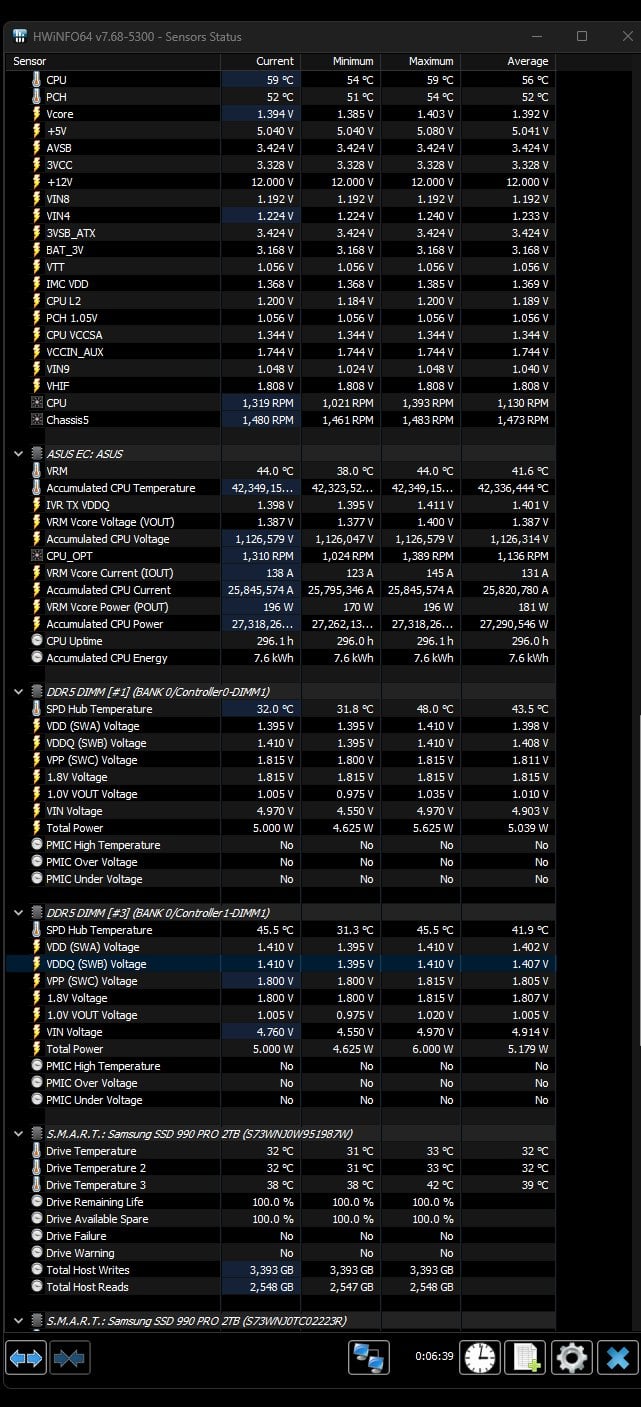
I’m running a stock 14900k on an Asus Z790-e wifi ii, TEAMGROUP DDR5 48GB Kit (2 x 24GB) 7200MHz CL34 kit.
It boots and runs on the XMP Tweaked profile, though about 25% into Karhu it poops an error, I tried to get more clarity by running testmem5.
I dropped it down to 7000, and it tests fine. I’d love to see if I could tweak it to run at 7200. I’ve not changed voltages or timings cause, frankly, I’m not sure which ones to touch. I found a Buildzoid comment to a similar help request on a 13900k. He said, “might need to raise the MC and SA PLL voltages.” I looked into this, but I can’t seem to find enough specific info to make feel like I won’t fry something. Any help would be appreciated.
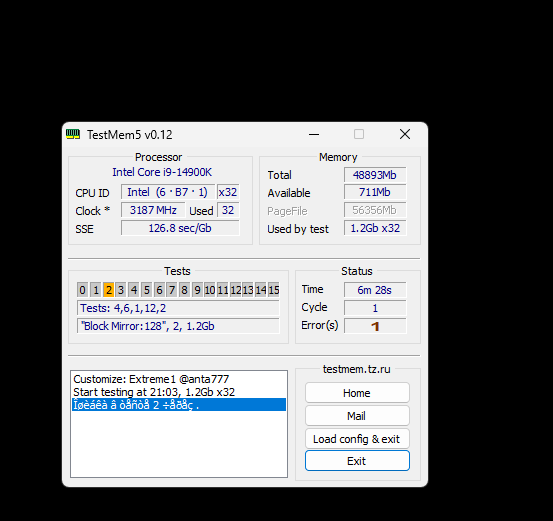
https://ibb.co/fpxBTm9
1 Comment
At 7200 MT/s, you’re going to be at the edge of what’s stable for your 4 DIMM board. Most likely you need to tweak the related voltages to get it stable, but should be possible.
Try setting these voltages below, and tweaking from there. Don’t go too high on SA, as that can cause even more instability.
– MC voltage: 1.4v
– IVR VDDQ TX: 1.4v
– SA: 1.2v