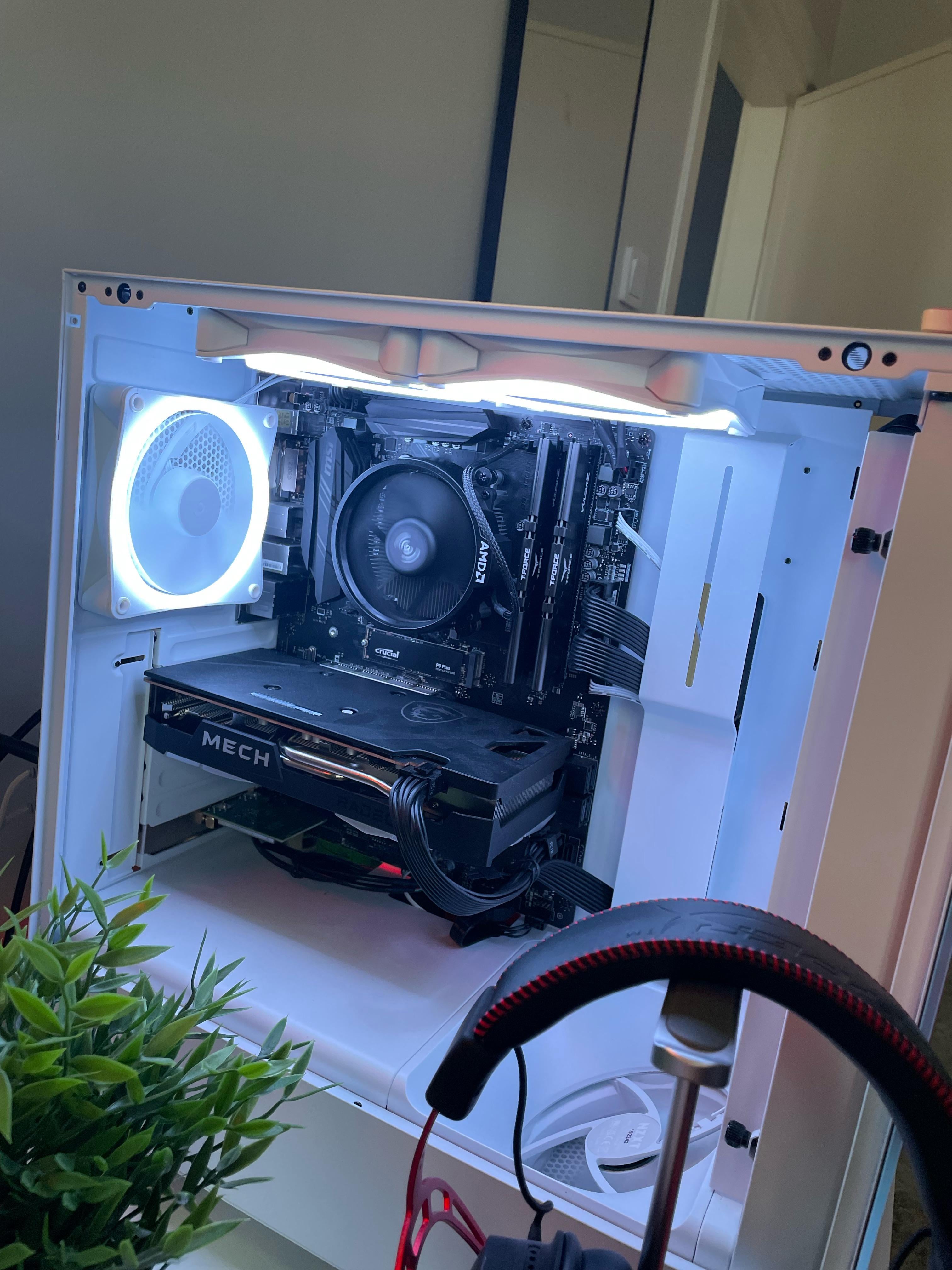
I have an AMD R5 5600 processor and I use the cooler that came with it. But when I start my computer my cpu goes up to 70 or more degrees or more. My gpu is usually at around 50 degrees

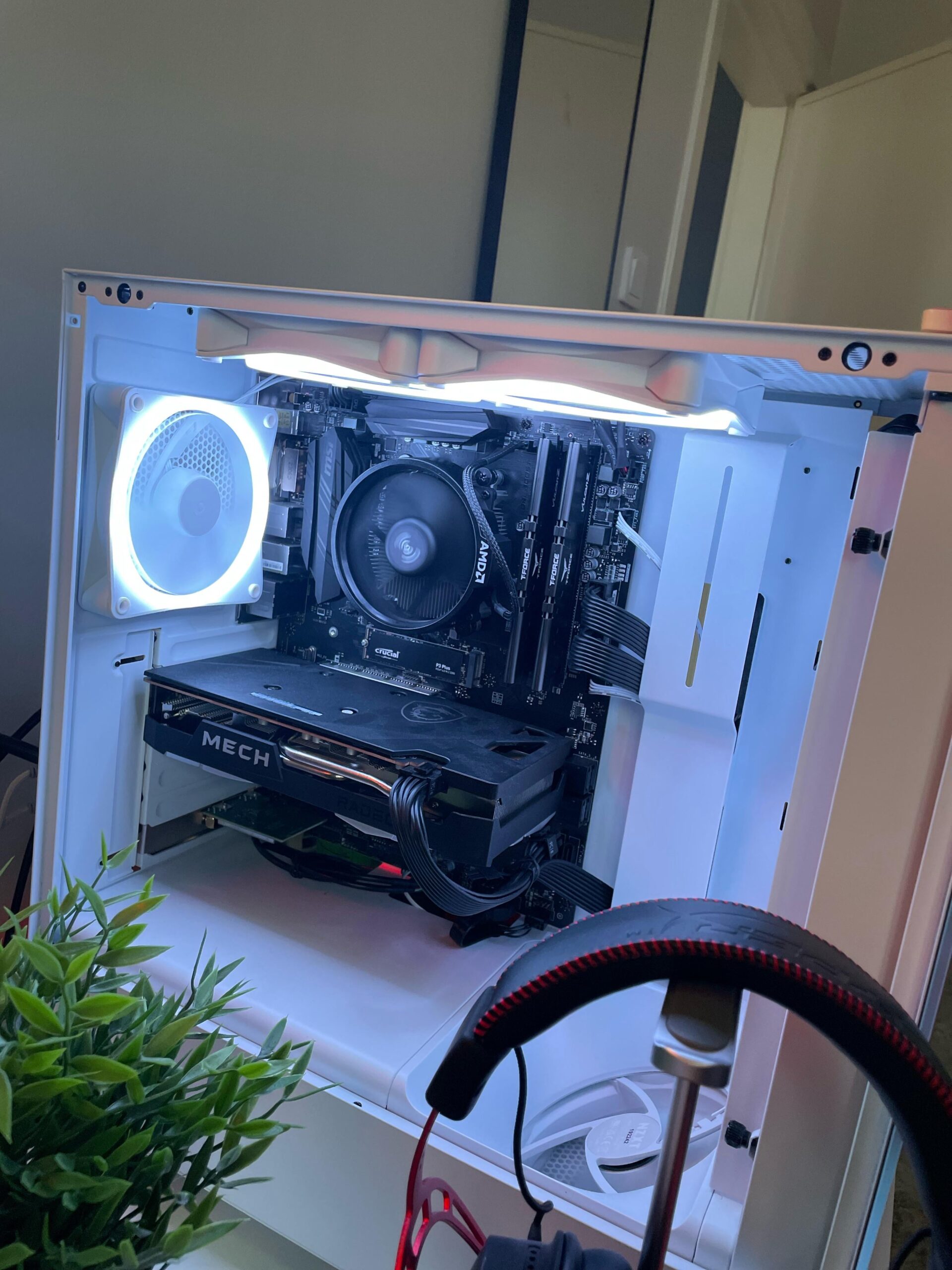
I have an AMD R5 5600 processor and I use the cooler that came with it. But when I start my computer my cpu goes up to 70 or more degrees or more. My gpu is usually at around 50 degrees
33 Comments
Is the cpu fan installed correctly? My intel proc is 33-35c idle, maybe amd’s tend to run a little hotter? How is it under light and heavy workload? Also worth to note that more beefy processors require better fans than the factory one to keep their cool. What model is this?
Swap out the stock cooler. It will be fine after that.
Since others haven’t said it, could be worth checking you removed the plastic or have ample thermal paste on the cooler.
I had this CPU and cooler and it wouldn’t get that hot that quickly unless I was gaming, defo not after turning on the Pc
[deleted]
I’m going with poorly applied thermal paste.
Had this problem, turned out i had a very litte part of a corner of my cpu not connecting with the cooler.
Is the thermal paste okay? Did you remove the sticker?
Cause you’re not using all of your RGB. It’s just not “cool” enough.
I got a similar build and it tops out as 72 under load, first you should check your case fans to see if they are in the correct orientation then check if your thermal paste was applied correctly. The airflow of the room and ambient temperature is also a factor that might be looked at tho that is usually never an issue.
Youre saying when starting it goes up to 70-90c without gaming? Something is wrong with it, maybe the way you build it. I have a Ryzen 5 5600(non-x) myself using the stock cooler from a 3200G, my PC watching YouTube videos keeps at 40-50c, gaming 72 at max, most games that i play arent that cpu heavy though, and on benchmarks 80c
I don’t think your cooler can be worse than mine, and your airflow cant be that bad. If you’re gaming or doing benchmark then its probably normal
The stock cooler isn’t bad, it can more than handle the cpu. That’s what it was made for.
I suggest checking the thermal paste and if the cooler is installed properly
Fahrenheit ?
I was under the impression the the stock AMD cooler was alright so I’m unsure about the other comments here. According to what I understand, you shouldn’t be having these numbers. Check under the cooler to see if everything looks normal and if it does buy a new one. Plenty of great options around on a budget.
Wtf are you all talking about. I have exactly the same CPU and cooler and it runs 60°C while gaming. A good thermal paste should do the work. I use the Arctic MX-6
If it’s 70C on idle something is wrong. I’d reckon it’s cooling paste or you forgot to remove some plastic.
if its none of that you could try resetting CMOS actually, in case you’ve dabbled with OCing.
If it’s 70-90 on heavy load that’s fine. Not optimal, but is to be expected with the stock cooler. Don’t get me wrong, the Wraith is fantastic for being a stock cooler, but that isn’t saying too much.
I would check thermal paste and fan speeds before doing anything drastic. In my experience, the wraith coolers on AMD are typically just enough.
Is the cooler plugged in and spinning?
Maybe dumb question but 90 idle sounds like the cooler isn’t even on 😂
ITT: People shitting on the wraith cooler despite having no experience at all with the wraith cooler.
Noctua and deep rock have some really good ones if your willingly to go over $50
Hot cpu ahead, try cooling.
Many already said it, check if you removed everything in between cooler and cpu and applied enough thermal paste. The stock cooler should be enough to cool this cpu, so something is wrong. Maybe it is your case fan setup? I can not see it from this one picture alone, but when I opzimized my case fans it also dropped a solid 5-10 degrees of my cpu temp. Could be worth checking for a second.
make sure there’s enough thermal paste. If that doesn’t work get a new cpu fan.
https://preview.redd.it/82q964132fcc1.jpeg?width=1125&format=pjpg&auto=webp&s=6d888e4ffb8d7a7e8bd9a026a653c1e87c720e74
From google bro
I suggest you to look at the thermal paste and if the plastic is removed. Don’t put too much paste, grab something and spread it all over the cpu in thin layer.
sounds like bad contact on the heatsink need to remove and remount with fresh paste remember to twist the heat sink don’t pull up from the board
I also had this problem with my r7 2700x + wraith prism
After 6 months of use the included thermal paste was basically powder
Try repasting it
It’s actually a pretty solid stock cooler even for gaming, just try remounting and pasting
Stock cooler is completely fine for the 5600, 70c at idle means you probably haven’t installed it correctly.
Might not be screwed in properly on one or more of the corners most likely.
You might have tightened the screws incorrectly. If you tighten one screw completely and then move on to the next one the pressure might be uneven. Take the cooler out. Check for thermal paste distribution. Refit the cooler and slowly tighten the screws a little at a time one by one.
So I recently got a 7800x3D which was 80° idle and after resetting the CPU cooler about 15 times and adding more and less thermal paste I found a Reddit thread with people complaining about MSI afterburner causing their CPU to spike to 70-80°. I uninstalled it and my CPU ran at 50° idle, this may not be your problem but it’s definitely worth a look.
I had stock cooler on 5600g, never hit 90 even on load. Probably poor contact with the cpu
Cooling paste missing ?
Plastic on cooler not removed ?
Bloatware making your CPU throttle ?
Shitty cooler ?
If you can afford white rbg premium, you can afford an aftermarket cooler. Get rid of that wraith/prism/whatever its called and get a real cooler.