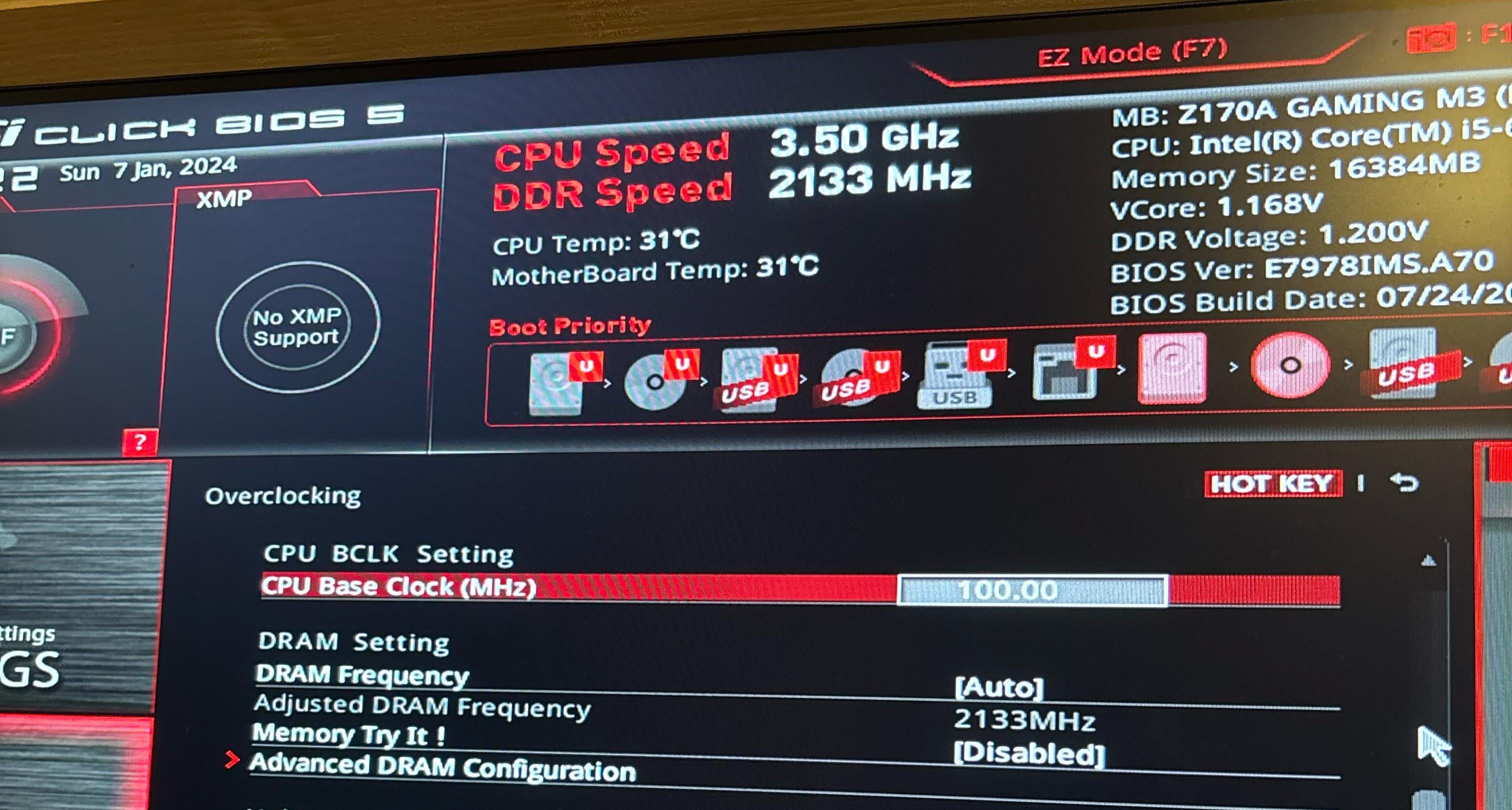
Leave as it is, you do not touch the Base Clock unless you know well what are you doing and have a good knowledge of overclocking, tweaking the base clock is for very presisce overclockings anyway and require of also setting up your ram timings very well too and with exact presicion.
Go with the CPU Frequency or multiplier instead. Which will be x 100 mhz. So a CPU freq/multiplier of 3.50 means 35×100 you’ll have 3500 mhz or 3.5ghz. See if you can go for 4ghz shouldnt be hard with that processor.
Budget_Ad_4269
This is the BCLK (base clock). If you have watercooling and you can inrease the Vcore then you can set it to 133 or 140. Over of it need extreme cooling.
Take care because changing this value will change the memory speed calculation too.
If you set it to 133 then change the multiplier well. For example :
CPU speed :
35×100 = 3500 Mhz.
35×133 = 4655 Mhz so if it is too much then you must change the CPU multiplier to 26
26 x 133 = 3458 Mhz. This is okay.
The memory calculation is approximately the same. Just select the closest value to the original. Change dram frequency from auto to a fix value!
As there is no XMP I think you have a budget RAM without any cooling solution. Do not overclock that one which hasn’t it. It will overheat very quickly.
You have to set the right values at the same time when you increase BCLK. Anyway PC won’t boot and you have to clear the cmos.
For Vcore you can set 1.470V. It will a good start and if it is working well, reduce it by 10mV until it won’t boot ot BSOD.
LargeMerican
lmfao this dudes awesome
this is why they lock the SHIT out of retail mobos. holy nippleflames

3 Comments
Leave as it is, you do not touch the Base Clock unless you know well what are you doing and have a good knowledge of overclocking, tweaking the base clock is for very presisce overclockings anyway and require of also setting up your ram timings very well too and with exact presicion.
Go with the CPU Frequency or multiplier instead. Which will be x 100 mhz. So a CPU freq/multiplier of 3.50 means 35×100 you’ll have 3500 mhz or 3.5ghz. See if you can go for 4ghz shouldnt be hard with that processor.
This is the BCLK (base clock). If you have watercooling and you can inrease the Vcore then you can set it to 133 or 140. Over of it need extreme cooling.
Take care because changing this value will change the memory speed calculation too.
If you set it to 133 then change the multiplier well. For example :
CPU speed :
35×100 = 3500 Mhz.
35×133 = 4655 Mhz so if it is too much then you must change the CPU multiplier to 26
26 x 133 = 3458 Mhz. This is okay.
The memory calculation is approximately the same. Just select the closest value to the original. Change dram frequency from auto to a fix value!
As there is no XMP I think you have a budget RAM without any cooling solution. Do not overclock that one which hasn’t it. It will overheat very quickly.
You have to set the right values at the same time when you increase BCLK. Anyway PC won’t boot and you have to clear the cmos.
For Vcore you can set 1.470V. It will a good start and if it is working well, reduce it by 10mV until it won’t boot ot BSOD.
lmfao this dudes awesome
this is why they lock the SHIT out of retail mobos. holy nippleflames