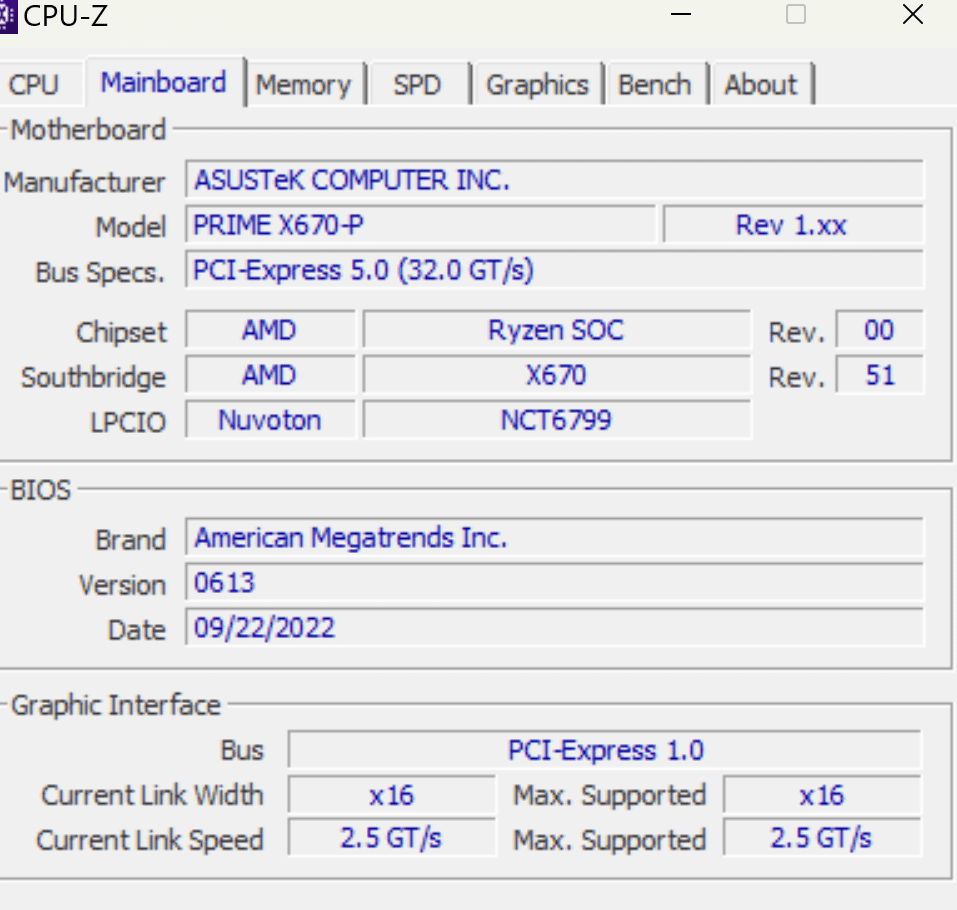
X670-P Board reporting pcie 1.0 in cpu-z? 7800x3d, 4090 gpu, 64gb 6000mhz. At the bottom of screenshot it says pcie 1.0 is it actually running at that? how do I turn this up?

X670-P Board reporting pcie 1.0 in cpu-z? 7800x3d, 4090 gpu, 64gb 6000mhz. At the bottom of screenshot it says pcie 1.0 is it actually running at that? how do I turn this up?
2 Comments
Perhaps you placed it in the wrong slot? You may have used a slot that isn’t faster so it’s limited
This reports the current state at the time the app was opened. PCIe idle states drop the link rate when idle, so it’s not unexpected to see 1.0 (technically 1.1) here.
Check with GPU-Z instead, and right next to where the link rate is reported, click the little ? icon and start the render test. It should jump up from PCIe 1.1 to 4.0.