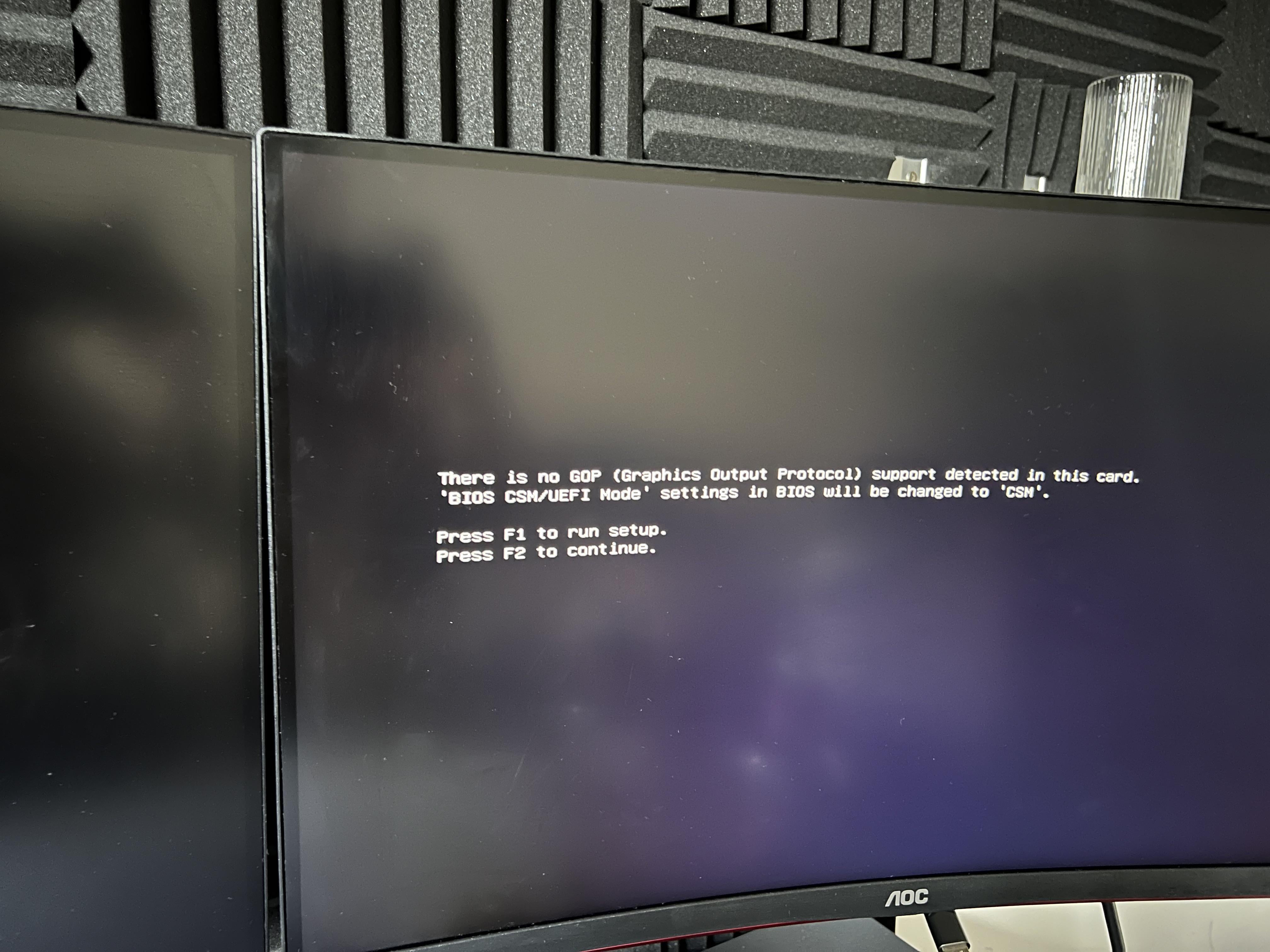
When i put the gt 730 in the second slot it doesn’t work. but when i take out the 3090 and put it in the main slot it works and gave me a bios message. and im able to use it in the 2nd slot too until 3090 goes back in

When i put the gt 730 in the second slot it doesn’t work. but when i take out the 3090 and put it in the main slot it works and gave me a bios message. and im able to use it in the 2nd slot too until 3090 goes back in
19 Comments
You may need to put the bios into CSM mode, or adjust the PCI settings for the individual slots.
Better question is, why would you want to?
[removed]
Ok but you plan to use all of those for high demand stuff, I don’t think that’s gonna work as the displays connected to the 730 would only be powered by that one.
If im not mistaken you need both cards that using the same driver branch, i don’t think gt 730 and rtx 3090 is using the same driver branch, and drivers support for gt 730 ended in Oct 31, 2023 .
Solution is to use lower end more modern cards, such as gtx 1650 or gtx 1630
One question, why? I can’t imagine one pro for such usage
That csm thing… What happens if you set that in the bios like it asks then boot with just the 3090? If that works then try again with the second card along with it. What happens?
you can use a gt 730 as second card , don’t need to disable stuff in bios , especially you have the main video card installed that supports GOP, because on Windows will get recognized anyway, but beware you need to install an older driver version that is compatible with both gt 730 and rtx 3090
Put in an AMD as secondary card, then there would be no driver conflict between 2 very diffferent nvidia cards, as only one nvidia friver can be installed at a time.
I did this earlier, 3070Ti as main graphics and HD5450 as analogue VGA output for my CRT monitor.
Unfortunately my current mATX motherboard has its pci-e slots too close, so I can’t install a second card.
Both cards wants to be the primary video output, but the act of selecting one of them is left to the firmware (aka “bios”) – This feature is usually not supported by consumer boards in any usefull way, so the firmware wants to fall back to legacy mode, where the first video output it detects is treated as the primary one.
This has nothing to do with drivers, as the OS hasn’t even been loaded yet, at this stage the card(s) works as “generic framebuffers with video output” and the firmware has very limited support for anything that doesn’t behave as expected.
You’re better off by just unplugging what you don’t need, who needs 3 monitors and a tv when using a vr headset?
Why would you need two different GPU on your system?
I run mine with my old gtx1060 and the RTX3070. Not for multiple monitors, GPU1 for all background tasks, video encoding etc, GPU0 only for the game application.
I’m using 3090 + T600, studio drivers, no driver headaches
Time to buy another 3090 and a NV-Link bridge
Yes, but like why?
Fairy dust
By experience you don’t want to mix generations of the same brand. Get a cheap AMD card, they’re abundant most places.
I had a lot more driver issues and stability with my 1060 and 3060 compared with my 3060 and a 5808GB in the same machine.
Two way SLI
Just get a DP hub with a switcher.
Full Specs? Bios version?