
I wanna premise by saying I know this is an overclock subreddit, but this post is about a problem I’m having with an undervolted CPU. I just applied to be in the private underclocking subreddit and I haven’t gotten accepted yet, so that’s why I’m posting here.
CPU: Intel Core i7-13700K
RAM: 16GB DDR5-6000
Motherboard: MSI PRO Z790-A WIFI
GPU: ASUS TUF GAMING RTX 4080 16GB
GPU Driver Version: Intel Graphics Driver 31.0.101.4953 (Nvidia Driver 537.58)
Storage: 1TB Samsung 970 Evo M.2
OS: Windows 11 Pro
System BIOS: A.60
OS Build/Version: Windows 11 Pro – Build 22631.2861
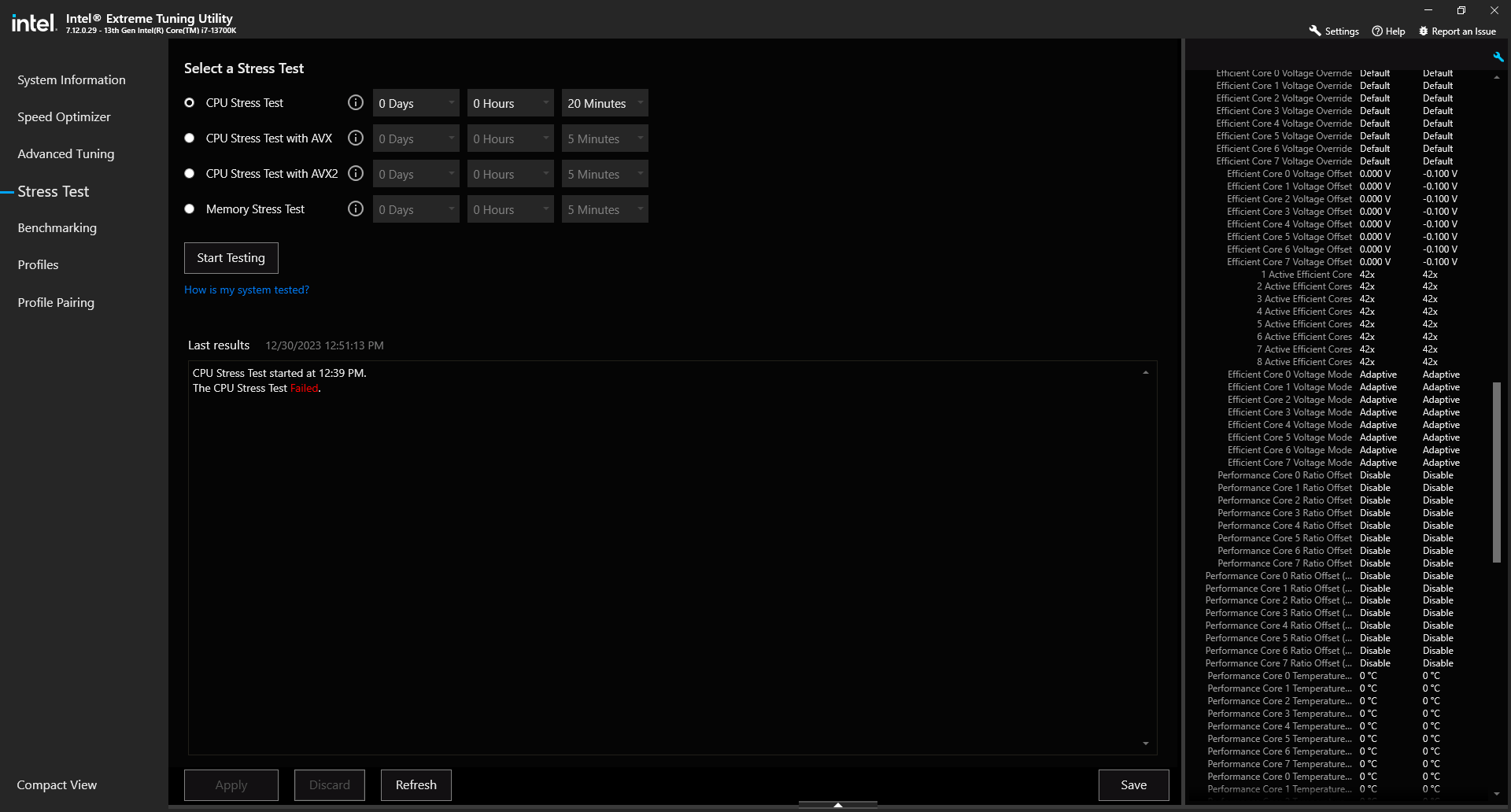
Issue: So I set a Stress Test in Intel Extreme Tuning Utility for 20 minutes on my i7-13700K. It failed about 12 minutes into it. I was watching a movie at the time on the same computer in VLC, so I didn’t even know it failed until afterwards. [Here’s a screenshot](https://i.imgur.com/mqPQNvW.png) of the Intel Extreme Tuning Utility showing that the Stress Test failed.
Is there a way I can tell why it failed with information contained in the Intel Extreme Tuning Utility program? I saved the results of the test. I have never had any problems with my PC since I built it like 6 months ago or so. No random shutdowns while playing graphically intensive games set at Maximum graphics settings. During the stress test, [my CPU core temps never went above 81](https://i.imgur.com/1YdjOil.png) and the majority of the cores were in the 70s. During normal gaming, they never really go above 70ish.
I should note that my CPU was undervolted by .100V during the test and has been undervolted by .100V for months, so that’s why my temperatures are so low. If I didn’t have it undervolted, the temps would reach in the 90s and even like 100 on a core or two, which I know is normal for these 13th Gen CPUs. So hopefully someone here can help me figure out why the Stress Test failed when I have had ZERO problems with the PC since I built it.
One more thing I should mention is that since doing that stress test with the CPU undervolted by .100V, I switched it to only being undervolted by .080V. I then ran a 5 minute test, a 20 minute test, and a 1 hour test and they all passed. [Here’s a screenshot](https://i.imgur.com/d62LD16.png) showing the hour long test passed.
This was also while I was doing a bunch of stuff on my computer, such as having like 20 tabs open in Chrome and a bunch of other apps open, including playing a movie on VLC full screened, but I was tabbed out of it most of the time. I was doing the same things while running the test when the undervolt was .100V. I changed the undervolt to .100V again and ran a 30 minute long Stress Test with AVX with the same parameters as the tests with the .080V undervolt and [it passed](https://i.imgur.com/nHauZBk.png). I’m also currently running a Stress Test with AVX2 with the .100V undervolt as I type this and I thought it was going fine, but I just went to check on it to take a screenshot and [it failed after like 13 minutes](https://i.imgur.com/zYcCuK2.png) into the 30 minute test. So I just changed the undervolt to .080V and am now running the same Stress Test with AVX2, but this time for an hour and [it’s been going fine for almost 20 minutes now](https://i.imgur.com/OOZ2ULg.png).
Is there any way I can tell why the two tests failed with information that is contained within the Intel Extreme Tuning Utility program?
2 Comments
A stress test does what the name implies, it failing just means the -0.1v undervolt you had applied to the CPU wasn’t stable and would crash sooner or later depending on the workload.
Judging the offset alone isn’t easy, because if everything is set on auto you don’t actually know the voltage your CPU gets.
But if the test failed you can’t do much but give it more voltage.
You should probably use more effective stresstests like occt or prime95 to have more consistent errors with unstable settings