
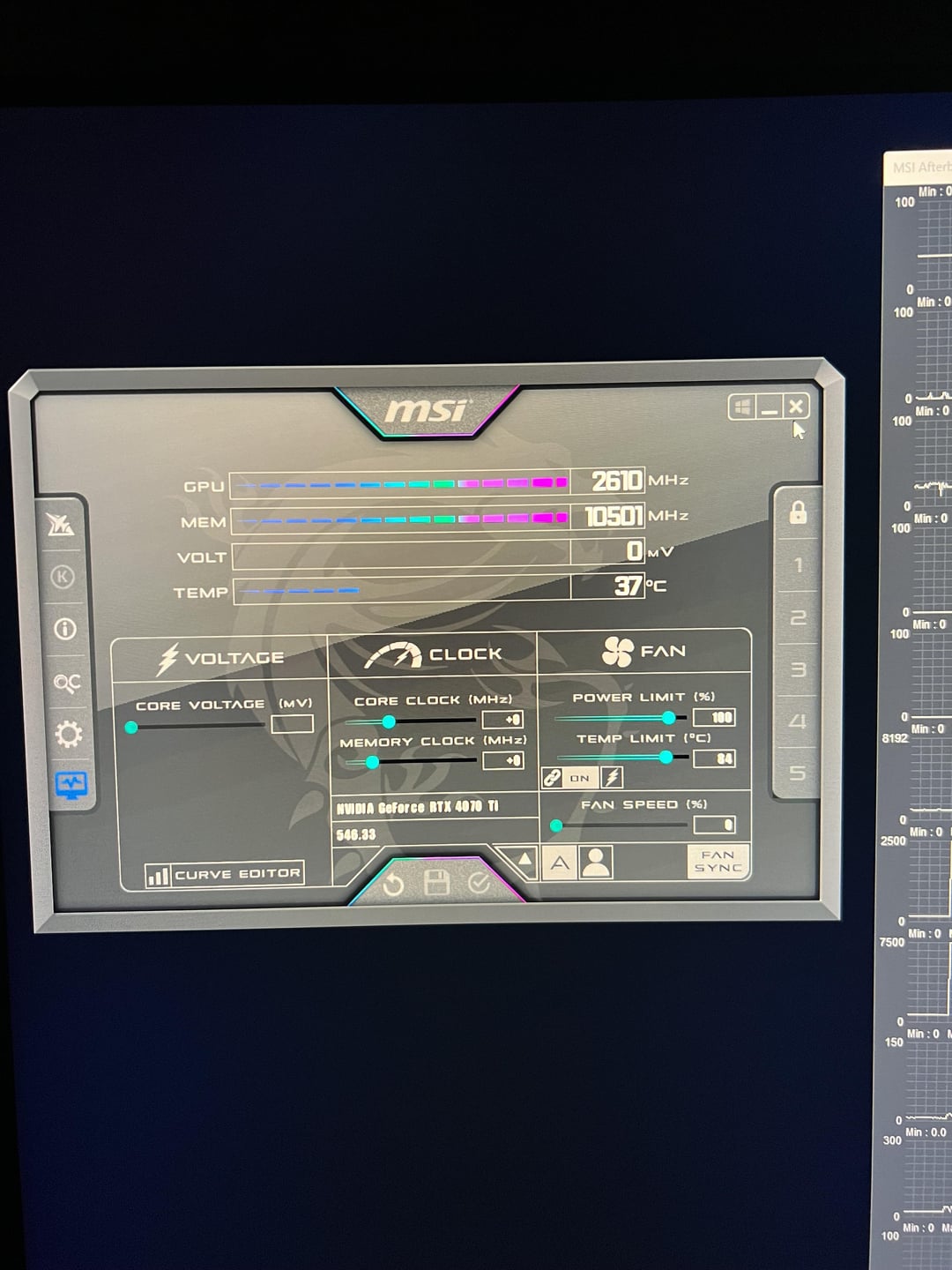
So I decided to run an overlocking scan, and it reached 97% completion in about 10 minutes, however, upon reaching that number it simply just stopped loading. I’m rather new to the world of PCs and thought maybe if I just leave it for a while it’ll sort itself out. But that was not that case. About an hour and 25 minutes later and still….nothing. But I couldn’t stop running it because the “request” just wasn’t going through. So I went into task manager and ended it manually. Now, the GPU and MEM idle MHz number are incredibly low compared to what they were beforehand. Am I F*ckd?
4 Comments
Yeah you broke it using the auto overclocking tool
No. That’s how it’s supposed to be at idle. It will run boost clocks again when you run something that needs the extra horsepower.
Auto overclocking has never really worked. I would recommend manual overclocking.
No that’s normal the video card is not in use so it throttles down save on power and heat. Don’t use auto overclock youtube your card or similar GPU’s and how to overclock. It’s as simple as running heaven benchmark or furmark in the background. Increase power limits to the max. Then slowly adding to the core clock until crashes then back down. So go up in small increments of 10 for core. Same with memory frequency but maybe in increments of 100. Sometimes it doesn’t recover from a crash just restart the computer. A crash just means you have reached its limits. You want to put the fan at almost full manually while doing so to keep the card cool as possible. Usually you get more performance from memory overclock. Watch your fps counter sometimes you get to a point where you no longer see anymore gains.
Calm down, you’re fine. That’s just normal gpu behaviour, you want it to clock down when idle. Regarding GPU OC, just do it manually, it’s dead simple and you basically can’t damage your card anyway since it’s voltage restricted and the driver will crash if it’s unstable.
Personally I would recommend you undervolt it a bit with a slight frequency increase on core over stock, and overclock the memory to a reasonable degree. Results in faster than stock performance with a cooler card that runs quieter.