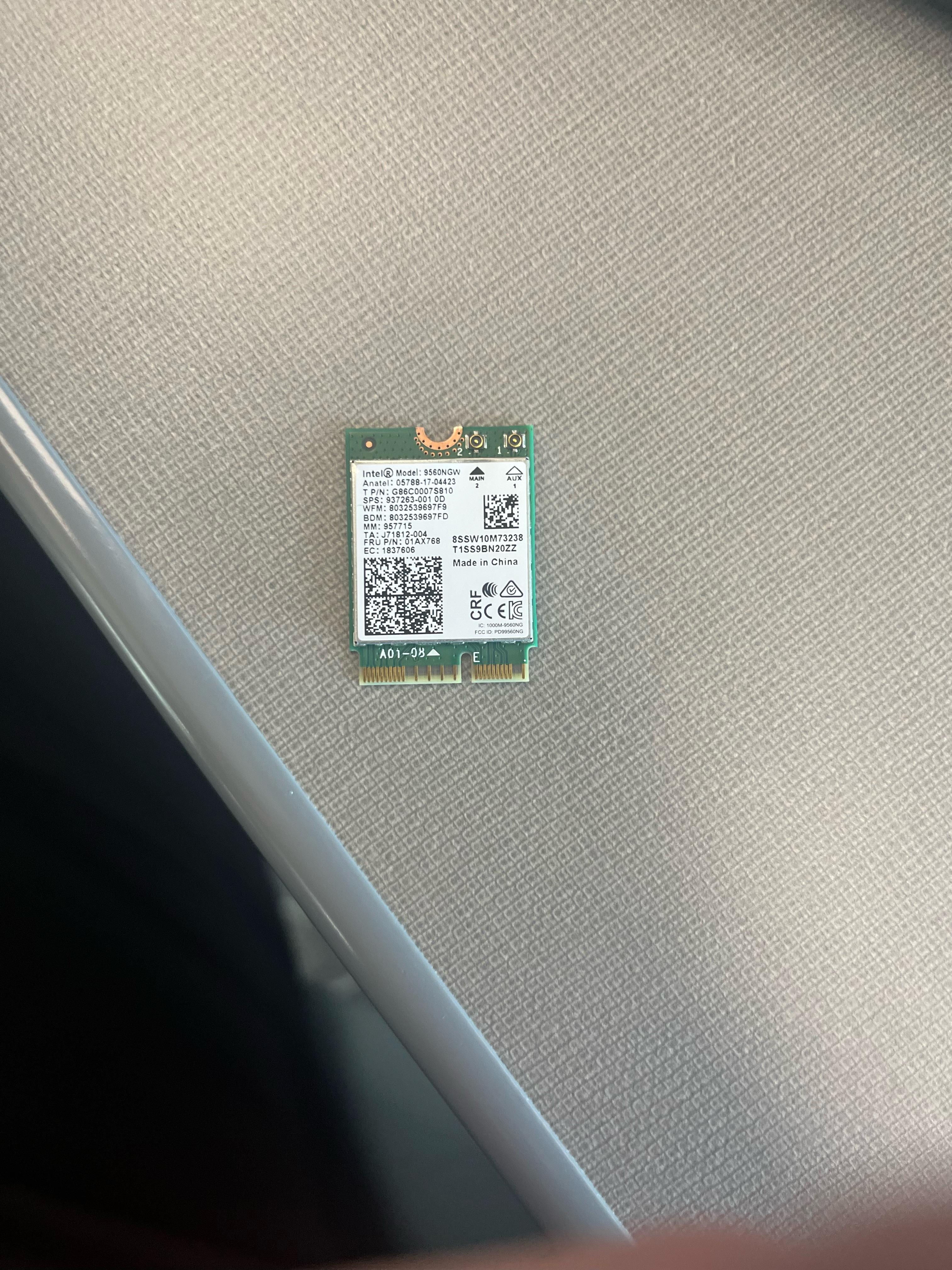
Teacher found this on the ground of his class he said I could take it if I want is there any risk of plugging this random WiFi card into my computer

Teacher found this on the ground of his class he said I could take it if I want is there any risk of plugging this random WiFi card into my computer
37 Comments
It could be electrically faulty and short +12v to data and ground pins. Or it could be a GPS tracking device disguised as wifi. Or it could just work.
Personally, I would not plug it in due to the risk that it could be electrically faulty and I have no idea where it came from.
Do you need wifi? Also, you will need the antenna wires.
Nah man you never plug in anything you found on the ground. Just toss it.
Wouldn’t improve the WiFi per WiFi rate if you already have one and it could be faulty otherwise it should be fine imo
The antenna cables are missing so unfortunately it is probably worthless. I had and identical one in my prebuilt pc.
The only risk is: it not fitting in any of your M.2 slots…
Wifi is usually A&E key or like this: E
All my M.2 on my mobo were M and B.
High chance it’s literally just some random Wi-Fi card. Low chance it’s some kind of malware device you found at school
Give it to me for my collection.
https://preview.redd.it/0wvwkauiux4c1.png?width=1080&format=pjpg&auto=webp&s=de2977a6931523f63f19047e77ba96914b9ecf4f
Theoretically there is always a risk. There are cables that look like standard charging cables that inject code straight into your computer or phone (o.mg cable), having something malicious added to your WiFi card would certainly be one attack vector.
I’d rather look at the likelyhood of it being a targeted attack than worry about what could happen. The likelihood is low as long as you’re not researching something secret or are a student at a high profile university.
I would turn it into a keychain
FBI will arrive in Blackhawk helicopters in minutes after plugging it in.
Yes you are going to catch wuhan.
That’s crappy one even if it still works. Wouldn’t recommend plugging it in, better make a keychain out of it
Too old to be very useful even if you can use it.
It shouldn’t be a problem if you’re outside the range of a network it would want to connect to, that is ofcourse if it actually is a WiFi card and not something designed to look like one on purpose. It might also just be broken so I’d check the connections first to not fry your computer by accident.
That’s no WI-FI card… it’s a space station
It is a fairly capable mid generation Wi-Fi 5™ card. More technically it is an 802.11AC capable card with 2×2 mimo and Bluetooth 5.1 according to Intel ark.
Risk there always is,
but low in this case it also is.
They’re too cheap to bother with imo
Well it won’t carry a virus that’s for sure
CHINA
My high ass though that was a baby m2 ssd
You probably already have one newer than it.
Well yah. Virus!?
Here’s the thing with that particular wifi card (AC9560), it won’t work on any normal motherboard, it has to have a CNVIo slot, not even CNVIo2, has to be the original. My Maximus XI Gene has it, same with a lot of Z390s, while Z370s had regular m.2 PCIe versions, which means on Z370s, yes you can upgrade the wifi card to an AX210 or AX200 or the new BE200 cards, but you can’t upgrade a Z390’s wifi card because they went from CNVIo (9560) to CNVIo2 (AX201/AX211). I hate that Intel implemented this, I understand *why* they did it, but it should have never made its way into the standard format motherboards (ATX, mITX, etc), should have only been on embedded systems and left at that.
I only have two rules: never stick your dick in crazy, and never put an unverified device in your slots.
There was a third rule, but since I’ve been over 18 for more than a decade, I’m pretty sure that rule has been grandfathered out.
Little to no danger. It would have to have some kind of firmware exploit on it. Super unlikely.
I mean if you really need this its only $20 on Amazon.
https://www.amazon.com/Intel-9560NGW-Wireless-AC-Bluetooth-G86C0007S810/dp/B084TPX75K
Id personally never want to throw some random hardware off the streets into my system but thats your call.
Won’t really work work without the antenna.
What about the antenna? Usually when these go in laptops there an antenna wire you have to connect.
This is how stuxnet spread
Bro, punctuation.
If someone wanted to get clever, they could replace the 802.11 module with a their own embedded system. It’s a lot of work and not worth the effort, so probably safe so long as the integrity of the circuits hasn’t been compromised.
If you need one just go buy a new AX card. They are cheap. 🙂
It’s a Lenovo OEM WiFi card so it’s a high chance it won’t work with non Lenovo hardware.
Kill it with fire
Put that back in the chromebook where you got it from!