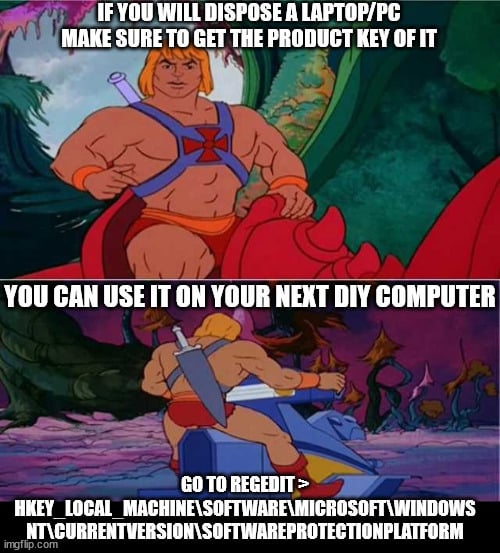
That as long as it is a retail product key, because on OEM keys (laptops on this case) it won’t work
plutonasa
I use magical jellybean to find it.
lilplague7
Imagine using product keys
lagof51
If you have OEM you can just link your microsoft account to license and then follow Microsoft’s tutorial on how to reactivate windows after major parts change. I did that recently while building new PC.
KeycapS_
Yes, or you could get a new key for $2
Deimos_F
Also, if the components are functional, just don’t dispose of it. Put it up for free on whatever local website works (Craigslist and the like).
An old functional desktop computer can become a nice media center. Some old laptop DDR3 RAM sticks can breathe new life into someone’s “old but still gets the job done” laptop.
E-waste is difficult to recycle and there’s tons of uses for computer hardware that don’t require it to be super modern and fast.
If no one shows interest, then sure, recycle. But at least try. Just post something online and give people a bit of time to find it.
Drives me up the wall when I go to a recycling center and see piles of 3-year old desktop hardware.

7 Comments
That as long as it is a retail product key, because on OEM keys (laptops on this case) it won’t work
I use magical jellybean to find it.
Imagine using product keys
If you have OEM you can just link your microsoft account to license and then follow Microsoft’s tutorial on how to reactivate windows after major parts change. I did that recently while building new PC.
Yes, or you could get a new key for $2
Also, if the components are functional, just don’t dispose of it. Put it up for free on whatever local website works (Craigslist and the like).
An old functional desktop computer can become a nice media center. Some old laptop DDR3 RAM sticks can breathe new life into someone’s “old but still gets the job done” laptop.
E-waste is difficult to recycle and there’s tons of uses for computer hardware that don’t require it to be super modern and fast.
If no one shows interest, then sure, recycle. But at least try. Just post something online and give people a bit of time to find it.
Drives me up the wall when I go to a recycling center and see piles of 3-year old desktop hardware.
Product key?! Hahaha!