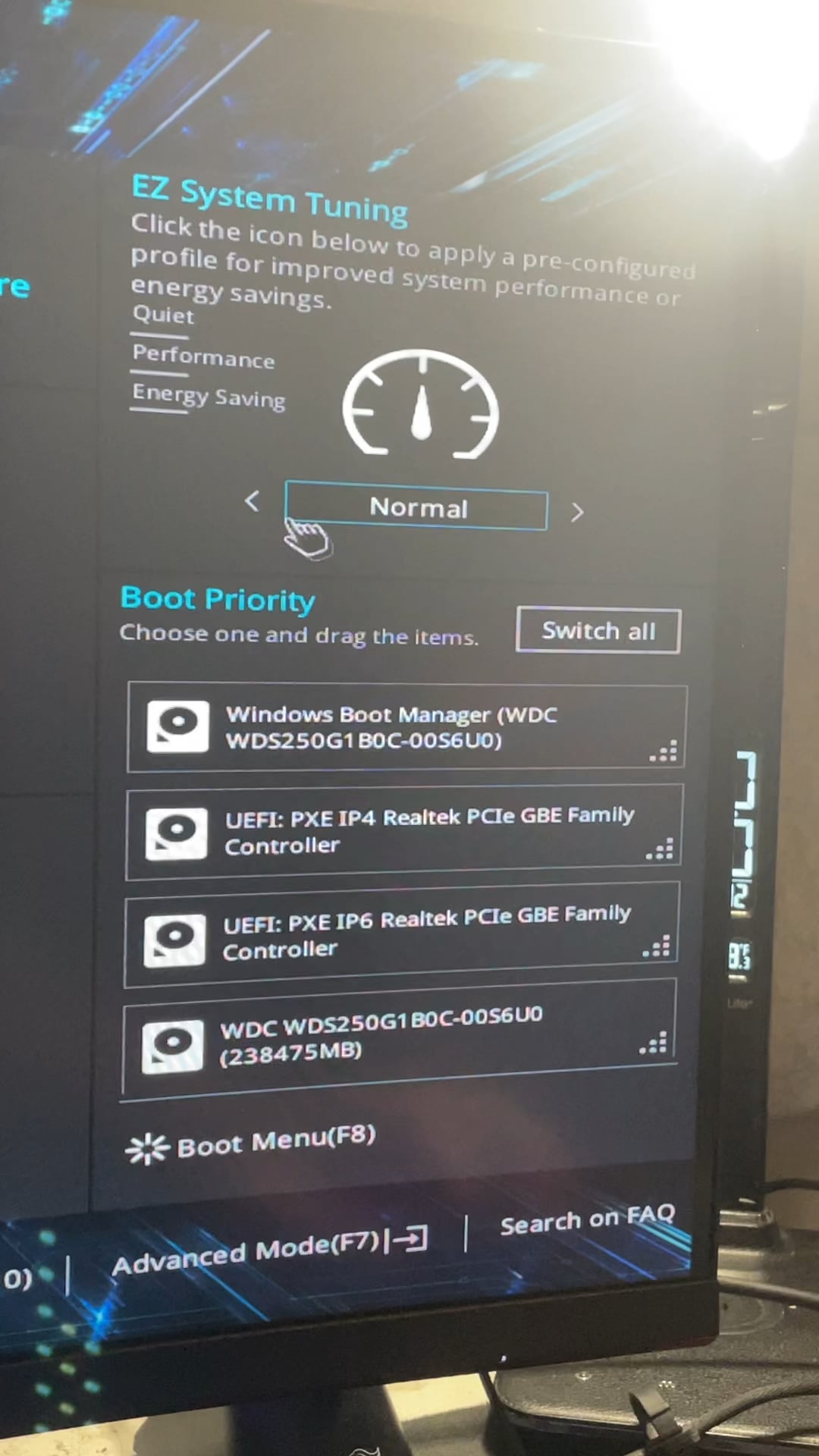
Probably because any manually adjusted settings override it?
I’d suggest not to use gimmicky sliders or arrows to OC anyhow. Usually on Asus motherboards they throw out crazy voltage when you let the motherboard dictate its own settings.
Triaxses
More than likely it’s your board.
There should be a switch on the board (that’s small as fk btw) next to the other switches typically on the bottom to bottom right.
This is where sli switch is (if you have it) xmp, and also the over clock. Left is “Easy” no real oc, middle is Tp1, (air cooled) and right is Tp2 (water cooled)
Don’t know what board your using but if it’s Asus (which is what it looks like from the small portion of the bios) it should on there. It might be called something else though.
Cimoao
it’s because you’re not clicking hard enough, dumbass
kirk7899
Use advanced mode. Don’t use the oc preset, it is crazy with the voltage.

6 Comments
This sub isn’t for overclocking fans
Motherboard model?
Probably because any manually adjusted settings override it?
I’d suggest not to use gimmicky sliders or arrows to OC anyhow. Usually on Asus motherboards they throw out crazy voltage when you let the motherboard dictate its own settings.
More than likely it’s your board.
There should be a switch on the board (that’s small as fk btw) next to the other switches typically on the bottom to bottom right.
This is where sli switch is (if you have it) xmp, and also the over clock. Left is “Easy” no real oc, middle is Tp1, (air cooled) and right is Tp2 (water cooled)
Don’t know what board your using but if it’s Asus (which is what it looks like from the small portion of the bios) it should on there. It might be called something else though.
it’s because you’re not clicking hard enough, dumbass
Use advanced mode. Don’t use the oc preset, it is crazy with the voltage.