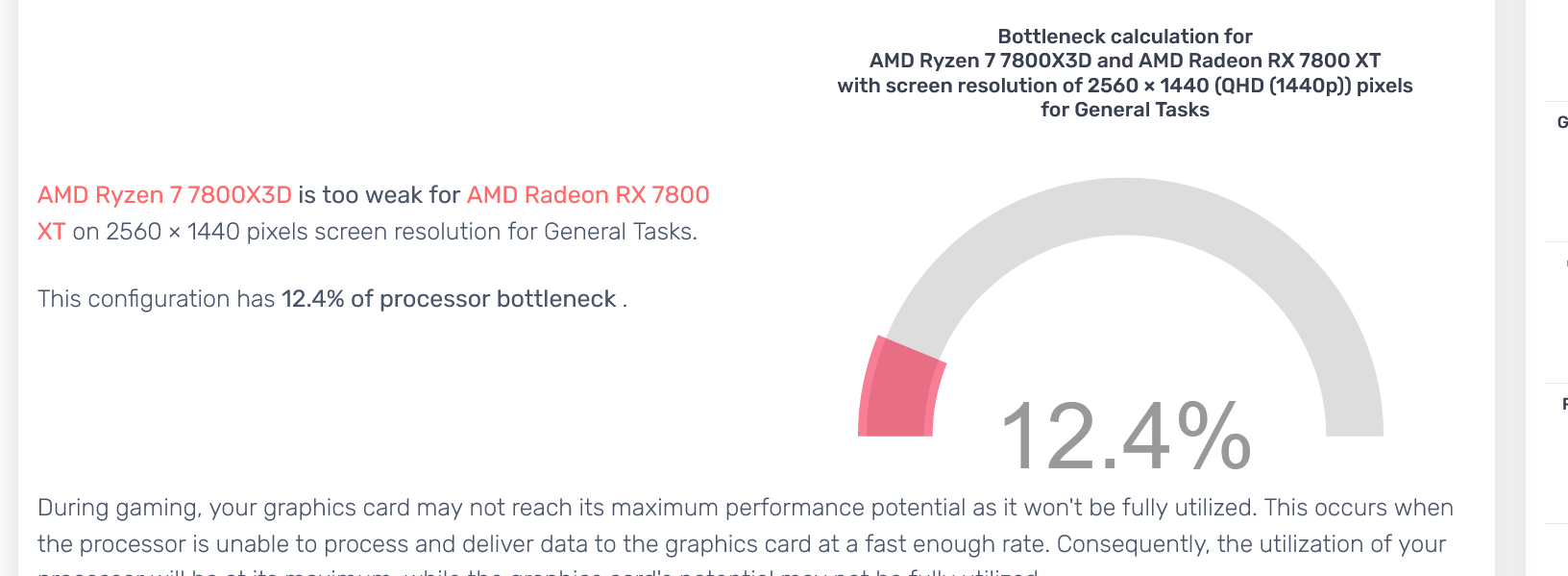
I am usually the one to tell people not use bottleneck calculators, but today i could not help myself, and the result was, innacurate to say the least.

I am usually the one to tell people not use bottleneck calculators, but today i could not help myself, and the result was, innacurate to say the least.
16 Comments
Yeah, this calculator is grade a BS.
HAHAHAHAHA
Its fucking dogshit
Are there any good ones?
Lmfao, on 2k TOO?
I know bottleneck calculators don’t work so what’s the easiest way to find a bottleneck?
What is “General Tasks” though? I’m guess technically the CPU is bottlenecking the GPU in Cinebench multicore…
Ah yes let me upgrade my cpu to the [404 error cpu not found]
Sorry op, you’re gonna need a threadripper if you want to run notepad.exe
I used one and it said my 7700X was bottlenecking my 6800XT by like 20% at 1440p because obviously
I would read into results much but their notes on problems/solutions is fairly useful for a novice/beginner tuning their system.
It’s set for “general tasks” which means a cpu heavy task. Set it to gaming and you’ll see 0%
Mine said my R7 5700x wasn’t powerful enough for my 6600xt lmao
I used a similar bottleneck calculator to see if I’d be bottlenecked by my cpu when playing WoW. I have an i7-12700f with an Rtx 4070… and it said I’d be bottlenecked by 40%, which is insane. I do a real-world test and look at cpu usage when playing WoW, and my cpu never gets above 3% while my gpu is at 47%.
Bottleneck calculators are pieces of trash.
Why are people upvoting this post?
Hahah known bad thing is bad.
I don’t know what changed; it used to be accurate, but now the calculations don’t make a darn sense often.
What exactly do you expect it to say?