
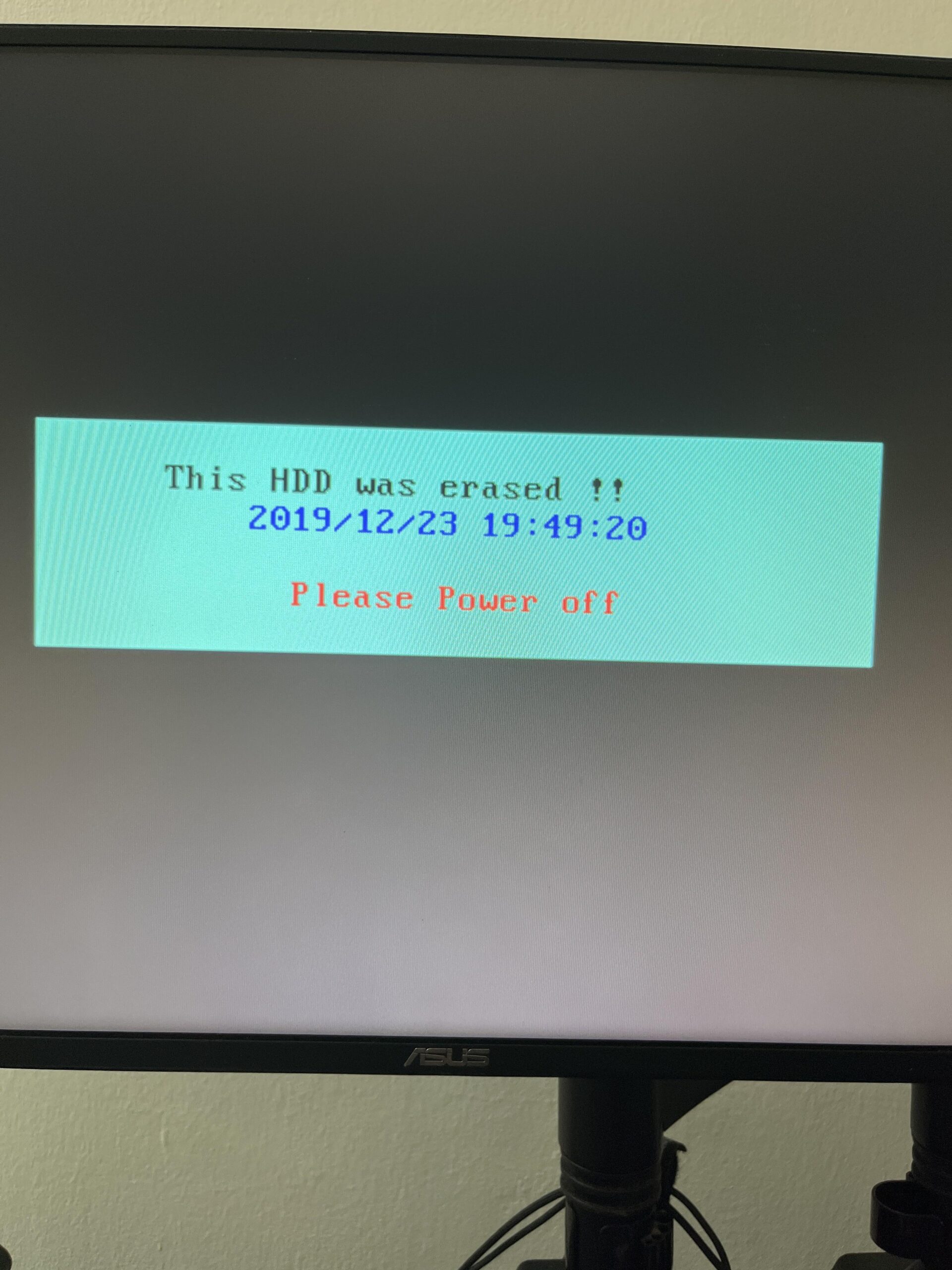
This came up after my pc restart from blue screen of death. I don’t know what happened. I just turn on my pc after 2 weeks, got into windows and then suddenly blue screen of death appears. My pc restarts but it came out like this? Am I fucked up? All of my work is in that pc
27 Comments
Never heard about boot sector giving messages like that. how would it know? all it knows is you don’t have an os.
looks very strange. almost like a scam
you need to make a live os (linux) and load the pc on a flash drive – google it, its not that complicated
Try ctrl + alt + del if it is a very simple software it just may work
Problem fixed. Some malware just change my boot device to the hdd with no os. After changing back the boot device in the bios setting, all working back now. Thank god
Are you fucked up? I don’t know. What does your therapist say?
Time to ditch that drive and get a new one.
I’m not sure what software you gave enough privileges to rewrite the boot sector…. But bad stuff is happening there. Don’t install shady software
They are coming for you 👽
Like other comments this not a system error/msg, its by virus or somekind of overlay that hide win login.
The date and the word “hdd”, everything about the msg is suspicious.
Two exclamation marks gave away this was made by a not very smart, malicious human
Not fucked up, just fucked over
Honestly it’s super likely you have other malware on your computer, gl with it.
did you bought a hard drive second hand? maybe that’s the problem…. when a hard drive has been wiped fully before selling, the program will write this telling you that… no data is lost but your drive setup is 1 SSD + 1 HDD? maybe the SSD failed and requires to go to bios to see if it still detects the drives installed…
I’ve had to repair this quite a few times, almost always related to malware.
Some would corrupt or attach to a drive that does not exist
Models are usually (acer aspire).
You can recover if it corrupted it by using windows recovery or just reformatting.
You can recover if it mounted the windows to a drive that doesnt exist by changing the bios option to attach to your main drive (with windows installation)
Run Malwarebytes & Hitman Pro once you get windows booting to avoid this happening.
If I were in your shoes I’d be securely wiping every drive that’s ever been installed or ran alongside that PC and essentially start from scratch to avoid any leftover malicious bits that might be floating around. And however that got installed, make sure it doesn’t happen again lol
Try going into the system bios when you power on and see what it shows for drives and boot options.
Also, is this a pre-built system or one you built? How old is it?
I don’t know if you are or not. This is a pic of a monitor with a critical message on it. Hard to tel if you’re fucked up or not if you aren’t in the pic.
Try booting into safe mode if you think you have malware and check if the OS passes post and boots.
If it doesn’t, go to your bios and see if the settings on your drive have changed. If the bios don’t see the drive, you will need to add it, and it will need to be partitioned. That will kill all the data on the drive, though.
Or, you can send the drive out to someone for forensic recovery to pull any needed data.

They never sent the bitcoin or walmart card to the scammers.. who had already gained access to their computer.
You’re computer have virus
PSA for OP and all, malware or otherwise, it is always a good idea to keep a good known backup handy, and know how to restore from it.
I would take the drive to a professional and see if they can recover the data. Might not be too serious.
DBAN your drive and start fresh if you can’t afford a new drive. If you can afford a new drive, I’d go that route. Then stay off whatever sketchy sites got you infected.
Yes you are. And you need to reformat your hard drive.
Time for a format and fresh install
This looks like a blast from a forgotten past when mbr viruses messed up your DOS experience. Literally wtf.
Man I’ve never seen anything like this in my life
Is this the 2000s ? It’s obviously a malware
Wtf did u download op.
You were hacked and they wiped your hard drives including your operating system. You’ll need to reinstall windows and start all over again