Would be the Always ON option on the USB ports in the BIOS or can be checked via the motherboard utility
DraxialNitris
My partner’s computer has an USB-C connecting the monitor and the pc. When powered off, if the monitor is on, for some reason it supplies voltage to the mobo, making its flash, it’s a bit worrying but no issues so far. I wonder if it’s the same for yours.
PantherX69
Do you have a powered usb hub connected to your pc?
Anotherthrowawayboye
Asus doesnt use power it provides power
De4thie
I have seen this happen on my switched off pc when i have a powered usb hub connected to it (hub powered on ofc).
derangedsweetheart
The 5VSB rail has rather low load on it and can be on for a lot longer after main circuit won’t power up.
dustNbone604
A capacitor can potentially light an LED for quite a while. Must be a pretty efficient circuit design though for 20 minutes.
RedRayTrue
Idk if this is correct, but I suspect the PSU having some big capacitors that could still provide power
Or could it be the screen giving it power through the HDMI?
ahrikitsune
Stealth aura stays on unless disabled on bios
HankThrill69420
And that is why unplugging and plugging in your PC is not a troubleshooting step. If you held power down it would stop glowing after a minute
budoucnost
Chance it’s the monitor feeding power into the gpu
OscarDivine
Three sources of power here: Monitor, Capacitors (which is why you dont open a PSU ever), or other connected powered devices like hubs. Monitor is most likely though
Riff_Moranis
My PC does this with my mouse. Always wondered why it would light up if I bumped it, even though the system is powered iff.
nix80908
There’s a reason you need to hold the power button down (unplugged) for a little bit. It helps disperse the power stored in the capacitors.
No-Neighborhood4237
You literally have a battery on your mb…. Just me?
uniquelyavailable
motherboards have various sinultaneous voltages, actually quite a few basic components can powerup when there is 5v supplied on the usb rail.. is there a chance there is a battery in that peripheral? …or something here has powered usb plug.
Swatmat90
this is why you never open up a psu unless you 100% know what you are doing, those bad boys hold lethal amounts of current for a long time
yummbeereloaded
Capacitors
Melodias3
usb stays powered on if PC is off if configured that way
magpupu2
Some mobos will pass power to USB even if they are turned off.
datalight0
dirt in your Gpu or old.
Sudden_Mix9724
it just works …bro
joshkroger
There are some chunky capacitors in the power supply that can hold a charge for a long time. Especially if you have a wattage rated gold or platinum PSU.
Denamic
There’s a lot of capacitors in a PC, and LEDs need very little power to function
munitionchipsintoys
I get that on my keyboard too. I press a key when the computer is off and it stays lit up and I have to disconnect it to get it to turn off.
bassking456
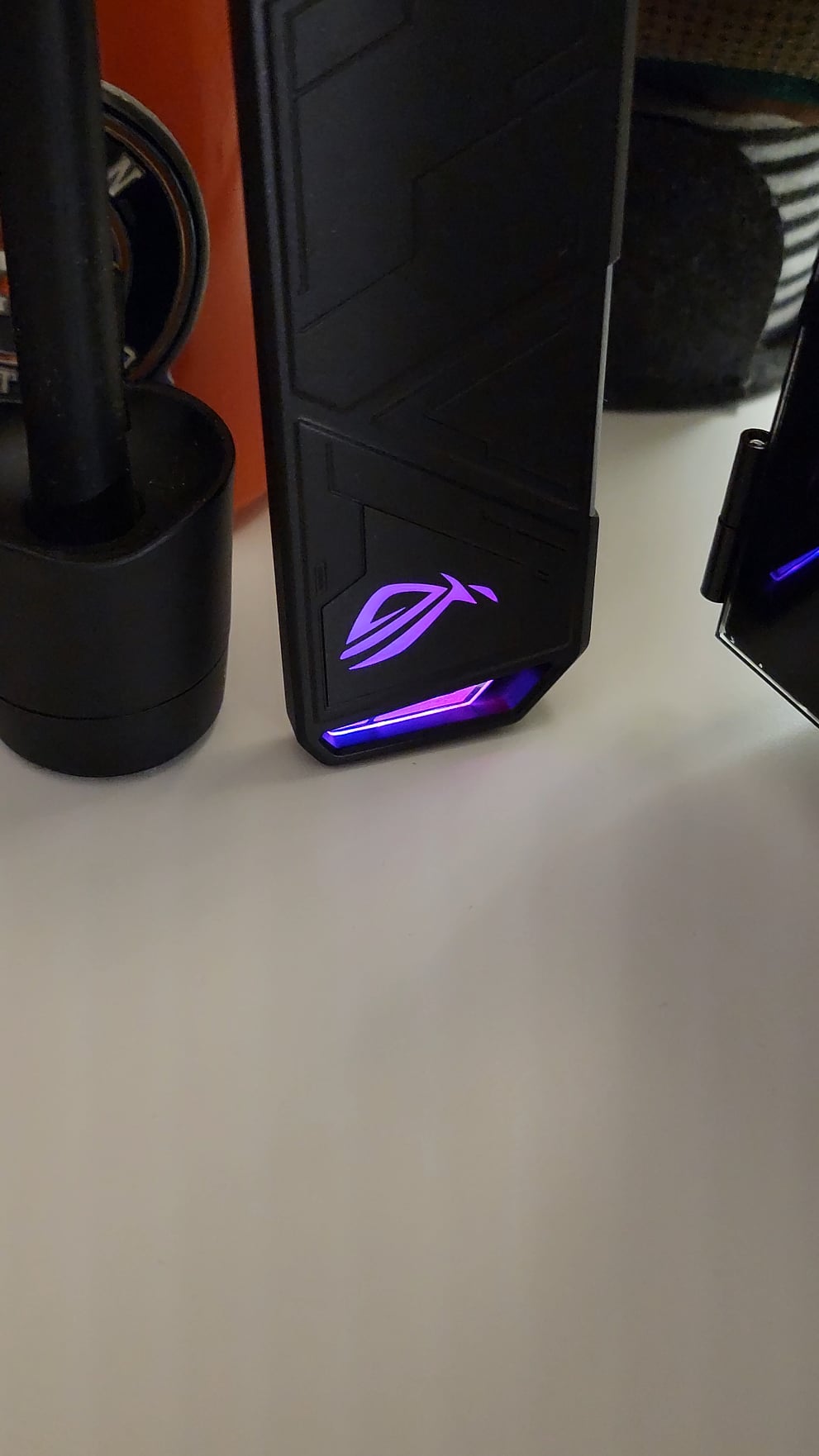
I was considering buying this Asus enclosure for my SSD because of the quality and the thermal pad. Is it worth it or should I look for u green and some other Chinese brands?
Aw_shit_a_redditor
Many modern monitors supply power thru the display cable, if you have USB-C or DP plugged into your PC from your monitor this is the cause.

29 Comments
[deleted]
First PC?
Would be the Always ON option on the USB ports in the BIOS or can be checked via the motherboard utility
My partner’s computer has an USB-C connecting the monitor and the pc. When powered off, if the monitor is on, for some reason it supplies voltage to the mobo, making its flash, it’s a bit worrying but no issues so far. I wonder if it’s the same for yours.
Do you have a powered usb hub connected to your pc?
Asus doesnt use power it provides power
I have seen this happen on my switched off pc when i have a powered usb hub connected to it (hub powered on ofc).
The 5VSB rail has rather low load on it and can be on for a lot longer after main circuit won’t power up.
A capacitor can potentially light an LED for quite a while. Must be a pretty efficient circuit design though for 20 minutes.
Idk if this is correct, but I suspect the PSU having some big capacitors that could still provide power
Or could it be the screen giving it power through the HDMI?
Stealth aura stays on unless disabled on bios
And that is why unplugging and plugging in your PC is not a troubleshooting step. If you held power down it would stop glowing after a minute
Chance it’s the monitor feeding power into the gpu
Three sources of power here: Monitor, Capacitors (which is why you dont open a PSU ever), or other connected powered devices like hubs. Monitor is most likely though
My PC does this with my mouse. Always wondered why it would light up if I bumped it, even though the system is powered iff.
There’s a reason you need to hold the power button down (unplugged) for a little bit. It helps disperse the power stored in the capacitors.
You literally have a battery on your mb…. Just me?
motherboards have various sinultaneous voltages, actually quite a few basic components can powerup when there is 5v supplied on the usb rail.. is there a chance there is a battery in that peripheral? …or something here has powered usb plug.
this is why you never open up a psu unless you 100% know what you are doing, those bad boys hold lethal amounts of current for a long time
Capacitors
usb stays powered on if PC is off if configured that way
Some mobos will pass power to USB even if they are turned off.
dirt in your Gpu or old.
it just works …bro
There are some chunky capacitors in the power supply that can hold a charge for a long time. Especially if you have a wattage rated gold or platinum PSU.
There’s a lot of capacitors in a PC, and LEDs need very little power to function
I get that on my keyboard too. I press a key when the computer is off and it stays lit up and I have to disconnect it to get it to turn off.
I was considering buying this Asus enclosure for my SSD because of the quality and the thermal pad. Is it worth it or should I look for u green and some other Chinese brands?
Many modern monitors supply power thru the display cable, if you have USB-C or DP plugged into your PC from your monitor this is the cause.