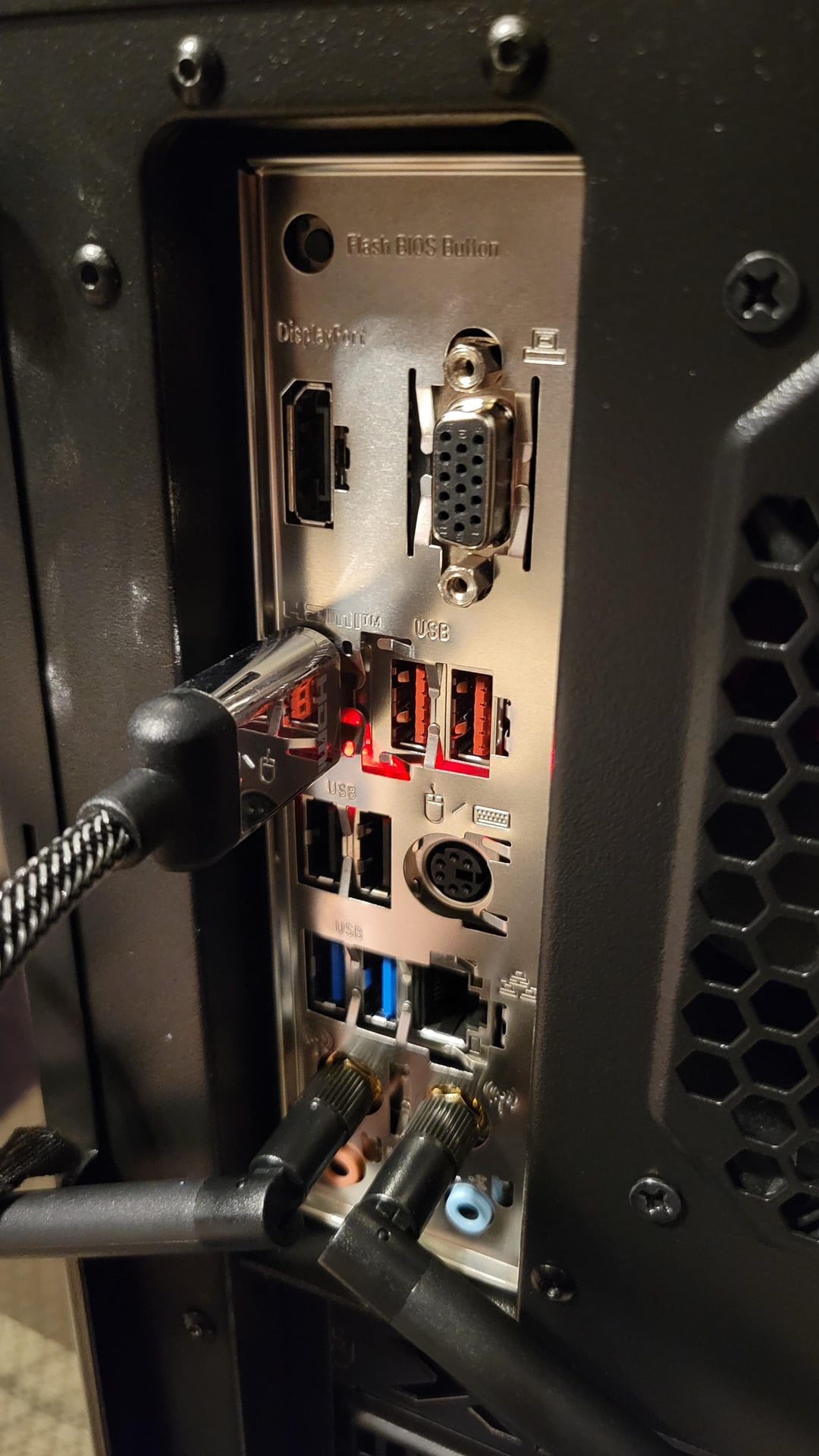
This red light has been on for a while now. It stayed on after a possibly failed bios update. Any idea what’s going on?

This red light has been on for a while now. It stayed on after a possibly failed bios update. Any idea what’s going on?
26 Comments
It could’ve been a successful bios update that made use of a light that was known to stop working? I say this because my motherboard has this but it helps me see the USB ports at night, as well as projects a shadow on the wall when I’m over the ports (meaning I don’t have to turn around my pc to know if I’m in the right spot!) However I am not certain this is the same as your case, just thought maybe it would stick, hope this helps!
What does your motherboard manual say?
why you using the motherboard hdmi, not the gpu?
I’m not sure how you expect anyone to know what the light is when you don’t say what motherboard it is and take the picture through a tiny gap in the IO shield…
Does the motherboard have any error status LEDs on it?
I linked to a reddit post with the solution but automod killed it…
https://forum-en.msi.com/index.php?threads/b550-gaming-edge-wifi-flash-bios-led-permanent-solid-red.363709/
https://www.google.com/search?q=msi+b550m+pro-vdh+WiFi+red+light
(make sure the bios flash file doesn’t have extension hidden and change it to “MSI.ROM” as it may have a hidden extension which is just numbers for example MSI.ROM.123456789)
It looks like your motherboard isn’t fully pushed up to the IO shield as well, the gap between looks far to large, it should be flush with the back of the mobo.
Looks like a failed bios update, which is causing the computer to not boot. You’ll have to try to reflash the bios and pray to god you didn’t brick it
You sound like you’re encountering a problem with your mbo, can you name it? and tell me exactly what it is and i will try my best to look for a solution
Means the bomb has been planted
Nothing just for show.
It lights red
Self destruct. RUN!
I would suggest looking in your motherboard manual. It should have a diagram of what each component is.
Means your bios flash failed for whatever reason. I had a similar issue which I fixed by taking out the RAM stick in the A2 slot and putting in a different stick in there (only use one stick for now until your PC works again), then try to boot it up or flash bios via the button if that fails. This is a Hail Mary attempt so it could be a multitude of other issues and will probably not fix it but worth a try
The red light means it’s going to explode 🤯 run!!!!
Is this one of the older motherboard so for instances you can use the z670 with the 13th gen but you need a bout update . Where as the z790 is already to go with the 13th but it needs a bios update to use the 14th . What motherboard is it that you have and the cpu .
Self destruction has been activated…you have 10 seconds to get out of the bedroom
it means stop using integrated graphics
I’TS ANGRY AT YOU !
That is the on board self-destruct that has been activated and awaiting detonation.
How about you read the manuel for your mother board. it will probably tell you what it is for
War.. we’re going to war
Red means bad
with a b550 and a 3600 ryzen you shouldnt of needed a bios update. but some bios updates you cant just jump from example 1 to 5, you have to go 1 to 3 then 5. i would unplug the pc, hold the power button for 3 seconds to discharge power, take the battery out, hold for 3 more seconds. put everything back, plug in, power on and grab a coffee or something. let it boot for like 10 mins.
Red light on the Ethernet connector means a Gigabit connection. Red light on HDMI, something’s broke.