
Cpu: i5 13600k
Mobo: MSI Pro Z690-A wifi DDR4
PSU: Corsair RM1000x
Non qvl Old RAM: Gskill F4-3600C18D-64GVK 32×2 ddr4-3600 18-22-22-42 1.35v
Qvl New ram: Gskill F4-3600C16D-32GVKC 16×2 ddr4-3600 16-19-19-39 1.35v
Gpu: rtx 4090
Storage: 2tb nvme, 1tb ssd and 500 gb ssd
Hello! I built my computer in July and it was working flawlessly up until a month ago. All of a sudden I started getting constant various bluescreens out of nowhere. It started with the BSODs. Sometimes they would happen right when Windows would start loading. Sometimes i’d be able to play a game for a while before it happened. I’d try to clean install windows 11 from a usb and 70% of the time it would bsod before the installer even appeared, and when the little windows loading circle was rotating i’d see little white line artifacts around it. After many tries i’d be able to get the installer to go through and get a clean install of windows, which seemed to be working, until it wasn’t. I’d get weird things happening like my display shutting off and my gpu fans running full speed until I held the power button to shut down the pc. Games would run and make me think it was working finally but then the computer would just freeze with no bsod or anything. I didn’t even have anything overclocked, or xmp enabled. Bios was default the whole time.
While things were working, I used hwinfo64 to make sure nothing was overheating and causing crashes. Nothing was. Cpu cores were 35ish idle and wouldn’t go above 50c while gaming. Storage and ram were cool as well.
I thought maybe my ram was the issue. The 32×2 sticks I bought (which were working fine for months) aren’t on the qvl for the mobo. I tested them with memtest86 and got thousands of errors within a minute or two. I started swapping the ram around, trying each stick in single channel. Still errors. Lots of errors. I decided to try overclocking my cpu gradually. Increasing my cpu vcore (which is like the only setting i understand, and just barely) for some reason seemed to stabilize the system. But it would just be more of the same. Instead of crashing on bootup, or a couple seconds after i signed in to windows, it would just crash at some point, whether i was playing a game, watching a video, or doing nothing at all.
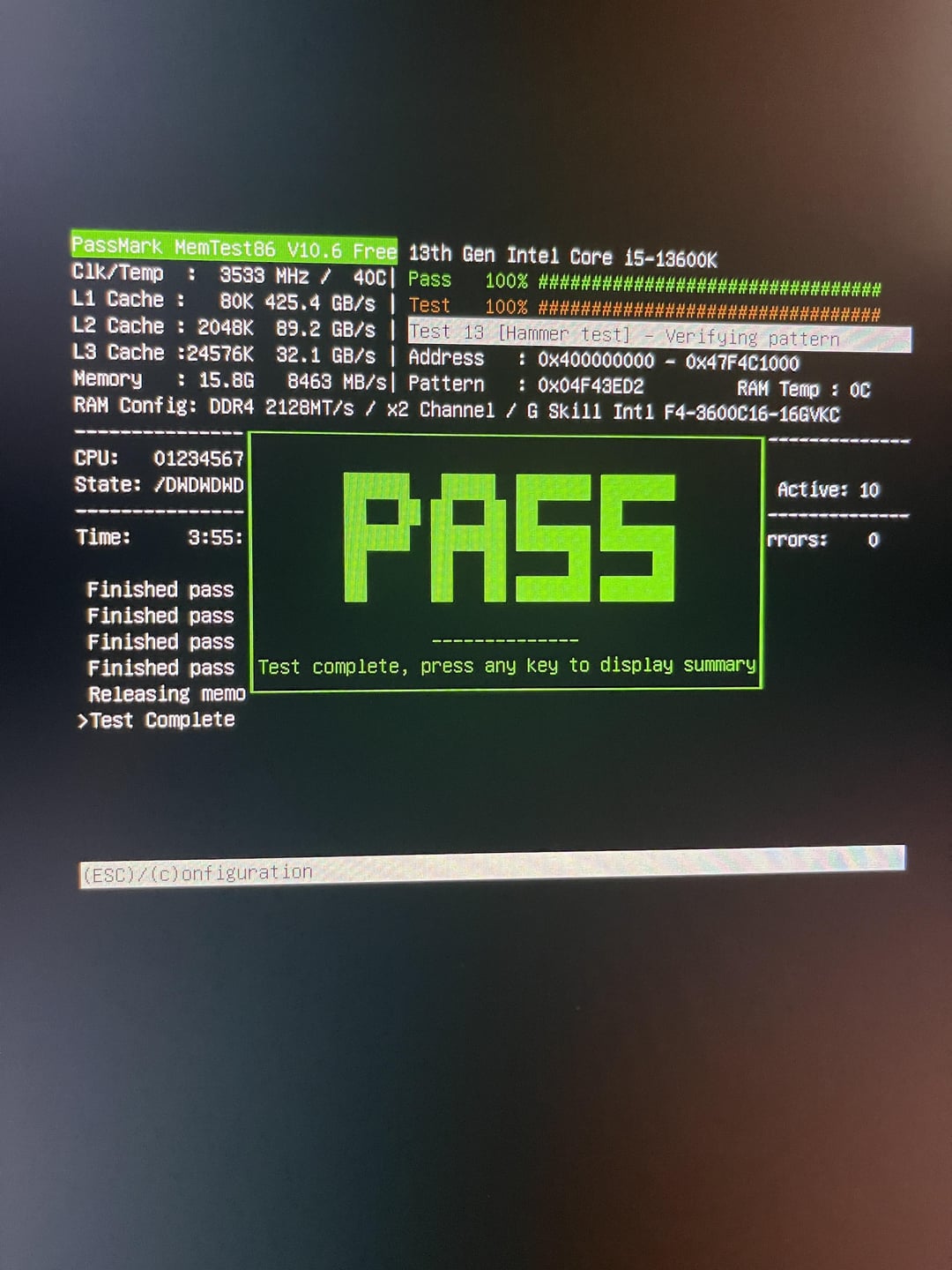
I decided to buy new ram which was on the qvl. I also updated my bios to the latest one on MSI’s website, 7D25v1E. Removed all my storage drives and my GPU and all usb stuff except keyboard and mouse. Bios was freshly updated with all settings default and I ran memtest86 on the new ram while I was at work. Passed all the tests without errors.
Decided to enable XMP and ran memtest again and got 1 error in one pass. Why did enabling xmp cause errors to appear that arent there when its off?
Is ram the root of my issues or do you guys think its something else? I started thinking it could be my mobo, cpu or psu but I don’t know how to test those, and why would one of those components work perfectly fine for so long and then suddenly start crashing nonstop without any sort of hardware change? Even with the crashes everything still ran fast, until it crashed.
I’m adding pics to the post of my memtest results and the bios options i have available for adjusting cpu and ram. If anybody could tell me things I could try that could stabilize my system that would be fantastic. Is my mobo not supplying enough power to the cpu? Maybe too much power? What about the ram? Does my cpu affect my ram? What would cause my windows installation usb to bsod?
Sorry for the long post but I have no idea what to try beyond just replacing everything one at a time.
2 Comments
It looks like your CPU memory controller it maybe goes bad or you loose a silicon lottery, dont run the XMP profile for intel the performance gain in games is not that perceptible, maybe a little bit more voltage to memory controller something like 10mV/ 0,010V or 20mv will do the job. Or try lower memory speed something like 3200Mhz and chcek if it is stable.
What BSOD do you get? You can find them in Event Viewer under “WHEA-Logger.” The type of BSOD error code you get can point in the right direction.
That being said, if you get an error in Memtest, I agree that RAM is an issue. Try dropping the frequency to 3200 MT/s for now. Try a better RAM test than Memtest, which is quite poor at detecting errors. TM5 w/ Absolut profile, Karhu (paid), or HCl Memtest are some of the best and more popular ones.
https://www.reddit.com/r/overclocking/comments/kq69ay/psa_bsod_error_code_diagnosis_possible_solutions/