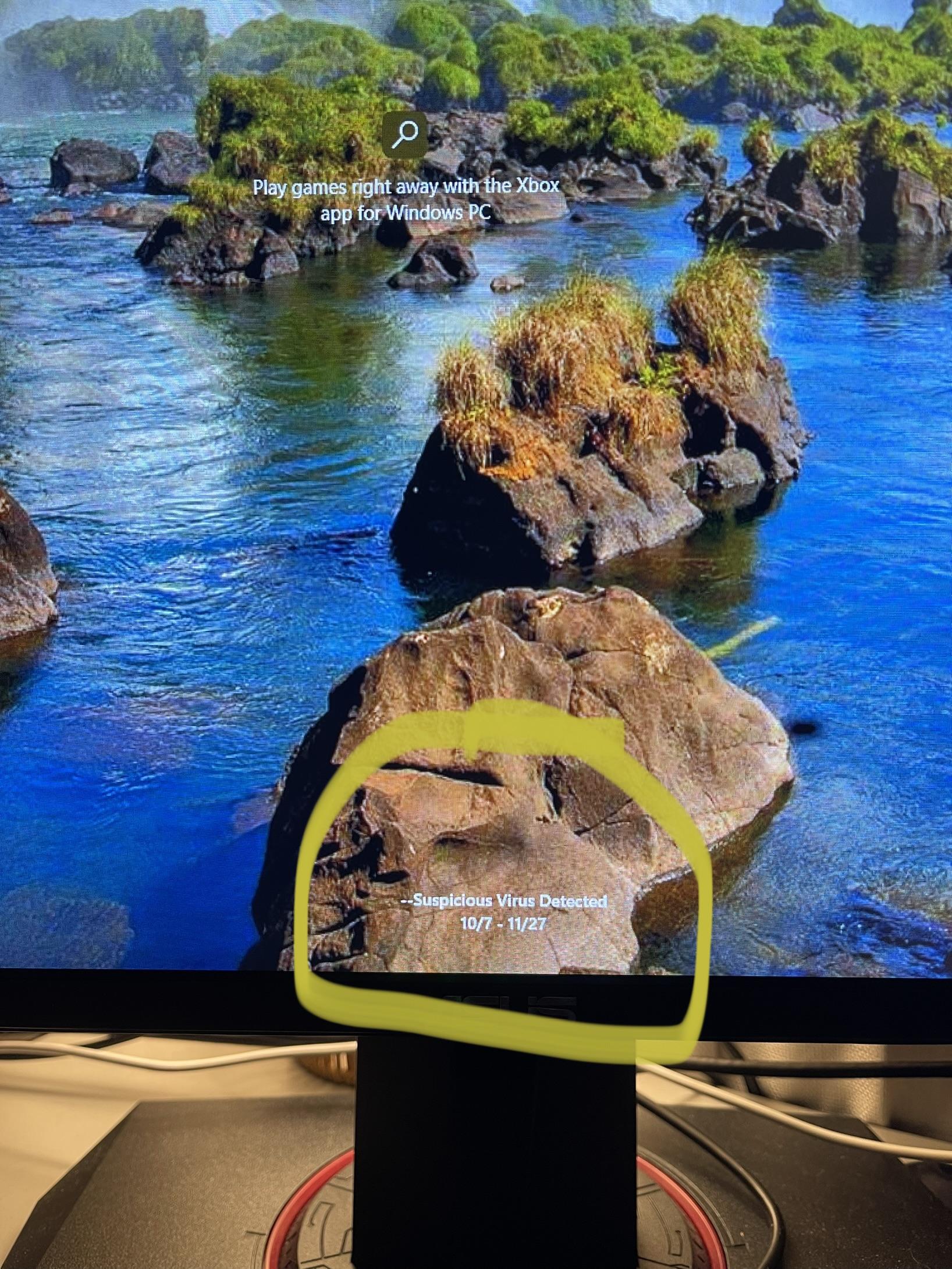
Once I sign in there is nothing anywhere saying a virus is detected. Yet every time I’m at the sign in screen that text is there? And I’m not sure what the dates under it means.

Once I sign in there is nothing anywhere saying a virus is detected. Yet every time I’m at the sign in screen that text is there? And I’m not sure what the dates under it means.
27 Comments
Just run a virus scan
It’s probably in your emails. That or you probably clicked on a weird link on your phone and it got into your calendar. If you look for the email, delete it and it should be gone.
Stop torrenting games
Download and install Bitdefender. There’s a free version which you can keep and do a full scan, if there’s anything on your PC, that will find it.
Ahem…
“DASH DASH Suspicious Virus Detected”? Yeah. Literally no anti virus or Windows would say anything like that. It’s a notification from either a browser, calendar, email, or something similar.
Every virus is suspicious. That’s just stupid. The double dashes points towards some kind of way to get to the top of alphabetical lists, like that of calendar notifications. The dates showing up corroborate that.
Oh man….now you have to throw it out and buy a new one
I can help you
You do not have a virus.
What you are seeing on your lock screen is actually a calendar notification.
Somewhere along the way, you visited a malicious website that gained access to your calendar. This website put a calendar event ranging from the dates that you are seeing. It has done this so that your computer will pop up a notification trying to get you to click a link that would actually likely give you a virus.
Simply go into your calendar and you’ll see that notification scheduled during a range of dates. Delete it.
Ask your little brother
Glarysoft one click>malwarebytes>roguekiller. Then run cmd as admin tyoe in sfc /scannow. If it completes and says everything is fine then you should be done. If it says there was damage. Reboot into safe mode and run malwarebytes and roguekiller again. Run the sfc /scannow again.
Never ever click on an email link.
Its probably Mcafee detecting itself.
It’s been a while since I’ve really looked into antivirus software, but I’d recommend:
Download and run Kaspersky Virus Removal Tool (it’s free) and make sure it’s scanning the whole PC not just a specific folder.
Download and run Malware Bytes for home (also free) as this could be malware and not a virus.
They might find nothing. If so that’s probably good.
Hope that helps!
Fhe games in the porn ads are not worth the click…
That’s an email, and that’s 100% a scam. You won’t get an email from your anti-virus about a virus lol.
You downloaded an .ICS
Someone put a scary message as the title and I bet the description has links to download something worse to “fix it”
Someone was doing more than barely gaming…
It’s your calendar. Write calendar on your search bar and go into it. Then delete the event.
Maybe he downloaded the Blizzard launcher from their official site.
Don’t worry, the virus is only valid till 27th November.
lol, windows.
Had PC few months
Gets calendar virus
What did you do on your PC bruh
I’ve seen this with other users at work. It’s just an outlook calendar invite. People can invite you to meetings if they have your email and Outlook will put it on your calendar until you accept. I get these from vendors creating “cold meetings” all the time, but people found they can use it maliciously too.
Go to your outlook calendar and delete the event, that should clear the message, that’s all.
Stay off pron sites
Are you using MS Edge? It’s notoriously terrible at handling in-link and in-cookie bullsh*t like this.
What I ended up doing for all of my relatives was to remove the issues and add manual firewall entries to block all traffic through Edge.
You have to buy a new pc ….sorry !
Just wait until 11/27 for the virus to expire! Virus companies hate this one little trick
Run windows defender. I’ve also had good luck with malwarebytes. Don’t use Norton or mcafee. Worst case scenario, if it can’t be quarantined, reimagine your computer.
What anti-virus are your using. Some of the less savory (*cough* NORTON *cough*) ones will throw false positives to trick people into thinking it’s useful.