
I got myself an an embedded board with N5095 processor.
Obviously, this is already a very power efficient chip, however as I plan to run this system 24/7 so I wanted to optimize it as much as I can by undervolting the CPU.
Unfortunately, I had not done my research beforehand and only realized now after downloading Throttlestop that apparently, Intel removed undervolting with 11th gen because its a security issue (Lmao). Since throttlestop doesnt work, I dont think equivalent Linux tools will either as they operate in the same way – XTU cannot be installed, leaving me with only one option I can think of (Besides modifying the board which I’m not gonna do) which is the BIOS.
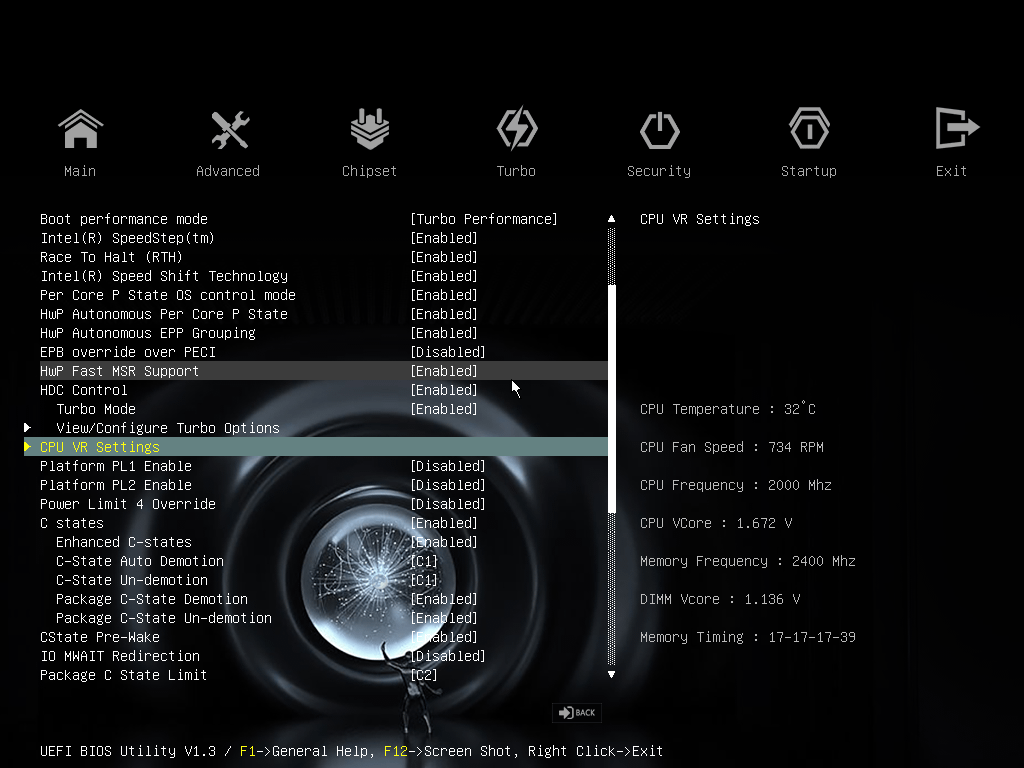
Unfortunately none of the options that I have in the BIOS ring any bell for me in regards to undervolting, but maybe someone here knows more than me. Heres screenshots of pages in the BIOS that seem somewhat related to me:
https://i.imgur.com/pHa61dj.png
https://i.imgur.com/bYxbs3V.png
https://i.imgur.com/q6f4C6U.png
https://i.imgur.com/qH5Sn3P.png
Thanks in advance
1 Comment
The bios looks pretty much the same as my N5100 router pc. These chips use a FIVR, which steps down the voltage internally, that’s why you see such a high Vcore in bios, it’s just the VRM output. The actual voltage the CPU uses is much lower. Haven’t found a way to change it though, I was only able to reduce the VRM output voltage slightly by setting AC loadline to 1.
If you’re trying to get the minimum possible idle power draw, make sure all the ASPM / power savings and C-States are enabled. You may run into issues with some of the settings causing wonky behavior though, depends on the OS and board.