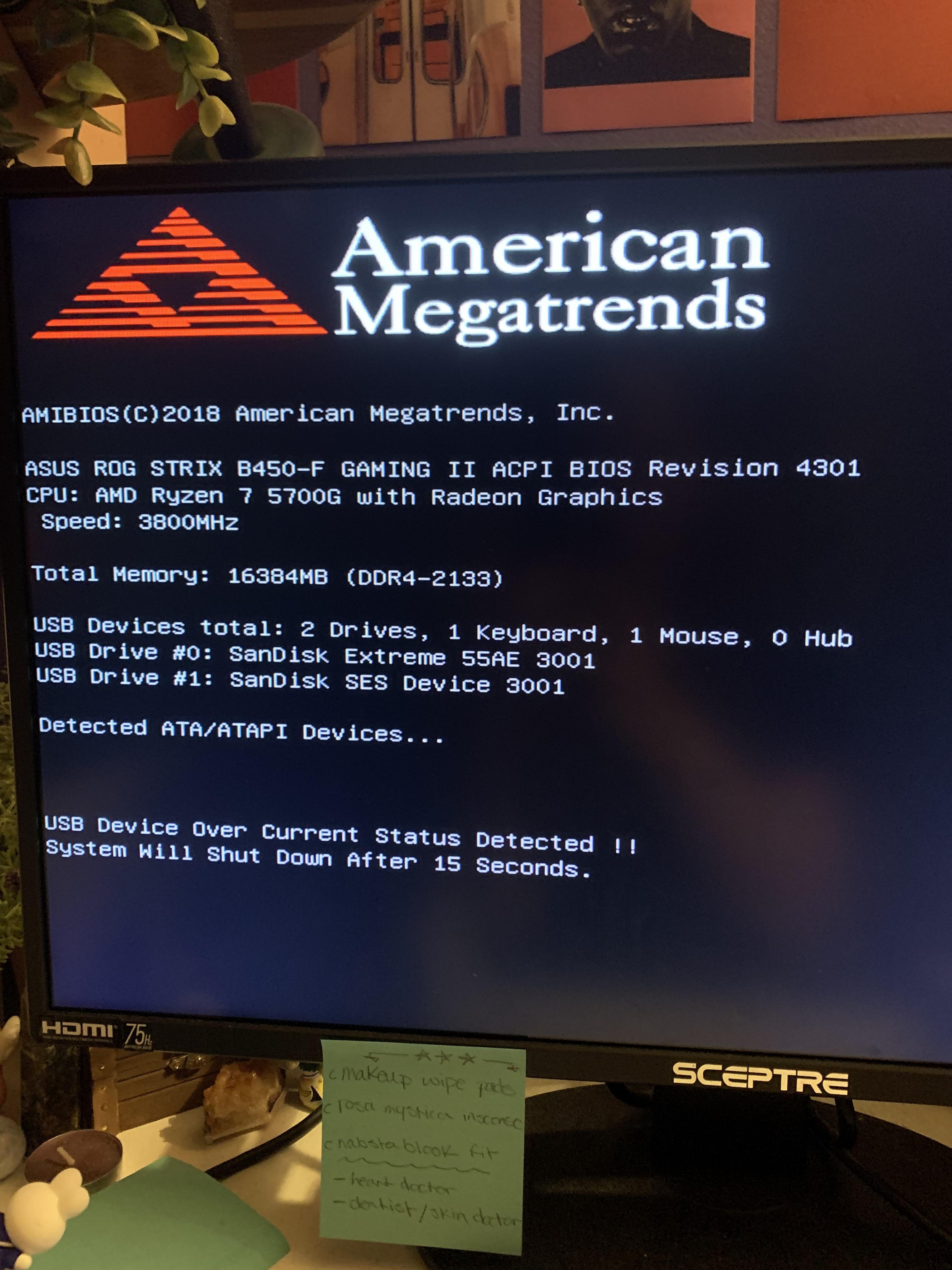
My sister is getting this after plugging in new keyboard from spilling water on the last one. Anyone know what this is or what’s going on?

My sister is getting this after plugging in new keyboard from spilling water on the last one. Anyone know what this is or what’s going on?
23 Comments
Unplug all USB devices, and see what happens on the next reboot.
Short circuit in the thing
Keyboard broken
a USB device is toast and has a short, therefore shorting the USB hub its connected to on the motherboard is detecting it and preventing damage. Unplug the broken device.
Unplug all usb devices just use the new keyboard make sure it can post then try plugging in each device one by one if u come across a different device that’s not working properly try in a different port. Could of fried a USB port/controller or its just throwing a hissy fit most likely the latter.
I had the same. My cat was nagging on the sleeved cable of my keyboard. And one day, I got this message.
There’s not much you can do, unless you are a skilled electrician or something.
But hey, I would like to embrace this feature. Imagine a simple error like this fries your USB controller, making the mobo practically unusable.
Plug the new keyboard. The current is shorting
Back in old days ur pc would be burning rn
Some USB device got fried. Unplug all USB devices (internal and external) and reboot the PC.
If you’re still getting it after that the motherboard’s USB controller is likely dead.
Take off the cover from the computer, slowly pour 1 full glass of water on the motherboard, make sure it’s plugged in. Then take the broken keyboard and hit it until it stops smoking.
Fucking hell, that is something you can easily google by using that “usb device over current status detected” sentence and answers are literally same as here.
Yet you wanted to offload that chore to someone else…
It literally tells you on the screen.
Unplug all the usb then plug them back in one by one till you find the one causing the issue.
My guess is keyboard fu**ed get a new one.
I had this issue a while back and it was down to a header on the motherboard, but thats a bit more work than just removing any usb devices.
Also change RAM speed if possible to a higher clock speed?
Not an expert, but 2133 Mhz seems low. Feel free to tell me if I’m wrong.
Yeah I know this doesn’t apply in this case but just a heads up, I got this after bending one pin on my
CPU. Messed around for hours until I removed the cpu and found the bent pin.
Maybe usb port got zapped when the keyboard shorted out?
Have you tried upgrading your Gpu?
If this happened because you replaced the keyboard (and nothing else), I’d say it’s the keyboard. Something is trying to draw more power than the motherboard can handle. Either the keyboard is broken, or it has too much RGB. If it’s currently plugged into a USB 2.0 port, try a 3.0 port
Or spilling water on the previous keyboard killed the USB controller. Wouldn’t expect that from a strix, though
Keyboard is shorting the USB, remove the keyboard and retry.
One of your usb components is shorting, test them one by one, dry the offender out
keyboard is shorted get a new one
Try a different usb port, possible the first shorted and is now dead to use
Remove all USB devices
If the message persists try to disable the usb port that the wet keyboard was plugged in via BIOS