The easy way online you can find windows xp boot up exes in there reinstall the os
IuseArchbtw97543
just reinstall the OS. The BIOS should have an option to reset it aswell
Motor_Ganache_9185
Depending on the year, you might need the CD restore that came with the computer…
agentrnge
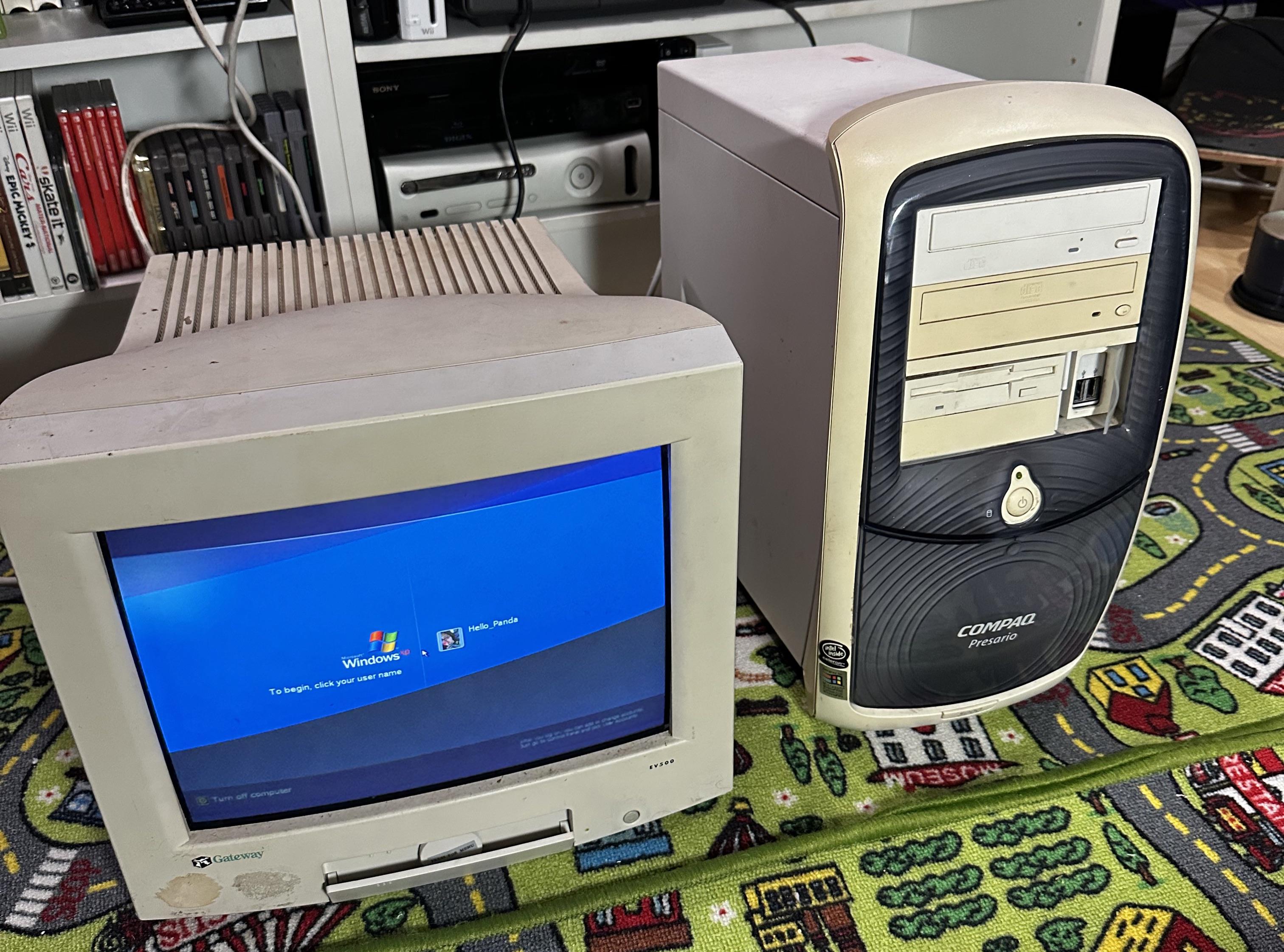
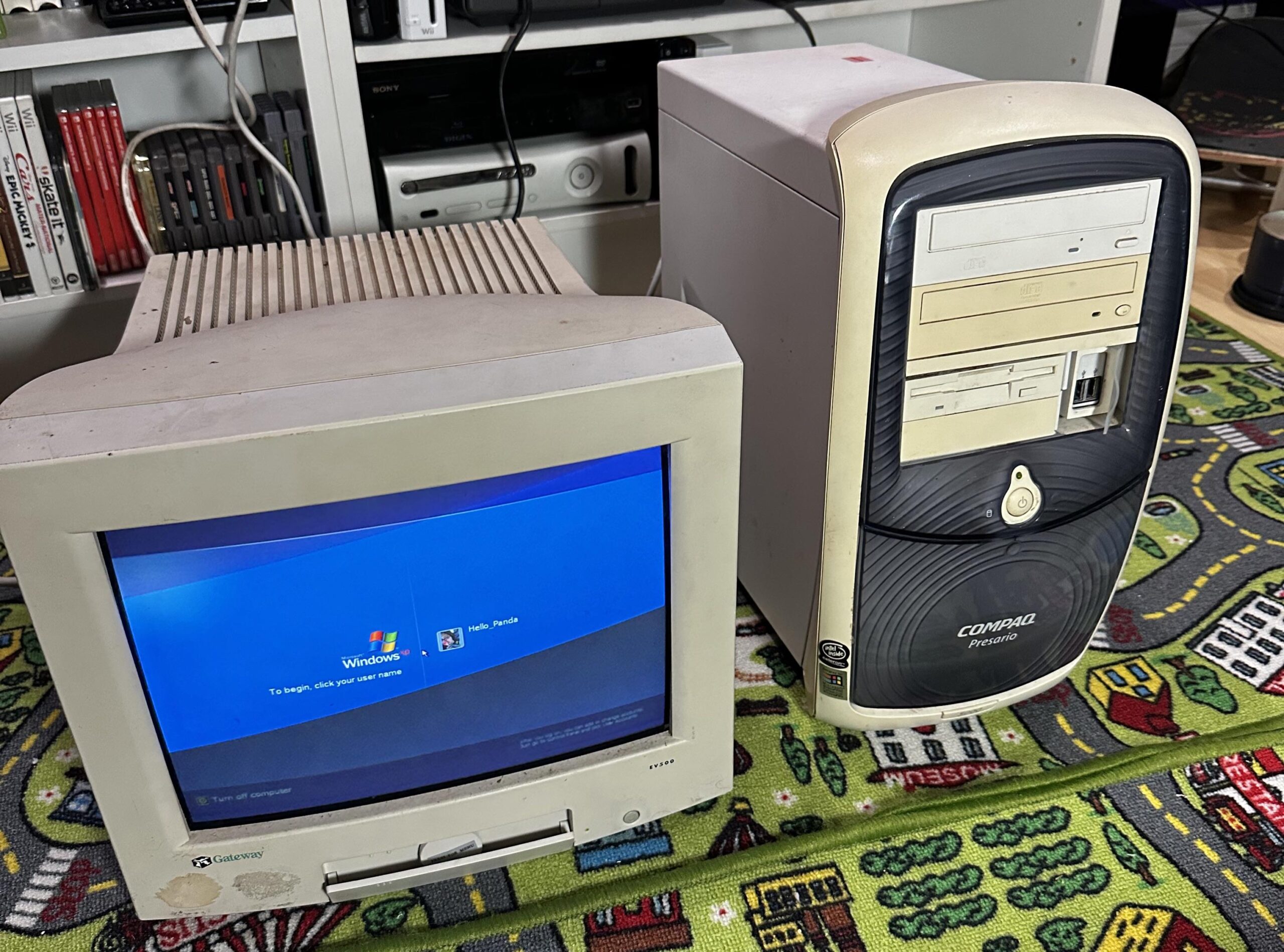
Why did PC makers adopt this style of case front/surround/lump/foreskin. So goofy.
Doubt there is a reset option. Fresh install as others said.
ObamaDelRanana
If you are trying to get into it without the password, I remember helping my dad get into his old pc after he forgot his login using a vulnerability to launch cmd in the login screen and creating an admin account. I had to look it up but the steps included using the accessibility tools to launch a browser window and going to system32 to launch cmd
morganstern
Put a windows CD in. On another note, I had this same PC for years and limped it along forever. Super cool seeing another one.
gamerbrian2023
You need the restore CD … the lower half of the front panel opens and is actually the storage spot for it. 😉
ecktt
You don’t want to. It’d be full of bloatware.
Get a hold of an XP CD with SP3, then re-install.
munitionchipsintoys
The disc that it came with.
Ancillas
Pretty sure with XP you can pull the disk, pop it into an external enclosure, connect it to a newer machine via USB, mount the disk, and grab the password hashes which are easy to crack.
NEOnKnights69
My first PC, thanks for the memories
sunkmonkey1208
You can download a copy of Hirens Boot CD, break the password, log in and clean it up after you’re in.
Alternatively, you can reload Windows XP, but getting drivers may be a challenge as well as activation, assuming you’re using a legit installer. XP, unlike Windows 10/11 will stop working after 30 days without activation.
asdonne
Hirens makes it ridiculously easy to wipe the password.
The funny thing is in this day and age I would have more trouble making the boot cd then using it.
Funcron
Lookup Medicat and slap it on a USB drive. I’m pretty sure it has a bypass tool.
jc1luv
Do you have the password? because you could just create a new user and delete the old one. IF no password, easiest way is to buy an xp cd from eBay and reinstall. something a bit more technical is download ophcrack linux and run it at boot to see if it spits out the password, it should. Something more technical requires command line but not sure if you’re up for it.
adumbfuk
Google it dumbass.
Plutonium239Mixer
Oh my god. I haven’t seen one of these in a long time. I had one when I was a kid. You may be able to press f8 while its booting and boot into safemode. If you are in luck the admin account is unlocked. There are a few other ways to go about it, but I’ve since forgotten them. Generally these came with windows installation cds that you could boot from to wipe the hdd and reinstall everything.
doge007
the beauty of these is that you can just install a new OS on a new HDD and use the old one as the second drive to retrieve data.
I spy with my little eye a whole load of treasure on those shelves in the back, you got some good taste OP.
TONKAHANAH
back on windows xp, they didnt often have factory reset options built in. some times they’d have a factory reset partition that you could boot to, though I dont think that was more common until windows 7.
usually the pc would come with a factory reset CD set that would have the OS, all the software, the product key (pre-applied) etc..
other wise you’d just nuke the the HD and install windows xp. you’ll need a product key for XP (usually found on the side of the pc case but they were often paper stickers and easily faded). You’ll also need to hunt down drivers for it.
ForgettableLegend
There was no such thing as factory reset back when this PC was made.
If you want data from it, you have to boot Linux image from either USB or CD (USB boot was also not an option on older PCs), and copy data directly from internal HDD. Password is only for log on, data is not encrypted.
If you want fresh OS, you will have to reinstall it manually from scratch, reformatting hard drive, installing all drivers, etc. If you never did that before, it will be nice experience to feel how things were back then.
Perfect-Parking-8413
I had one of them
Circulation-
Format c:
Then win install and then drivers
No YouTube
Man I loved nineties.
vedant_1st
Either check in settings or use a different usb to create a windows xp installation media
foreskrin
Reformat
Withdrawnauto4
You see that save icon slot you but a save of the os you would like to reinstall in there. Light take multiple save cards

32 Comments
Send them to the factory to be reset 😉
boot it up, press and hold F8. play with options.
DESTROY THE PC
like what below said hold f8
​
The easy way online you can find windows xp boot up exes in there reinstall the os
just reinstall the OS. The BIOS should have an option to reset it aswell
Depending on the year, you might need the CD restore that came with the computer…
Why did PC makers adopt this style of case front/surround/lump/foreskin. So goofy.
Doubt there is a reset option. Fresh install as others said.
If you are trying to get into it without the password, I remember helping my dad get into his old pc after he forgot his login using a vulnerability to launch cmd in the login screen and creating an admin account. I had to look it up but the steps included using the accessibility tools to launch a browser window and going to system32 to launch cmd
Put a windows CD in. On another note, I had this same PC for years and limped it along forever. Super cool seeing another one.
You need the restore CD … the lower half of the front panel opens and is actually the storage spot for it. 😉
You don’t want to. It’d be full of bloatware.
Get a hold of an XP CD with SP3, then re-install.
The disc that it came with.
Pretty sure with XP you can pull the disk, pop it into an external enclosure, connect it to a newer machine via USB, mount the disk, and grab the password hashes which are easy to crack.
My first PC, thanks for the memories
You can download a copy of Hirens Boot CD, break the password, log in and clean it up after you’re in.
Alternatively, you can reload Windows XP, but getting drivers may be a challenge as well as activation, assuming you’re using a legit installer. XP, unlike Windows 10/11 will stop working after 30 days without activation.
Hirens makes it ridiculously easy to wipe the password.
The funny thing is in this day and age I would have more trouble making the boot cd then using it.
Lookup Medicat and slap it on a USB drive. I’m pretty sure it has a bypass tool.
Do you have the password? because you could just create a new user and delete the old one. IF no password, easiest way is to buy an xp cd from eBay and reinstall. something a bit more technical is download ophcrack linux and run it at boot to see if it spits out the password, it should. Something more technical requires command line but not sure if you’re up for it.
Google it dumbass.
Oh my god. I haven’t seen one of these in a long time. I had one when I was a kid. You may be able to press f8 while its booting and boot into safemode. If you are in luck the admin account is unlocked. There are a few other ways to go about it, but I’ve since forgotten them. Generally these came with windows installation cds that you could boot from to wipe the hdd and reinstall everything.
the beauty of these is that you can just install a new OS on a new HDD and use the old one as the second drive to retrieve data.
even ubuntu works.
You should just download the [Windows 10 ISO](https://www.microsoft.com/en-us/software-download/windows10ISO), mount it, and run the setup file right within the operating system.
https://preview.redd.it/ruo5cx2z5iub1.jpeg?width=1200&format=pjpg&auto=webp&s=0a61ce2da4568e8cdd4289758b777f595d9b6eac
With a floppy disqette
I spy with my little eye a whole load of treasure on those shelves in the back, you got some good taste OP.
back on windows xp, they didnt often have factory reset options built in. some times they’d have a factory reset partition that you could boot to, though I dont think that was more common until windows 7.
usually the pc would come with a factory reset CD set that would have the OS, all the software, the product key (pre-applied) etc..
other wise you’d just nuke the the HD and install windows xp. you’ll need a product key for XP (usually found on the side of the pc case but they were often paper stickers and easily faded). You’ll also need to hunt down drivers for it.
There was no such thing as factory reset back when this PC was made.
If you want data from it, you have to boot Linux image from either USB or CD (USB boot was also not an option on older PCs), and copy data directly from internal HDD. Password is only for log on, data is not encrypted.
If you want fresh OS, you will have to reinstall it manually from scratch, reformatting hard drive, installing all drivers, etc. If you never did that before, it will be nice experience to feel how things were back then.
I had one of them
Format c:
Then win install and then drivers
No YouTube
Man I loved nineties.
Either check in settings or use a different usb to create a windows xp installation media
Reformat
You see that save icon slot you but a save of the os you would like to reinstall in there. Light take multiple save cards