
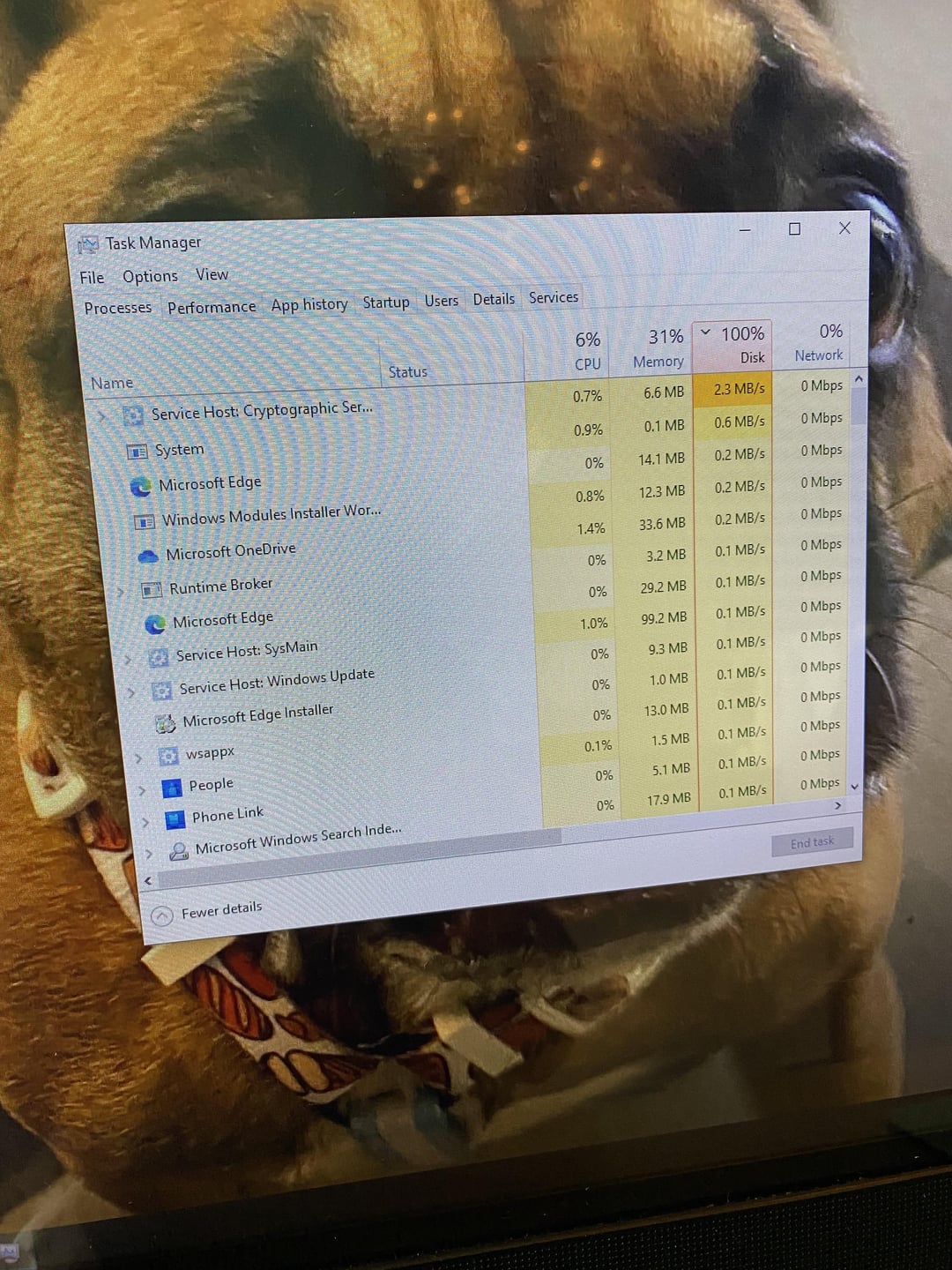
Disk usage regularly has 100% disk usage; cpu and RAM perform and spike as expected given the hardware. When disk is spiked like this the system can’t even open the windows menu without freezing so unable to get the exact specs of the machine sorry. Its a 2019 (or earlier) Dell desktop all-in-one PC. Not sure if important but nothing aside from basic apps (Chrome and Microsoft Office) and a handful of pictures are saved on computer itself. Also doesn’t help that the guy in management who is in charge of tech is 80 years old and didn’t know that he set up different Microsoft accounts on each computer.
27 Comments
Should be dell all in one 3477, it have slow 5400 rmp hdd and 4gb ram
Seems like Windows is doing encryption. Did you turn on or off disk encryption?
Looks like this AIO shipped with a crappy 5400RPM laptop HDD.
So terrible I/O performance is expected. Time to replace it with a solid state drive.
What causes this? Stress from work sir
Mate, it’s a work computer, talk to IT.
A slow, painful, hot garbage spinning disk?
The disk….? 100% means it cant do anymore than that.
why don’t you go over the list and look to see which tasks are causing the actual disk usage…
You also have a cryptographic service running which means something is getting encrypted and decrypted in the background on the storage.
FWIW, I had the exact same issue a few months ago with my work machine. Long story short, after googling and trying anything offered for “100% disk usage”, it was the drive. Also, I never got it to fail any tests. I scanned the disk from command line and got no errors, etc.
IT replaced with a new SSD and the machine worked like brand new.
Upgrade to an ssd. And find someone to consult on IT for your small biz preferably me
Which Audi you driving?
Windows does this when installed on a HDD, swap over to a SSD and everything should work as intended.
once HDD starts doing this, not much can be done, see if you can afford the replacement (of the whole AIO).
i help out the office which is made of HP AIO PCs and they all got noticeably slower over time (over ~3 years), i suggested, if space was the problem, to buy one of the tiny PCs, recommended gigabyte brix with pentium and m.2 slot, supports up to 32 GB ram, brix + RAM + m.2 SSD ended up around 300 eur and it works like a charm and even with monitor it still ended up almost 200 eur cheaper than that HP AIO. can tell they’re going to drop AIO with next hardware change and will buy mini PCs wherever space is the issue
Old small hard drive probably
Gotta swap in a nice SSD
More ram helps too because most systems just eat it nowadays
you only got a hard drive in there? thats the problem. get an ssd and transfer your shit over
Looking at the other comments it looks like it’s using a piece of shit 5400 RPM disk. That could be the first issue.
Second, the fact it’s using 100% disk usage it might be a dying disk. If you can get what you need backed up to an external drive or something, open it up and replace the drive with an SSD and reinstall Windows 10 (you can still find the ISO on the internet somewhere, but not from MS themselves as they only give you Windows 11).
That is a failing hard drive time to replace it
It’s an HDD, it’s normal
A lot of people are saying that its encryption or malware.
**It is the HDD.** I also had one and I put an NVME in there and its all great now.
**Switch to an SSD**
“Service Host: Cryptographic Service”
Windows Bitlocker disk encryption. If it’s a work computer, chances are I.T. won’t disable Bitlocker so you just have to live with it…or ask for an SSD upgrade.
Virus scan. Happens frequently at my work and makes it unusuable
Widows 10 drains the life out of HDDs. Also, turning off bitlocker might help, like others have highlighted.
This is how my failing hdd behaved before finally giving out
Just resolved this same issue recently for myself. As mentioned already, it’s definitely the HDD starting to go. Upgrading to an SSD makes a HUGE difference.
We found a pc at work with the plastic protection left in between the fan and cpu, no wonder it was overheating, maybe worth having a look lol
I think the dog staring behind the screen may have a role in the issue.
A dying drive