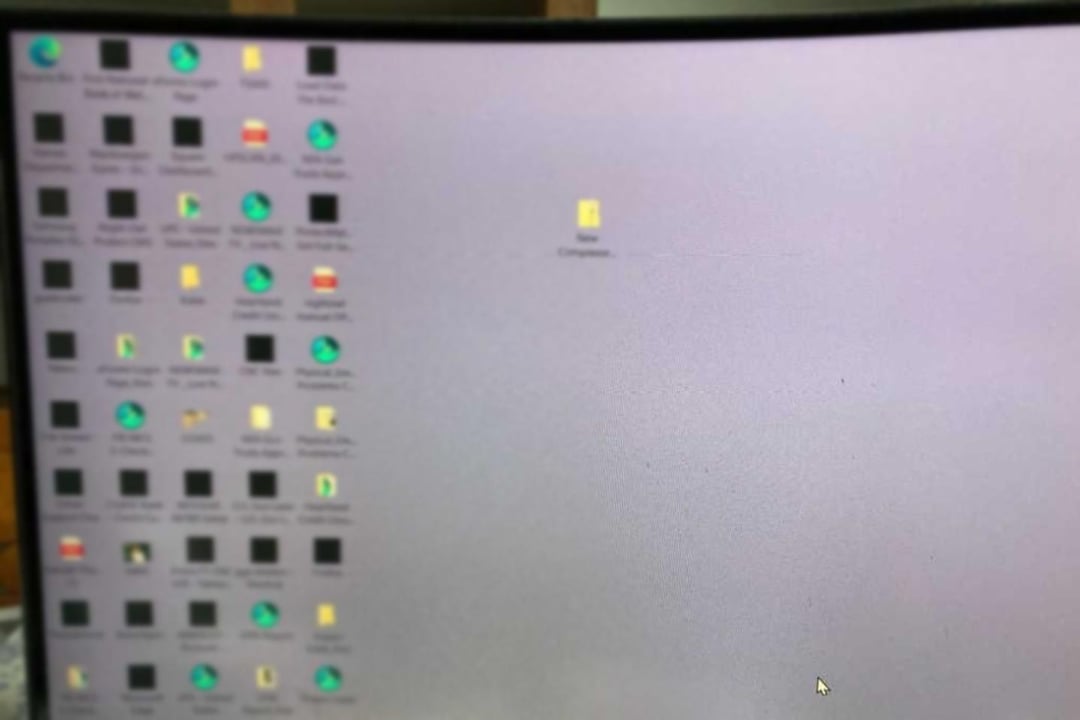
for me it looks like he busted his windows installation, or windows busted itself due to a failed update etc. Whatever it may be easiest would be to do a fresh install.
If he has any data hed like to keep id quickly save it on a external USB Stick or Drive.
Then do a fresh install of windows.
Before you do that wait for others to give their ideas too, maybe they know a different solution.
Press CTRL+C then type cmd then CTRL+SHIFT+ENTER. Then type:
>sfc /scannow
Press enter. If not fixed might want to do a fresh install.
BaronOzymandias
The other person who suggested SFC is probably on the right track. May or may not fix it. A restore or re-install may be in order assuming its not caused by data corruption from a hardware issue.
LuxurySquirrel
Try an admin elevated command prompt. DISM.exe /Online /Cleanup-Image /Restorehealth
Follow that with sfc /scannow
Pynapl
Can also try running DISM or an OS repair with a Windows installation USB!
IuseArchbtw97543
make a backup, reinstall windows and hope, that it isnt an hardware issue

12 Comments
for me it looks like he busted his windows installation, or windows busted itself due to a failed update etc. Whatever it may be easiest would be to do a fresh install.
If he has any data hed like to keep id quickly save it on a external USB Stick or Drive.
Then do a fresh install of windows.
Before you do that wait for others to give their ideas too, maybe they know a different solution.
try [verifying Windows](https://support.microsoft.com/en-us/windows/using-system-file-checker-in-windows-365e0031-36b1-6031-f804-8fd86e0ef4ca) using the system file checker
Update your windows and graphics driver.
Press CTRL+C then type cmd then CTRL+SHIFT+ENTER. Then type:
>sfc /scannow
Press enter. If not fixed might want to do a fresh install.
The other person who suggested SFC is probably on the right track. May or may not fix it. A restore or re-install may be in order assuming its not caused by data corruption from a hardware issue.
Try an admin elevated command prompt. DISM.exe /Online /Cleanup-Image /Restorehealth
Follow that with sfc /scannow
Can also try running DISM or an OS repair with a Windows installation USB!
make a backup, reinstall windows and hope, that it isnt an hardware issue
sfc /scannow
DISM /Online /Cleanup-Image /CheckHealth
DISM /Online /Cleanup-Image /ScanHealth
DISM /Online /Cleanup-Image /RestoreHealth
​
​
Reset file associations to default [https://www.tenforums.com/tutorials/8703-restore-default-file-type-associations-windows-10-a.html](https://www.tenforums.com/tutorials/8703-restore-default-file-type-associations-windows-10-a.html)
Oh my God, uninstall Wave browser. That is malware in it’s purest form.
Get Windows Defender open and do a virus scan. Uninstall any other antivirus programs.
Update Windows to current while you are in there as well.
I have a similar issue, not sure when I happened but all my steam games have the blank white icon
Run chkdsk it will verify Windows folders and fix the ones that are incorrect most likely this will solve your problem
Wave browser is pesky to get rid of. There is a power shell script to delete the registry keys because Windows defender can’t find it.