
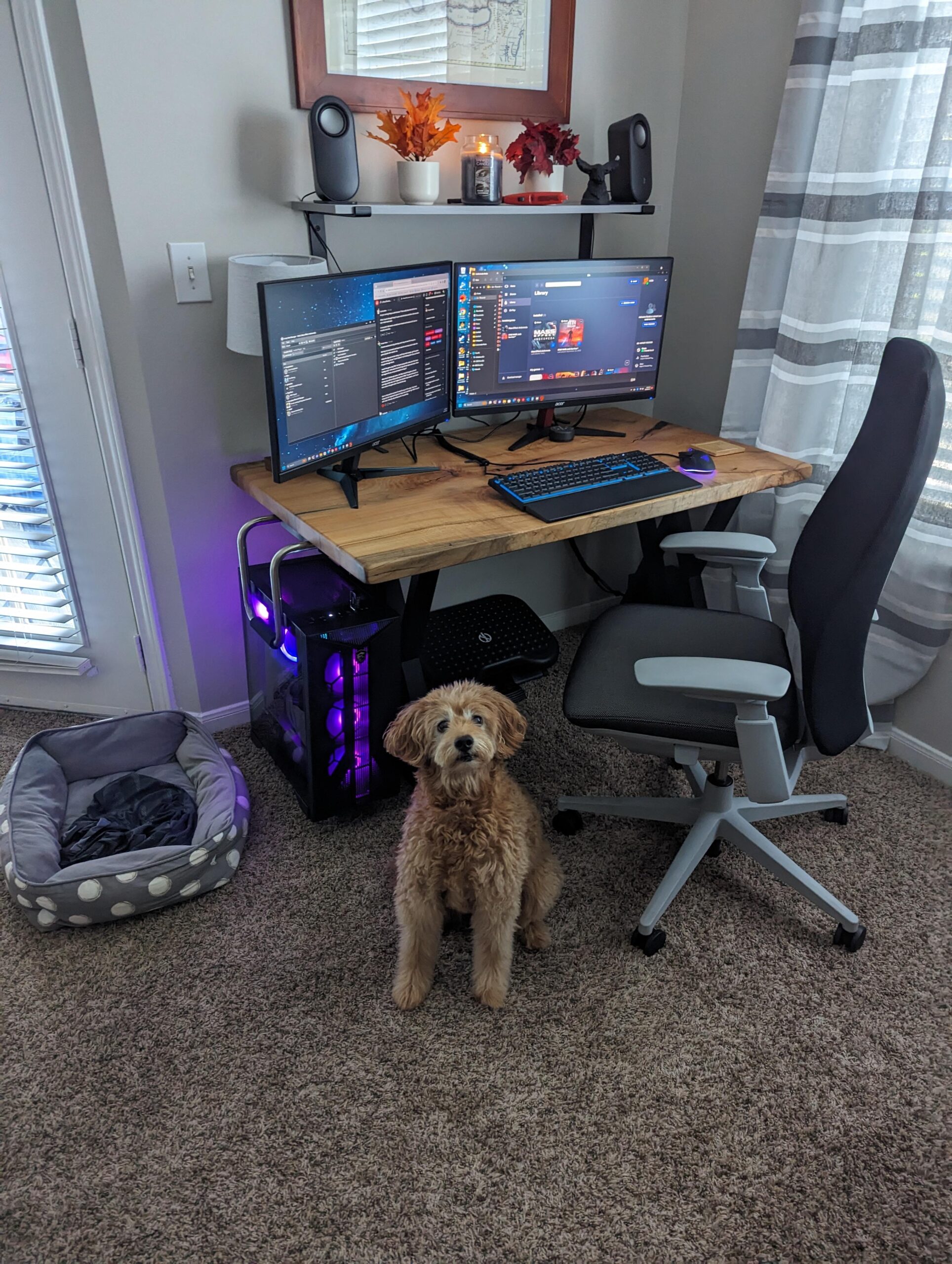
Does anyone else struggle adding connectivity to a work laptop to WFH? I am indecisive about using switches to act as a hub for my monitors and peripherals if I connect to my work laptop. What does everyone else do.
Izzy is curious.
by Peculiar-Moose
13 Comments
so your wife is on the open market? giggity.
The doggy though
I use a switch to toggle my keyboard and mouse between gaming pc and laptop dock for work. Then the monitors both auto detect which input is on and do their own thing. I want to get a game in on the clock I just manually change the monitors to the gaming rig input.
Say hi to your dog for me
Sorry about the divorce but you got to keep the dog so there is that bright spot.
​
Tell Izzy to use a KVM switch for the usb devices, and the built in monitor input switcher for the video,
I use a KVM switch for my monitors and peripherals. I have it velcroed underneath my desk and just reach and press the button to swap between them. It’s simple, and it’s really good for my productivity/work ethic to not have my PC desktop viewable while I’m working. I switch back over for breaks/lunch or if I have significant down time.
What caused the divorce?
Time for a simpit.
Post divorce treats are the best 💝💝
I’ve used a KVM switch. It blew out on me pretty quickly though, although I think that’s because I had a beefy keyboard / mouse plugged into it. But when it worked it was fantastic – super easy to change things over.
Battlestation and work laptop dock are connected directly to monitors and I input switch. Powered USB 3.0 hub with all usb plugged into it, that plugged into a usb 3.0 a/b switch which are connected to the work laptop dock and battlestation. If you have high refresh rate monitors, hdr, gsync or vrr, most KVMs will mess that up unless you buy a specialized KVM like at level1techs.
OMG your carpet has eyes! 😍
What chair we looking at here?