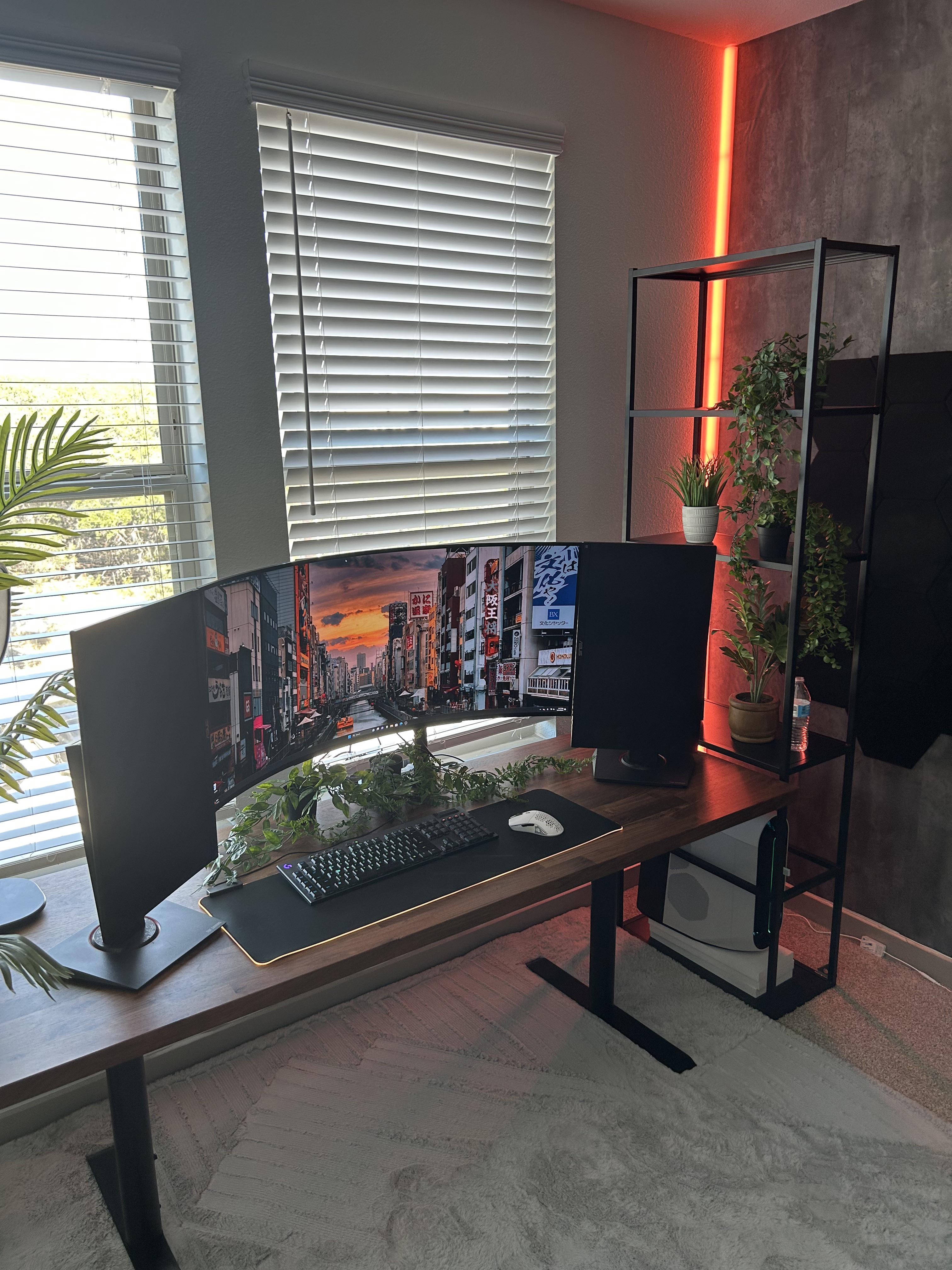
Some of y’all suggested these monitors in portrait. Not really loving how pushed forward they have to be on my desk. Due to ultra wide curve.

Some of y’all suggested these monitors in portrait. Not really loving how pushed forward they have to be on my desk. Due to ultra wide curve.
9 Comments
Ooh what’s that corner light?
Can you flip them so buttons are on the outside away from the ultra wide?
Get monitor arms so that they are floating.
looked better before imo
It’s a heavy curve. I agree with the comments saying to get an arm for them, but I like this better than the other post you have with the ultrawide above them..
Looked better before
Just recently saw 2 other posts from you. Looks like you’re trying to figure out the best layout. I would say lose one 27 inch and mount one above the ultra wide.
The advantage of this layout is that you can use smaller text on the vertical monitors—which you’re more likely to use for web, documents, and coding—since they’re right in your face.
I do agree with putting them on monitor arms so they’re attached to the rear of your desk. That would also give you the option to raise them up so they’re even with the bottom of the ultrawide rather than the top.
Ultrawide on the left, 27s stacked in the center/toward the right. That ultrwide is so curved I think you are going to have a hard time getting a lot of configurations that don’t look a bit goofy. Id also suggest a deeper desk