
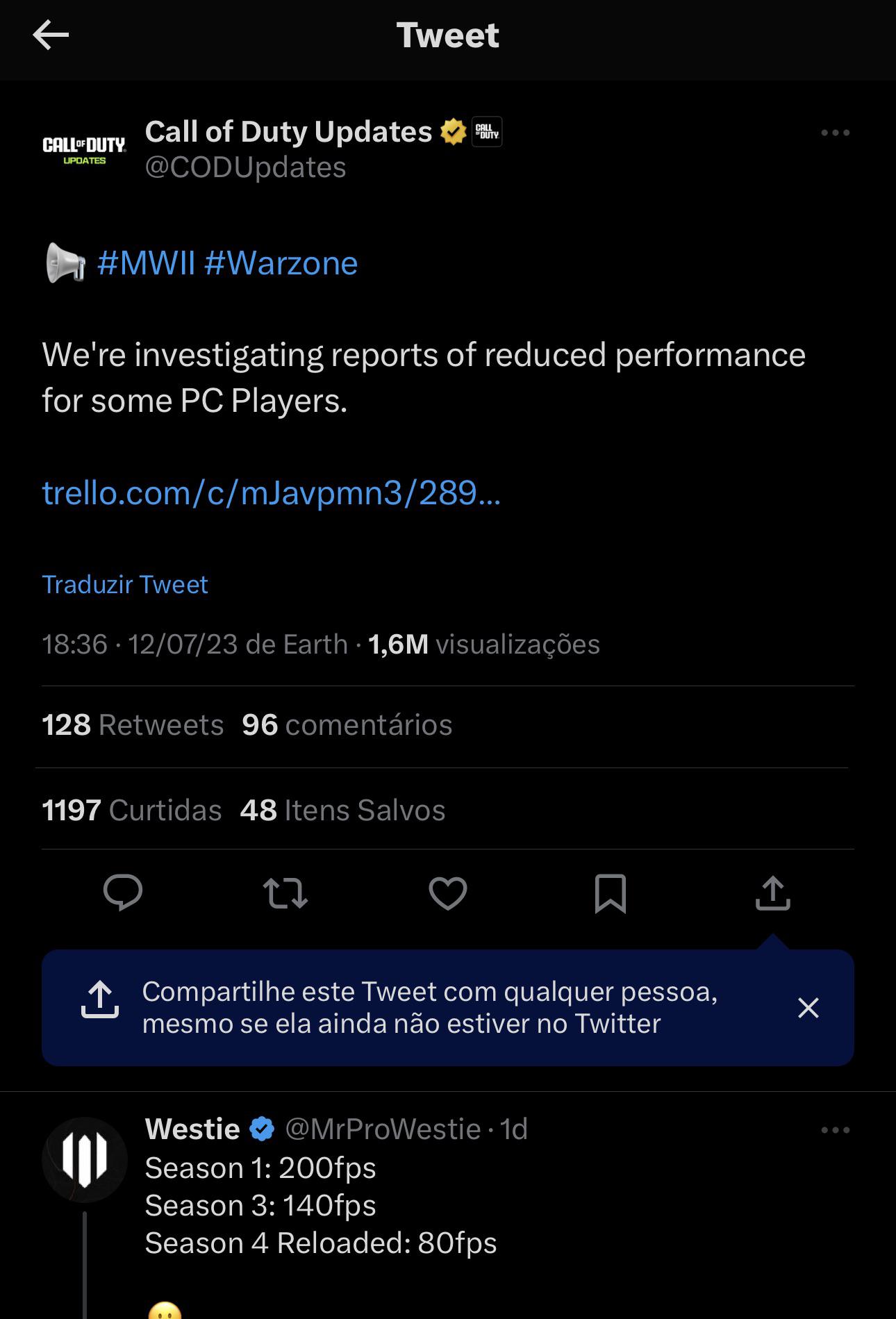
It’s pisses me off to see only after so many seasons they are investigating a possible issue in the game that causes problems to not use the GPU as it should.
The main issue is CPU bound and that’s for zero reason because the game should be GPU bound.
Now this new update made 100% of the players on PC Platform suffer massive lost in performance. Some aren’t even playable because not every user can afford a high end desktop or laptop.
I got used to 200+ FPS but damn what ta heck?
I feel bad for those who have to handle low frames already and now it’s unplayable
The respect that such big company has for us is zero and that’s not new.
DEVs should test the game before even releasing any update to assure the major bugs and issues are eliminated. Who are this DEVs? A bunch of 10 years old team or what?!
Unknown for me the policy of the company this game is so broken in so many ways and I have the feeling in my guts they won’t do a damn about the performance issue.
Let’s see…
As an old time player of Call of Duty series this has to be the most ridiculous situations that I ever saw in the series with zero rational explanation
Stay strong
Hugs
9 Comments
They didn’t say a few. They said some. Also it’s not all. It’s some.
Btw the game literally runs better on my PC putting the graphics on best / extreme compared to using the lowest possible. I get like 70 – 90 on lowest possible but 95 – 100 on best / extreme (Before broken FPS update) I’ve checked the stats and it’s for sure my CPU trying to run things instead of GPU. I get why it runs better up on those settings because it uses my GPU more which is the best. After the broken FPS update, I run 35 – 45 with bad stuttering. It’s just a lost cause.
Season 4 ~~Reloaded~~ Reduced
Relax. They’re working on it, and clearly prioritizing it. The word is “some” and it’s accurate.
This is the response from “support” if you submit a ticket.
Good day. Thank you for reaching Activision Player Supports. I understand that you are having fps drop in game. Let me do my best to help you.
Kindly perform the following quick troubleshooting on your end which help you to fix the issue.
Clearing cache: (https://support.activision.com/articles/deleting-old-files-from-playstation-4-and-xbox-one-consoles)
On your Steam, disable any programs that may interfere with Steam. Verify the integrity of the Game Files.
Improving Lag and In-game performance: (https://support.activision.com/modern-warfare-ii/articles/improving-lag-and-in-game-performance-in-modern-warfare-ii)
Update video card drivers: https://support.activision.com/articles/updating-video-card-drivers-on-a-pc
Try resetting the graphics settings to default or minimum
Disable any services or applications that may interfere with gameplay. https://us.battle.net/support/en/article/23848
Disable Discord overlays, Geforce Experience overlays, or NV Highlights overlays.
Reboot PC in case of pending installations
Clean boot: https://support.microsoft.com/en-us/topic/how-to-perform-a-clean-boot-in-windows-da2f9573-6eec-00ad-2f8a-a97a1807f3dd
Could you try to reinstall the game if the steps above don’t work?
Also, you may follow connectivity troubleshooting to ensure no connection issues.
Make sure you unplug your system and router for a solid 10 mins
If you are using another router/modem combo, set that to bridge mode
If you are on wireless, try to switch on wired, to see if this helps
Please try on a different network/hotspot
Enable UPnP
Ensure that you have the proper ports forwarded and have an Open NAT Type: (https://support.activision.com/articles/port-forward-and-nat-faq/?q=nat)
If the issue still happens, kindly provide the information below. Please be sure to give all the details needed, which should help you with this situation. Once we gather all this information, we can investigate this further.
Are there any error messages? Please send a screenshot if there are any.
Send a screenshot of the current Ports
ISP NAME:
Current speed test:
Region:
For our reference, please send a short video clip of the issue. If you have the video clip, please upload the video on YouTube and or on streamable.com and send the link to this email.
I mean for me I ain’t really seeing a difference in performance myself on PC.
Laughing all the way to the bank with my ps5. Haven’t had one issue to date.
people in the thread saying ‘some’ as if that makes it true.
if anyone is not affected, can they post their specs and config file?
Because its affecting 100% of people as far as I’m aware – with the new exception that turning off radeon anti-lag might help some AMD users (reflex does not change anything on nvidia).
This is based of ~10 unique common setups I have access too, as well as trying almost every setting available.
I’d love to be wrong though
I can not believe this is still not fixed.