
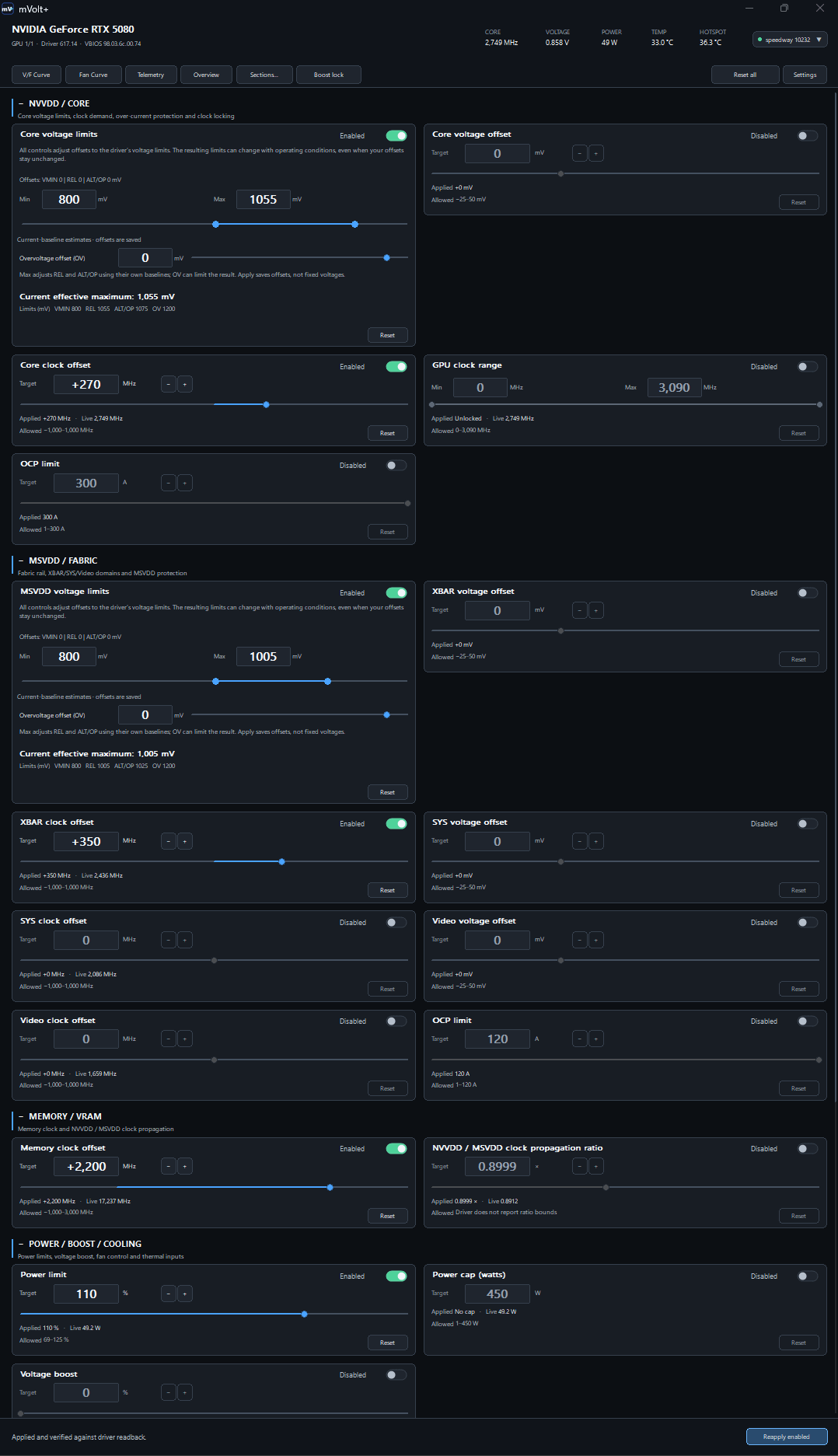
Hello guys. I've completed my new pc build as of today and would like to ask your opinion regarding my overclocks. I have slightly overclocked the CPU and RAM. CPU is solid, cools and performs really good. The RAM is on 6200 mtu's with great subtiming and i can wholeheartedly say that both have passed any type of stress testing i have done. Compared to the default values i've noticed the pc to be much faster, responsive and snappier. Even windows booting up has increased quite a bit.
Anyway back to my main focus, the GPU. Please view the image i have shared. With these exact values i have run multiple stress tests and the results have been satisfactory. When i run 3d mark speed way i get a score of around 10276. https://www.3dmark.com/sw/3915638
Main question: Is there anything i should give a try or change? I want this to be done once and leave it at those values forever. Please feel free to give me your insight and experience. Im hoping to learn more and see whether i can gain more "free" performance. I'd also like to note that the power limit of this particular gpu can be pushed till 125%, however i haven't been able to succesfully make use of that so i went back to the sweetspot of 110%.
The complete specs are as follows: (note: the values i share here are the default ones. CPU easily remains stable aroun 5,45 and the ram also shows zero issues with great subtimings)
OS: Windows 11
CASE: Carbide Series™ Air 740 High Airflow ATX Cube Case
CPU: AMD Ryzen 7 9800X3D 4,7 GHz
CPU FAN: Thermalright Peerless Assassin 140
MOTHERBOARD: GIGABYTE B850 EAGLE WIFI6E
RAM: Patriot Viper Venom 32 GB DDR5 6000MT/s CL30
GPU: GIGABYTE GeForce RTX 5080 Gaming OC – 16 GB Quad slot
PSU: NZXT C1500 Platinum ATX 3.1-1500W
STORAGE: WD Black SN850 2TB PCIe gen 4 NVme M.2 SSD
FANS: 3x Corsair 120MM Case Fans
MONITOR: Dell S2721DGFA 1440p (27 inch 165 hz)
2ND MONITOR: AOC 24 inch 1080p
3RD MONITOR: AOC 24 inch 1080p
MOUSE: Logitech G502 Hero
KEYBOARD: Cherry KW 550 MX LP
SPEAKER: Logitech Z313
HEADSET: Beyerdynamics DT 990 Pro
Microphone: JLab Talk Pro