
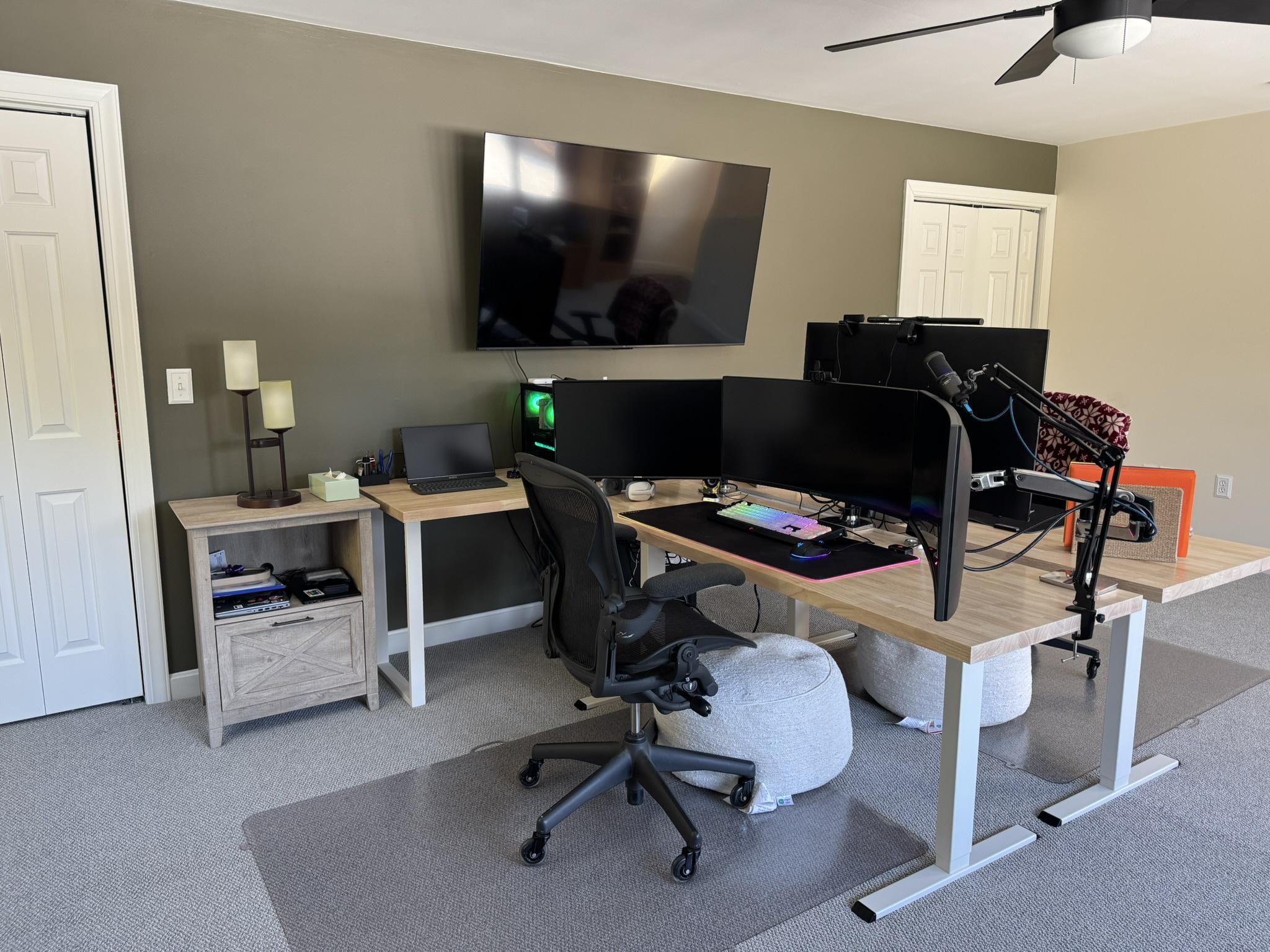
WFH Setup for My Wife and I (Bonus Room Above Garage)
Album in the Imgur link – multiple photos
My wife and I recently moved into a new house and had this bonus room above the garage that we decided to turn into a shared work-from-home space.
While planning the room I tried to find inspiration from other couples’ desk setups, but honestly there weren’t many examples out there. I pulled ideas from a few different builds and tried to design something that would work well for both of us while keeping the room clean and functional.
Behind the TV is a closet that runs the full length of the wall. Inside it I installed a 24U rack that houses all of my networking gear along with my Flashforge 3D printer. All the network cables run through a cable raceway around the closet and then through the wall to keep everything hidden.
Room / Desk Setup
- 65" TCL Mini-LED TV (Black Friday pickup – $350)
- 8ft butcher block from Lowes ($174 on sale) with white legs from Amazon ($90)
- Main desks: Topsky sit-stand desk frames with 6ft butcher block tops from Lowes ($124 each on sale)
Desk frame:
https://www.amazon.com/dp/B08C2CFNT2
- Footrests: Costco – $40 each
- File cabinets: Amazon
My Setup
Displays
- 2 × 34" ultrawide monitors (Dell 60Hz + MSI 144Hz)
- 1 × 27" Samsung (60Hz)
Peripherals
- Razer BlackWidow keyboard (Green switches)
- Razer Basilisk V4 mouse
- Audio-Technica AT2020 microphone
PC
- Ryzen 5800X
- 64GB RAM
- EVGA RTX 3070 Ti
- 2 × 1TB NVMe
- Lian Li O11 case
All the cables run about 15 feet so the PC can stay off to the side while still allowing the sit-stand desk to move freely.
Cable Management
Used J-channel raceways mounted to the back and underside of the desks to keep everything clean and out of sight.
https://www.amazon.com/dp/B08QTY5JXS
Networking / Homelab
- Ubiquiti Dream Machine Special Edition
- U6-LR Access Point
- U6-Pro Access Point
- 48-port Cisco switch (for PoE cameras)
- Ubiquiti UNAS Pro 7-bay
- Ubiquiti Flex 2.5 (testing)
- 6 Strands of Single Mode Fiber running the length of the house
- 2 Cat6a cables running the length of the house
- 1 new Coax line running from the other end of the house.
Eventually I’ll swap the Cisco switch out for a Ubiquiti switch so everything is in the same ecosystem, but I wasn’t ready to drop the money on that upgrade yet.
Wife’s Setup
- Samsung 43" Smart TV with USB-C so she can plug her MacBook Air directly in for work
- https://www.amazon.com/dp/B09ZHQ93VJ
- Color laser printer lives in the closet to keep the room looking clean