
A short case study on a laptop GPU that looked “power-limited” beyond what core temperature alone suggested.
System: HP Victus 16 (Ryzen 7 7840HS / RTX 4060 Laptop GPU 8GB, AD107M). Test: Unigine Superposition 1.1, 1080p Extreme (same preset each run).
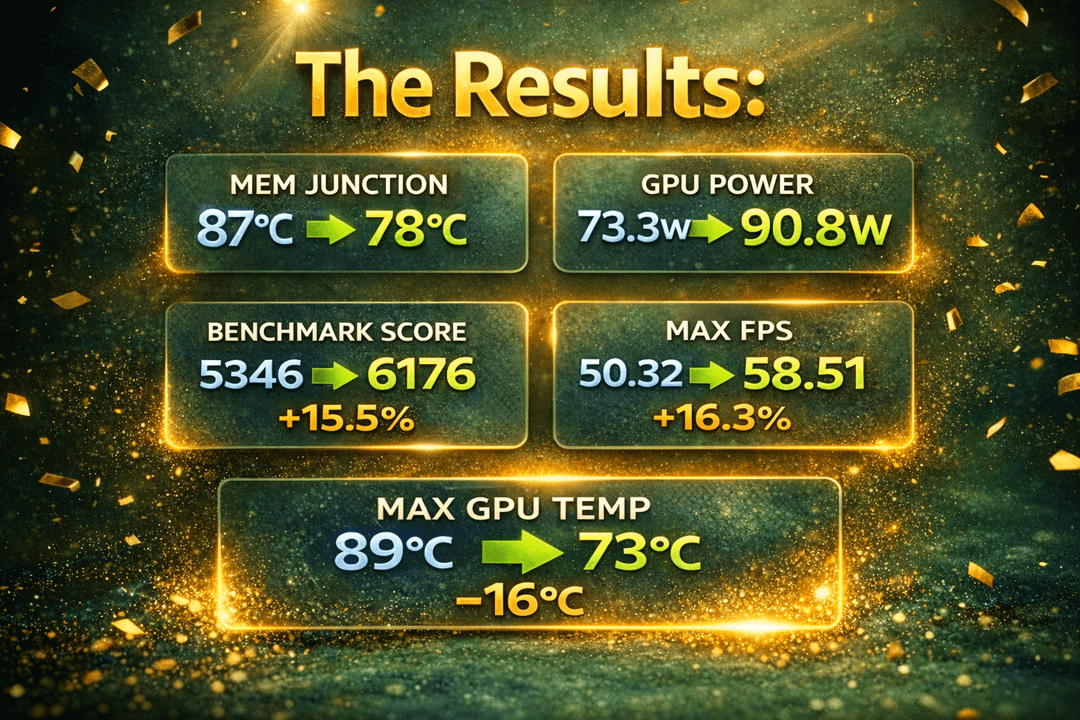
Baseline: score 5346, FPS min/avg/max 30.10 / 39.99 / 50.32, max GPU temp 89°C, VRAM memory junction 87°C max, GPU power 73.3W max.
Two-stage TIM approach to separate “fresh material” from “coverage/contact”:
Stage 1 intentionally used a center “pea” deposit for the putty (a method that is common for die paste, but not reliable for putty coverage). Result: score 5711, FPS 33.32 / 42.72 / 54.53, max GPU temp 74°C, VRAM junction 82°C max, GPU power 89.7W max.
Stage 2 used UV-assisted coverage mapping plus targeted top-up until contact/coverage was continuous. Final: score 6176 (+15.5%), FPS 36.21 / 46.20 / 58.51, max GPU temp 73°C, VRAM junction 78°C, GPU power 90.8W.
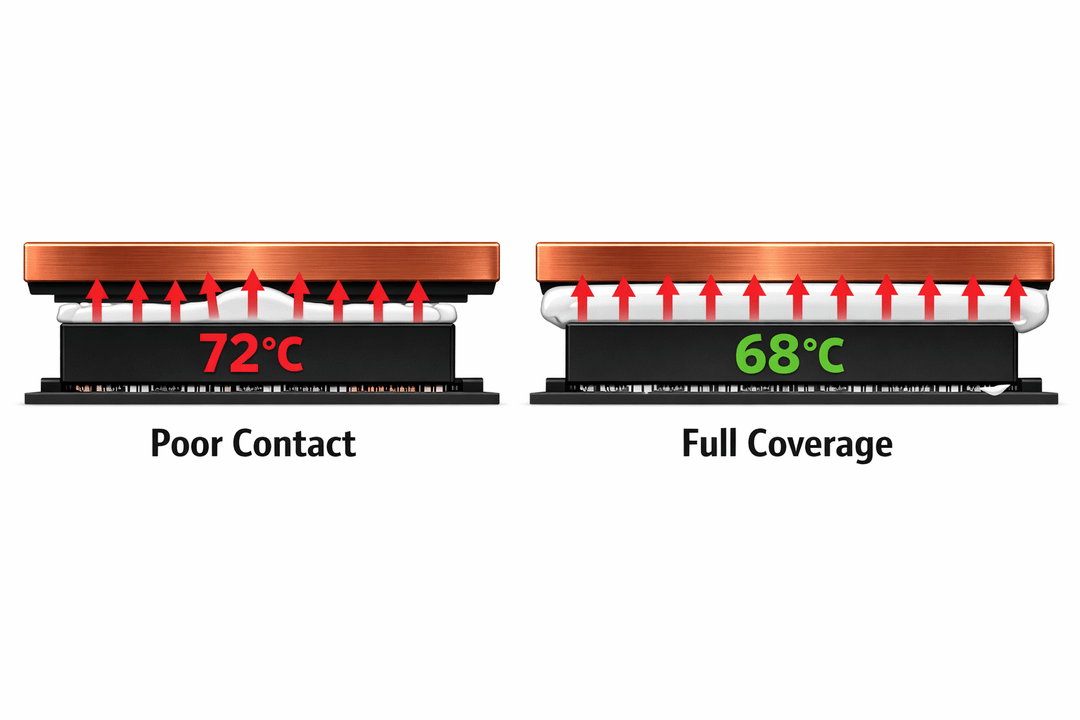
Why this matters (and why “poor contact vs full coverage” changes temps): heat is conducted through real contact. Thermal paste/putty is a gap-filler that displaces air. Any unfilled spot behaves like a trapped air pocket (high thermal resistance), creating local hotspots that can clamp sustained power even when average core temps look acceptable.
On gaming laptops, pads are often a poor substitute for OEM putty/gel because the heatsink has multiple interfaces with different Z-heights (GPU die vs GDDR6 VRAM vs VRM). Fixed-thickness pads can leave voids or lift the coldplate and reduce die pressure.