



So I previously had a 13900K which degraded over time. Constantly hitting thermal bottlenecks and just recently couldn't game without constant FPS drops even at 4K (cpu is still used at 4K just not as heavily as 2K or 1080p). I also gave at 4K a lot too but when I want max fps then I drop to 2K gaming with Ultra settings.
Intel gave me an a 14900K on RMA but decided to sell and go for the 14900KS. At first, there wasn't a major difference I could notice between the 13900K vs 14900KS. My 13900K was only clocked at 5.5GHz and was still hitting thermal bottlenecks. It was the worst. But remember, I had this since it first came out, and well before the degradation issues were being reported.
Deceided to spend some bit of time experimenting with dialing in the right OC values to do a few things:
- Overclkock the 14900KS so I can get the performance it offered
- Balance performance and power to get the best thermal values
- Aim for stability while achieving the latter 2 statements
Here is my setup for reference:
Latest BIOS update was applied: latest build date = 11/24/2025
- Asus Maximus Z690 Extreme
- G.Skillz 64GB Trident Z 6000 (x2 32GB)
- Asus Astral 5090 OC GPU
- x4 4TB Nvme, x1 1TB Nvme
- Asus Thor Platinum 1200W PSU
- Custom Water Cooling Loop (Corsair)
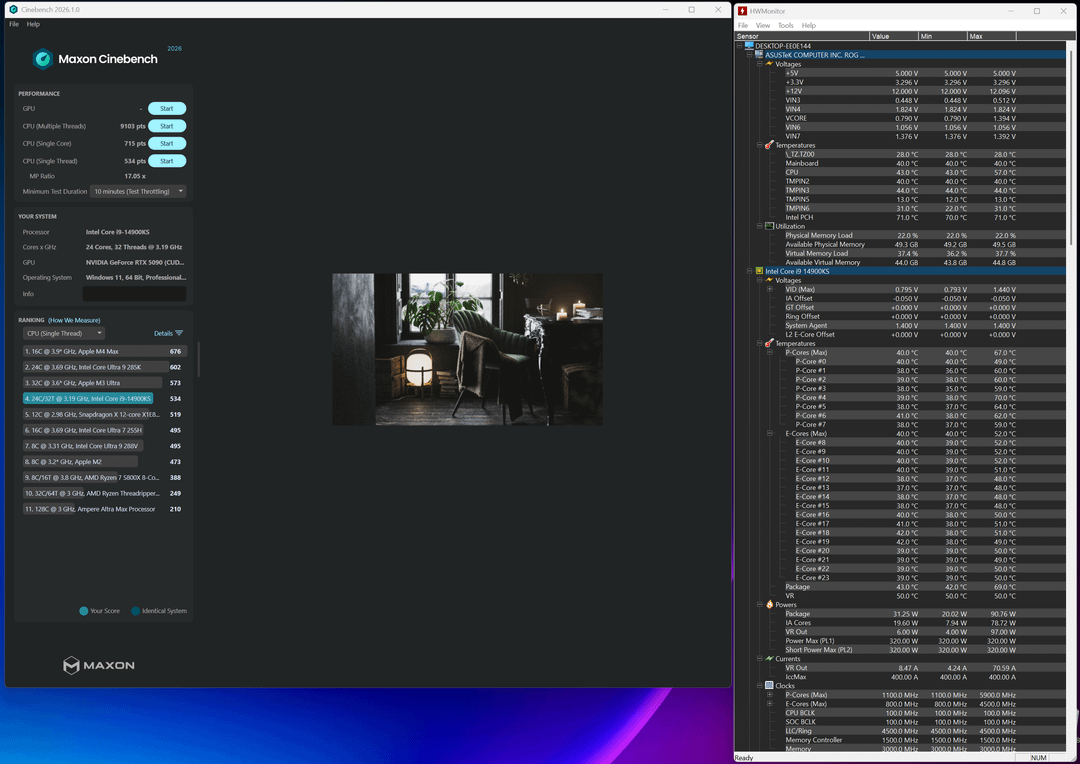
Here's a summary of what I've Tested with XPU Stress Testing and Cinebench
I've tried many different OC settings including Intel's limiting OC profile, XM1, XM2, and many different Performance Core Ratios (5.5GHz, 5.9GHz, 6.0GHz, 6.1GHz, 6.2GHz, 6.3GHz) and a few Efficient Core Ratios in combination (4.2GHz, 4.5GHz, and 4.6GHz). In every test, I've tried undervolting to achieve balance of performance and power to achieve ultimate thermal values. Core Voltage Offsets were also tested and changed when thermal were too high or when system instability crashes occurred (-0.00500 in increments to -0.05500).
Here were the best Asus Mobo values I've discovered for ultimate power, performance, and stability
Extreme Tweaker Settings
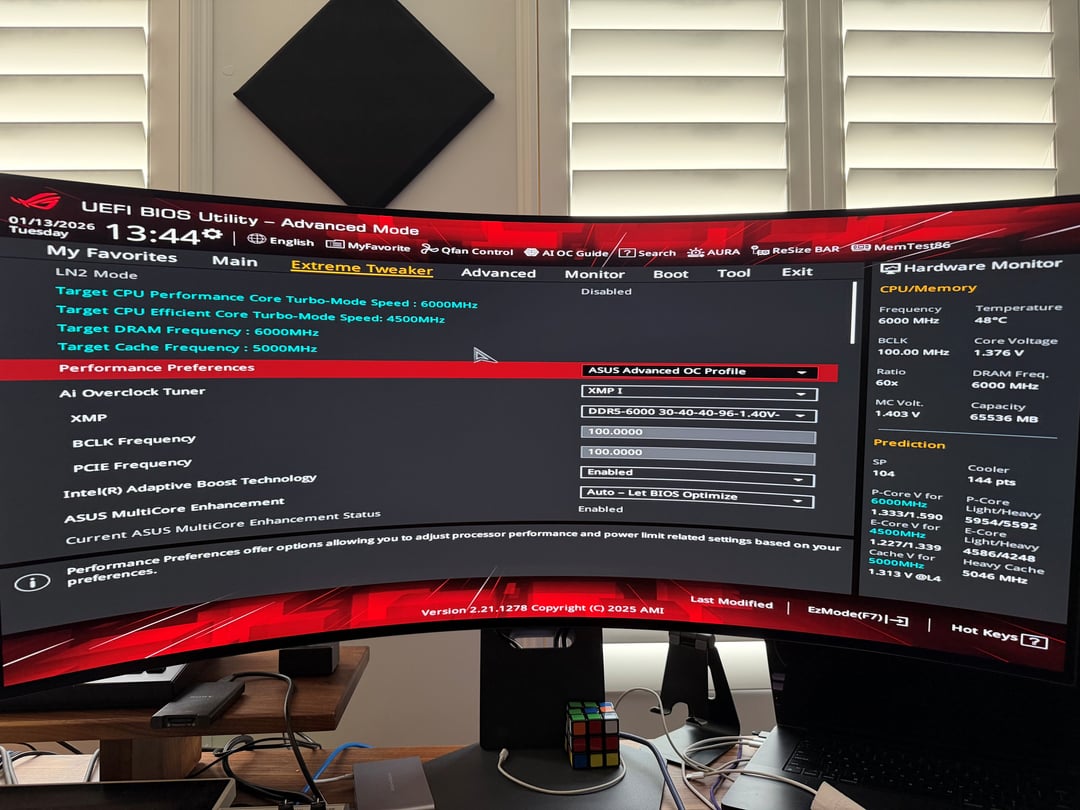
- Asus Advance OC Profile
- XMP I
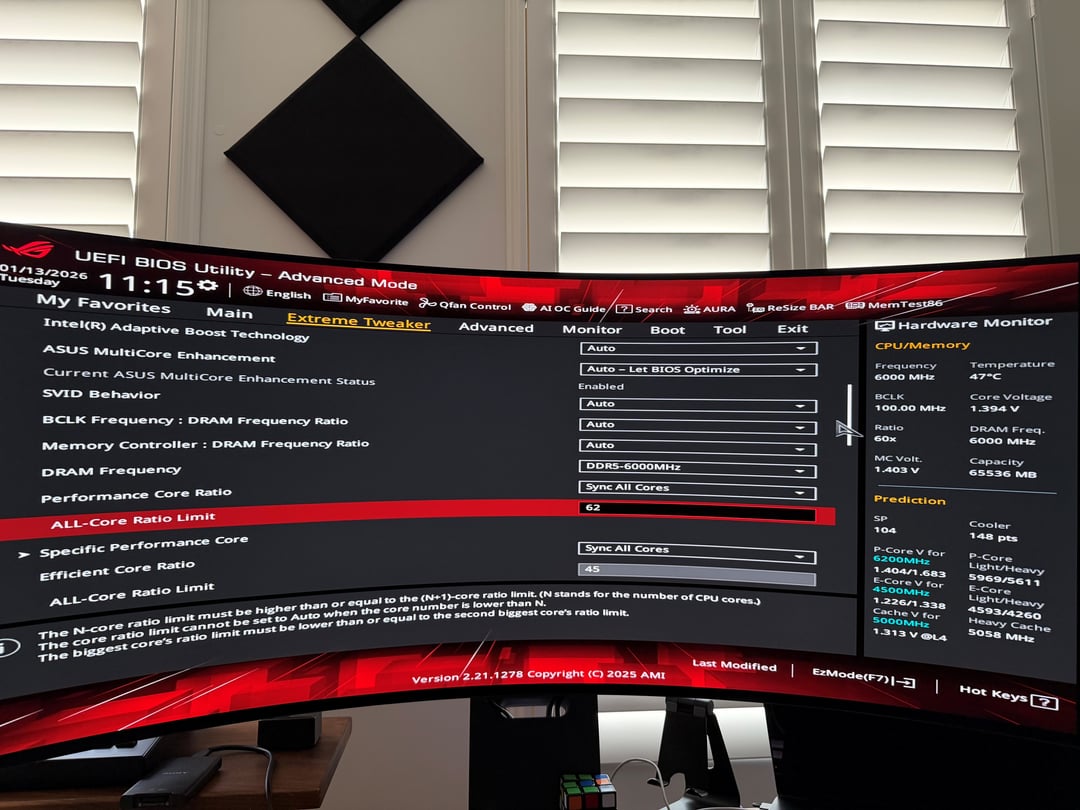
- Intel(R) Adaptive Boost Technology = Enabled
- Asus Multicore Enhancement = Auto – Let BIOS Optimize
- Performance Core Ratio = Sync All Cores(+1 to 2) (THIS IS THE BIG ONE)
- All Core Ratio Limit = 61 (6.1GHz)
- Efficient Core Ratio = Sync to All Cores
- All Core Ratio Limit = 45
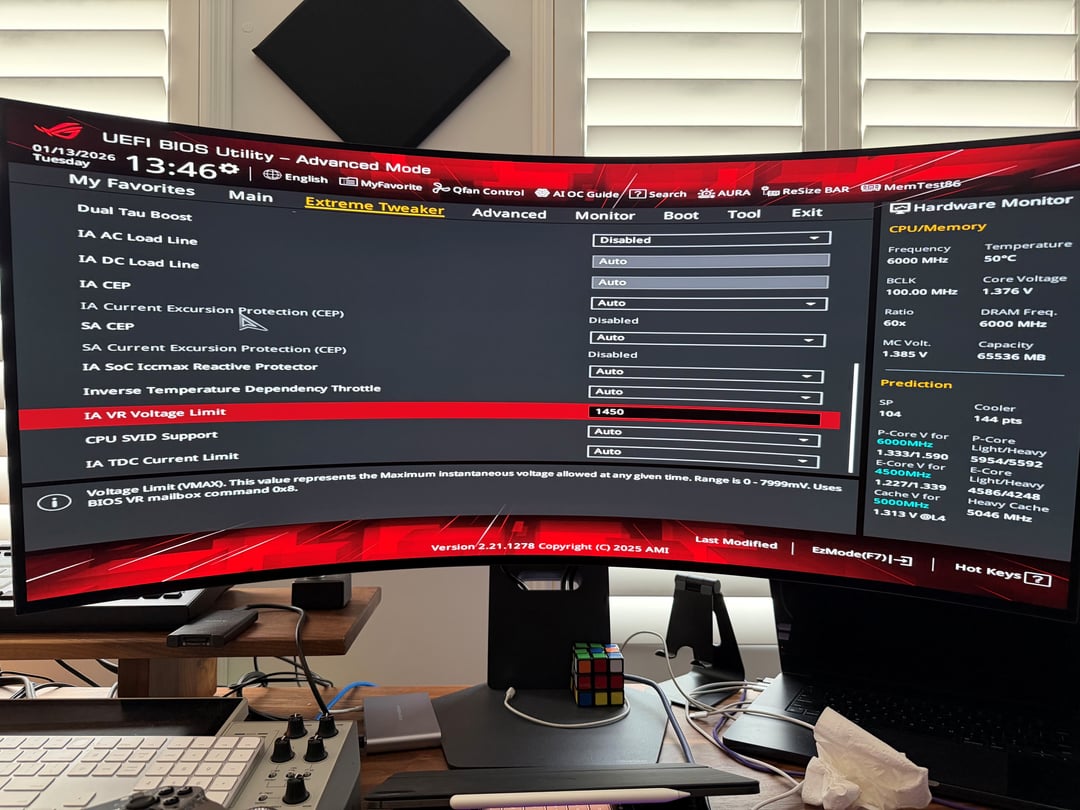
- IA VR Voltage Limit = 1450 (Prevents over voltage from occurring without using Intel's restrictive profile)
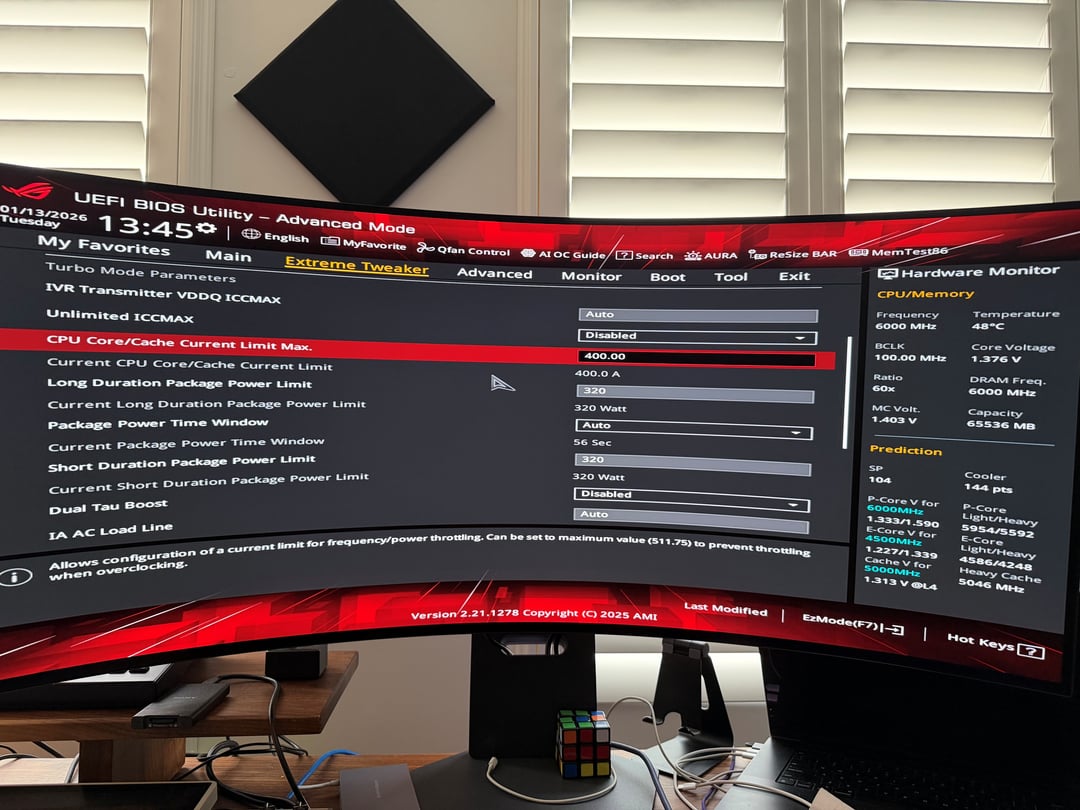
- CPU Core/Cache Current Limit Max = 400.00
- Long Duration Package Power Limit = 320
- Current Short Duration Package Power Limit = 320
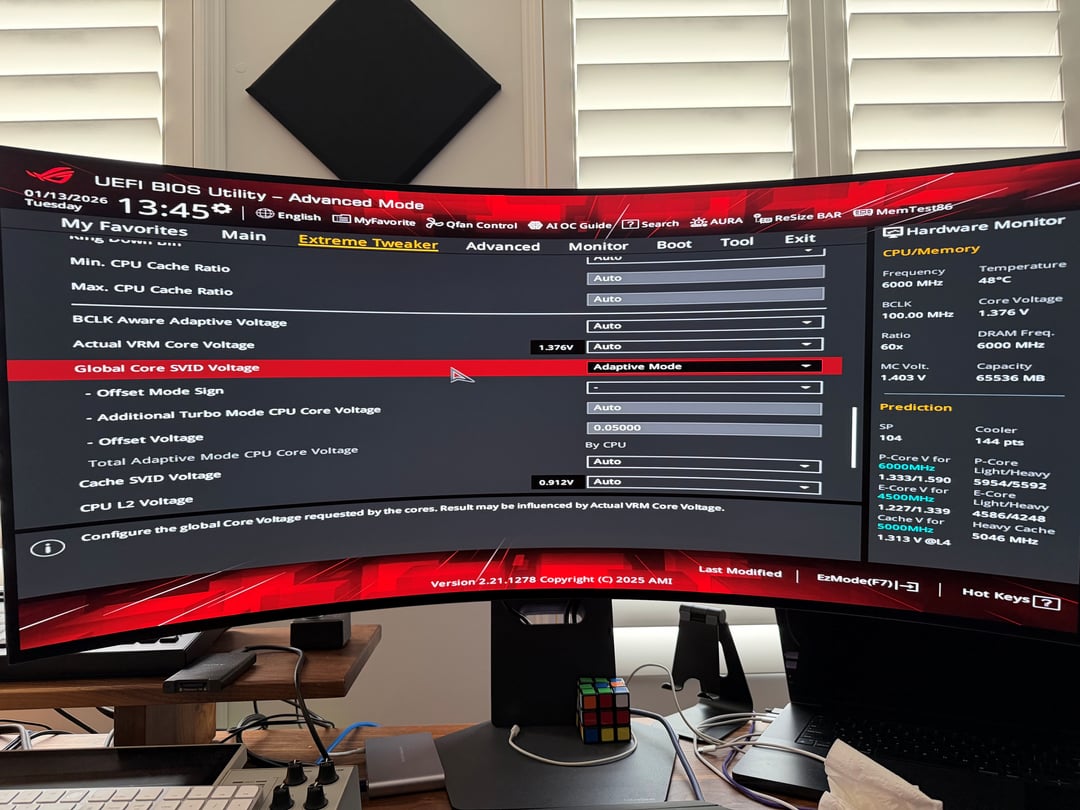
- Global Core SVID Voltage = Adaptive Mode
- Offset Mode Sign = – (This ensures you can undervolt the CPU)
- Additional Turbo Mode CPU Core Voltage = Auto
- Offset Voltage = 0.05000 (THIS IS ANOTHER BIG ONE)
—
Results
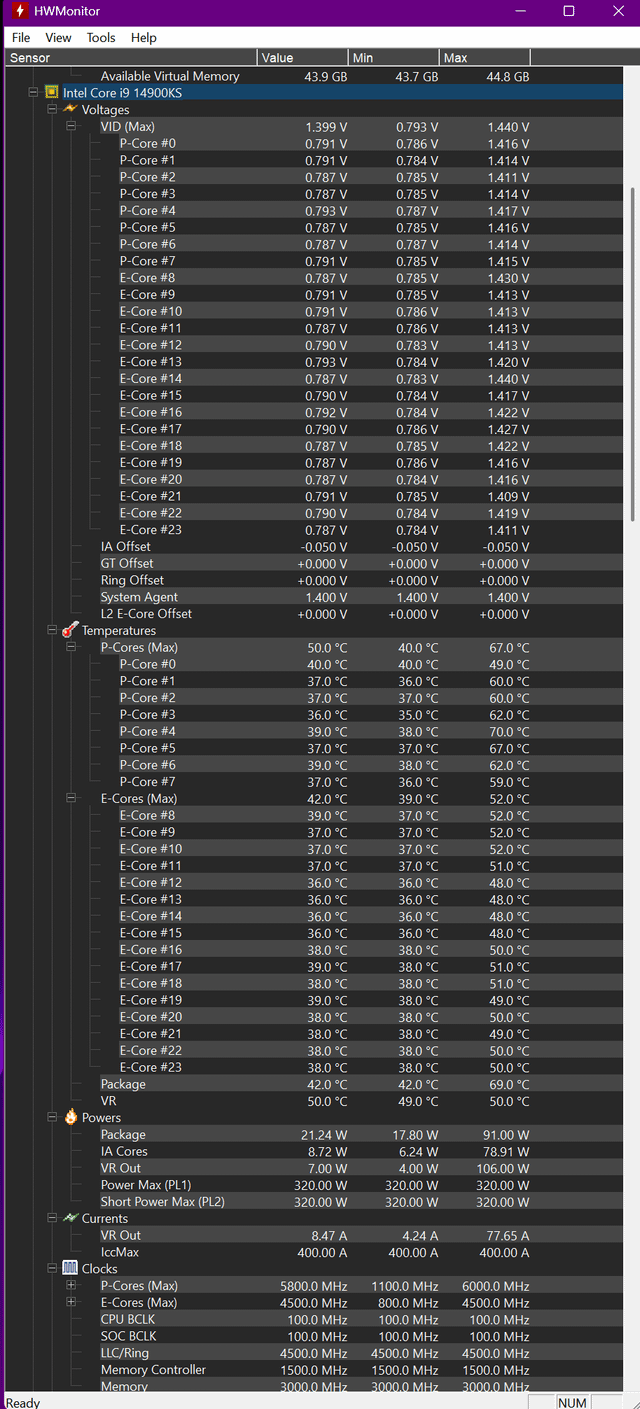
- Idle temps are high 30's and very low 40's thermally
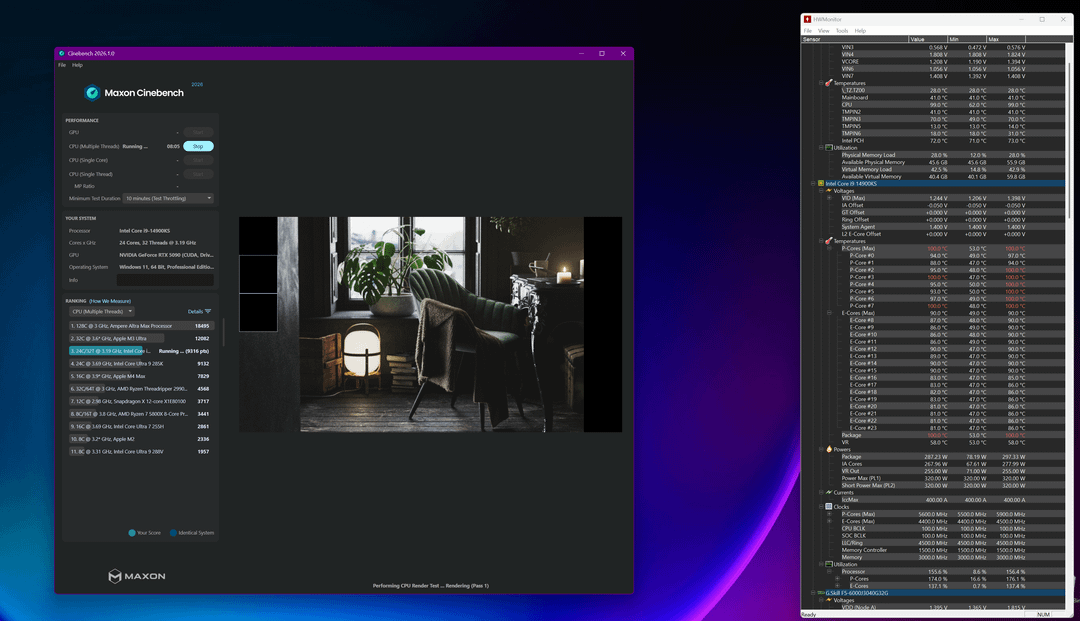
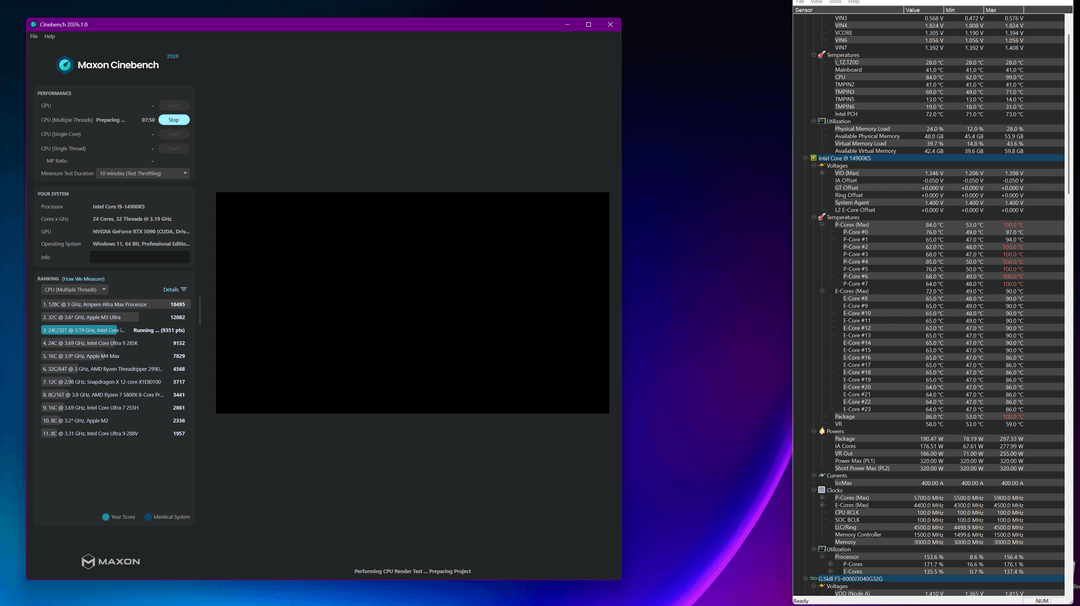
- Under extreme load where all cores are maxed for a longer duration of time there are instances of cores reaching 100c which resulted in thermal throttling. Based on stress testing this is normal for this CPU. It's not a constant 100c but will fluctuate under extreme load from 60c to 100c with the average being in the 80s and low 90s. Normal workloads wouldn't be stress testing the CPU like this.
- The 14900KS was exceeding the Core Ultra 285K in Multi-Thread testing. If the "Performance Core Ratio = Sync All Cores" was set then the 14900KS would severly underperform the Core Ultra 9 285K. It took changing the value to "Sync All Cores(+1 to 2)" to outperform the Core 9 Ultra 285K while achieving optimal power, performance, stability, and reduced thermal values.
- Single Thread performance was slightly lower than the Core Ultra 9 285K. No data was given on Single Core but determined the 14900KS value resulted very high values.
Real World Results (Gaming, Lightroom, Photoshop, DaVinci)
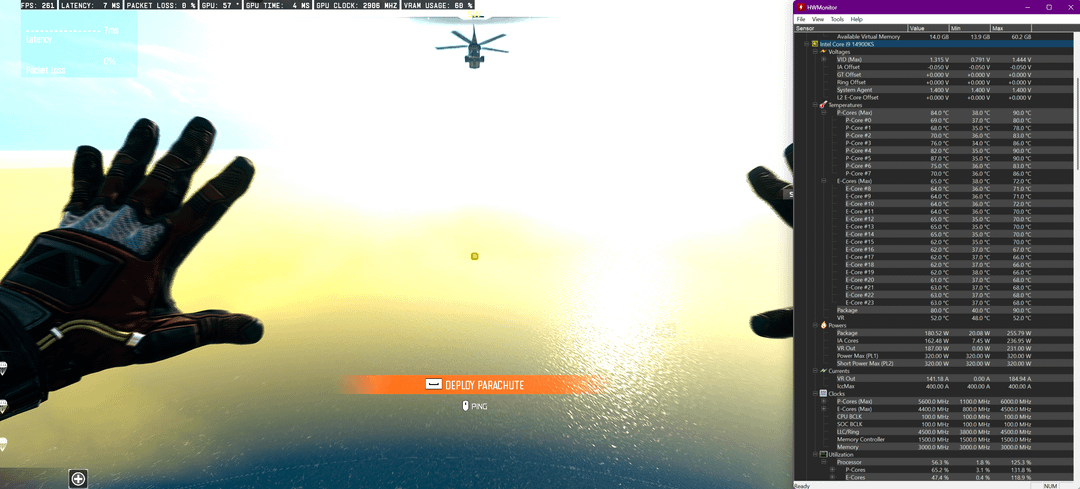
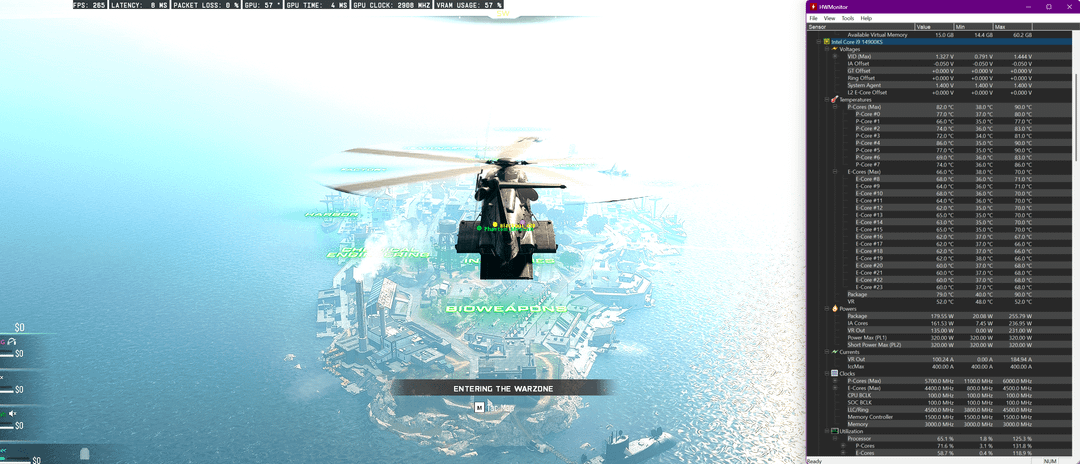
- It's lovely to say that at 2k in WarZone I'm achieving 240+ fps, sometimes into the 400's fps where thermal values are steady in the 60c's to occasional 80s but remain on average in the 60c's. 70-80c are spikes caused by the perf boost but happen occasionaly as the cores are fluctuating constantly. I'll take thermal temps in the 60c range all day long with this CPU.
- Lightroom and DaVinci is the same. When renedering, it's rare to see CPU thermal go above 70c.
—
Hope this helps others who are considering the 14900KS or already have it. I was determining on going the 9950x3d route but heard a lot of folks say that the intel chips are snappier in Windows and better for workloads outside of gaming. So, thought I'd give Intel another shot, and I do believe I'm here to stay and sticking with the i9-14900KS.